> ## Documentation Index
> Fetch the complete documentation index at: https://help.revenuehero.io/llms.txt
> Use this file to discover all available pages before exploring further.
# What data is pushed by RevenueHero to Attio?
> The fields RevenueHero reads from and writes to your Attio People and Company records with every booking.
Once Attio is connected, RevenueHero keeps your records current on its own. It reads your Attio data to route each meeting, and writes the meeting, its ownership, and the fields you have mapped back to the matched records. Your team gets an accurate picture in Attio without logging meetings by hand, and you get fields to report and automate on.
## What RevenueHero reads from Attio
RevenueHero uses your existing Attio data to decide who each meeting should go to:
* **Workspace Members**, matched to your RevenueHero users by email, so RevenueHero recognises your reps and can attribute a meeting to the existing record owner.
* **Companies**, matched by primary domain, for account-based routing.
* **People**, matched by email address, for contact-based routing.
* **Deals** related to the matched person or company, for opportunity-aware routing rules that assign to the deal owner.
* **Custom field options** on People, Companies, and Deals, so you can build matching and distribution rules against the Attio schema you already have.
## What RevenueHero writes to the Person record
After every booking event, RevenueHero updates the matched Attio Person.
### Meeting details
RevenueHero writes these fields on every booking:
| Field | What it captures |
| ----------------------- | ------------------------------------------------------------------ |
| `rh_meeting_type` | The type of meeting booked |
| `rh_router_name` | The router that brought the lead in |
| `rh_campaign_name` | The campaign that brought the lead in |
| `rh_meeting_status` | Upcoming, Completed, No Show, Cancelled, or Not Booked |
| `rh_meeting_time` | The scheduled meeting time |
| `rh_meeting_created_at` | When the booking was created |
| `rh_no_show` | Flag set when the prospect does not attend |
| `rh_disqualified` | Flag set when the prospect is disqualified |
| `rh_reschedule_link` | The prospect's reschedule link |
| `rh_cancel_link` | The prospect's cancel link |
| `rh_owner` | The assigned RevenueHero user, mapped to an Attio Workspace Member |
## What RevenueHero writes to the Company record
On the matched Attio Company, RevenueHero writes:
* `rh_owner`, so account-level views in Attio reflect who owns the relationship, not just the contact who filled out the most recent form.
* **Mapped enriched company fields**, populated from the RevenueHero enrichment waterfall. Teams commonly enrich fields like industry, employee count, annual revenue, and HQ location.
The `rh_` fields are built for reporting. From within Attio, group meetings by `rh_router_name` to see which routers drive booked meetings, or filter on `rh_no_show` to find accounts that need a follow-up.
### Mapped form and enriched fields
RevenueHero also writes the fields you have mapped:
* **Form fields** you map to Attio Person fields, from your inbound and campaign forms.
* **Enriched fields** you map in the integration, such as LinkedIn, phone, and name, drawn from the RevenueHero enrichment waterfall.
Only mapped fields reach Attio. Custom questions and any form fields you have not mapped are not written to Attio. You can always find those responses in RevenueHero.
### UTM attribution
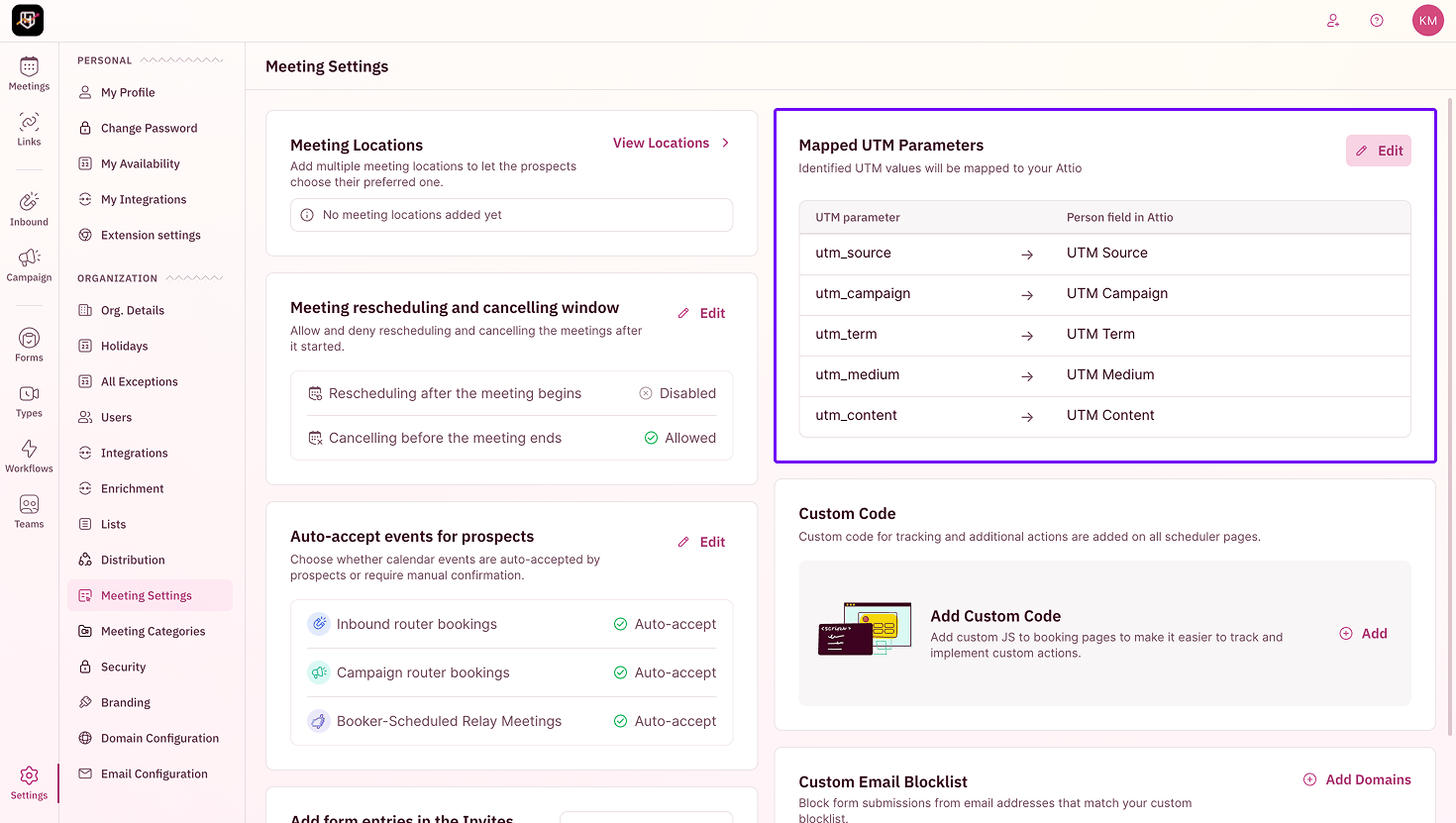
RevenueHero maps the UTM values it captures to your Attio Person fields, so you can see where a meeting came from:
| UTM parameter | Attio Person field |
| -------------- | ------------------ |
| `utm_source` | UTM Source |
| `utm_campaign` | UTM Campaign |
| `utm_term` | UTM Term |
| `utm_medium` | UTM Medium |
| `utm_content` | UTM Content |
 ***
Your Attio records now stay in sync with every meeting RevenueHero books. 🎉🎉🎉
Connect Attio and see how routing works.
Map enrichment fields, sync meeting types, and set up matching and distribution.
Choose which form fields write back to your CRM.
Capture and map campaign attribution.
***
Your Attio records now stay in sync with every meeting RevenueHero books. 🎉🎉🎉
Connect Attio and see how routing works.
Map enrichment fields, sync meeting types, and set up matching and distribution.
Choose which form fields write back to your CRM.
Capture and map campaign attribution.