> ## Documentation Index
> Fetch the complete documentation index at: https://help.revenuehero.io/llms.txt
> Use this file to discover all available pages before exploring further.
# How to configure and route with Attio?
> Route meetings on your Attio records, then control what RevenueHero writes back to Attio.
Once Attio is connected, you set up how meetings reach your team and what RevenueHero keeps up to date in Attio. Meetings are routed and booked first, then RevenueHero writes the details back to your records, so this page follows the same order: route your meetings, then configure what syncs back.
**BEFORE YOU BEGIN**
Only RevenueHero admins can change these settings. Attio must already be [connected](/crm/attio/overview).
## Route your meetings on Attio data
RevenueHero routes each inbound meeting with three kinds of rules. Matching rules use your Attio records to route a prospect to their existing owner. Distribution and redistribution rules assign meetings by round robin across the RevenueHero team attached to the rule, and can use your Attio fields to qualify who gets to book.
### Match to an existing Attio record
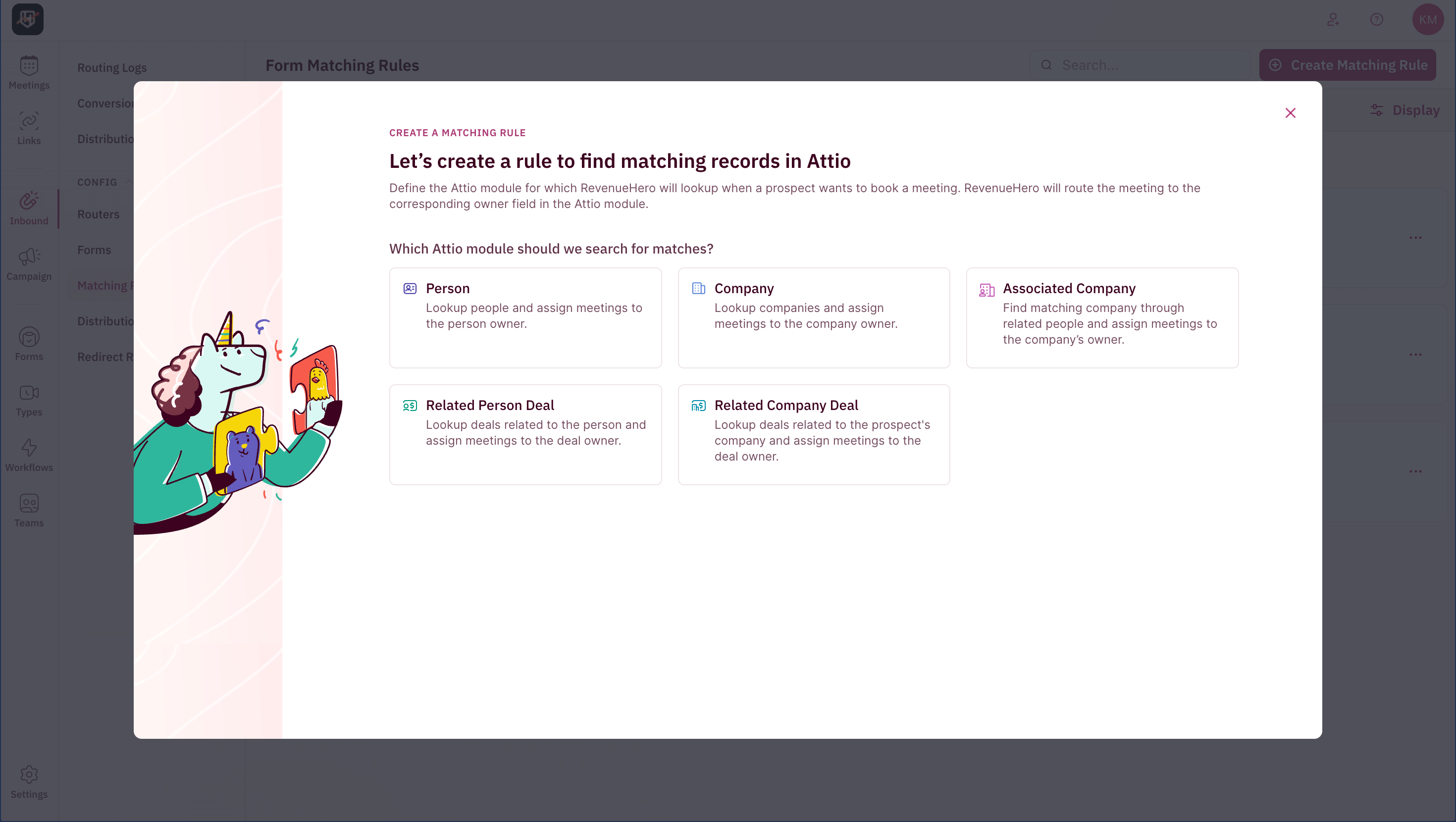
A matching rule sends a prospect to the owner of their existing Attio record. When you create one, you first choose which Attio module to search:
| Module | Looks up | Assigns to |
| -------------------- | -------------------------------------- | ------------------- |
| Person | People | The person owner |
| Company | Companies | The company owner |
| Associated Company | The company linked to a matched person | The company's owner |
| Related Person Deal | Deals related to the person | The deal owner |
| Related Company Deal | Deals related to the company | The deal owner |
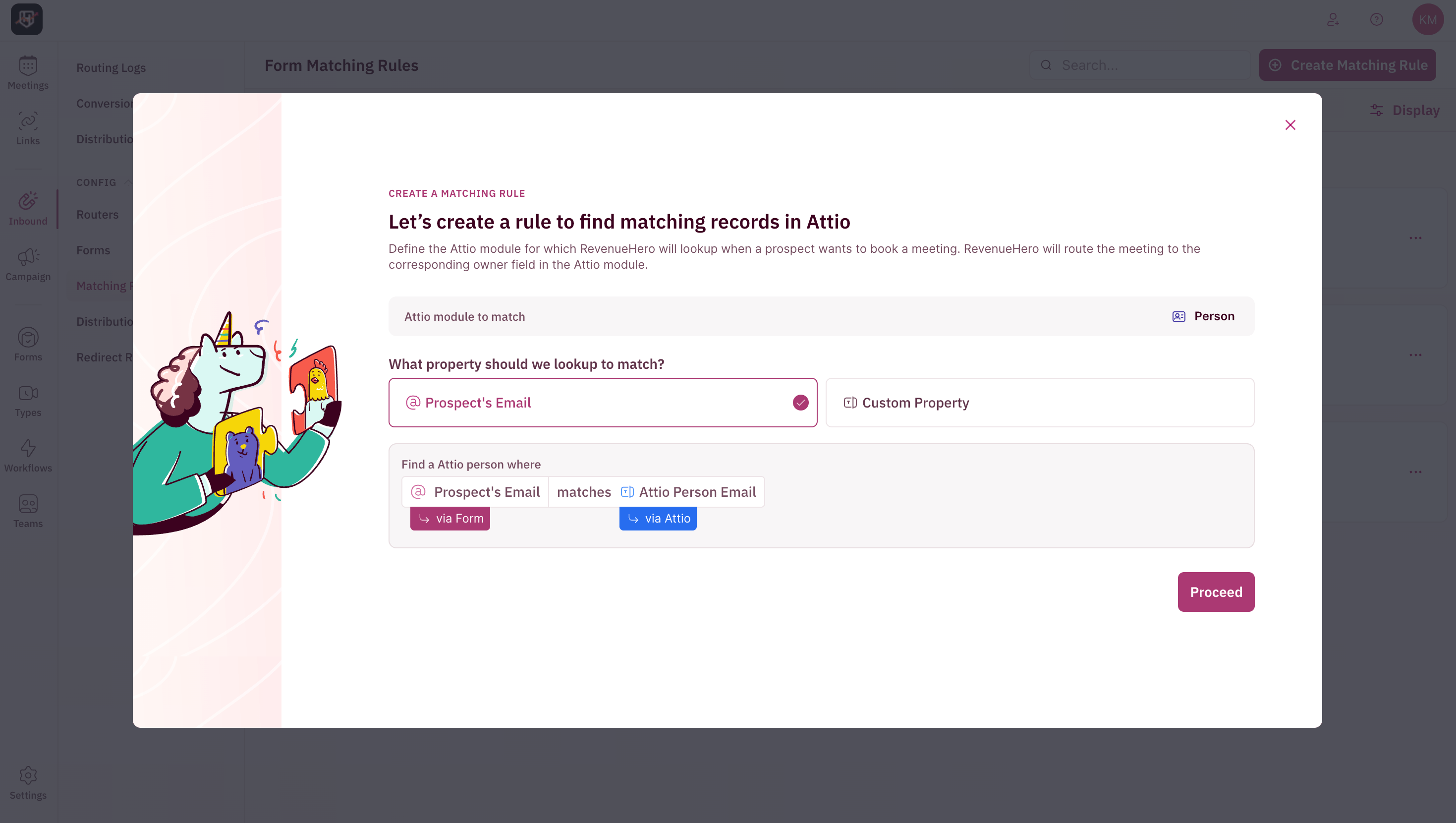
 You then choose what to match on, either the prospect's email or a custom property from your form, and whether to schedule with the single record owner or with multiple users.
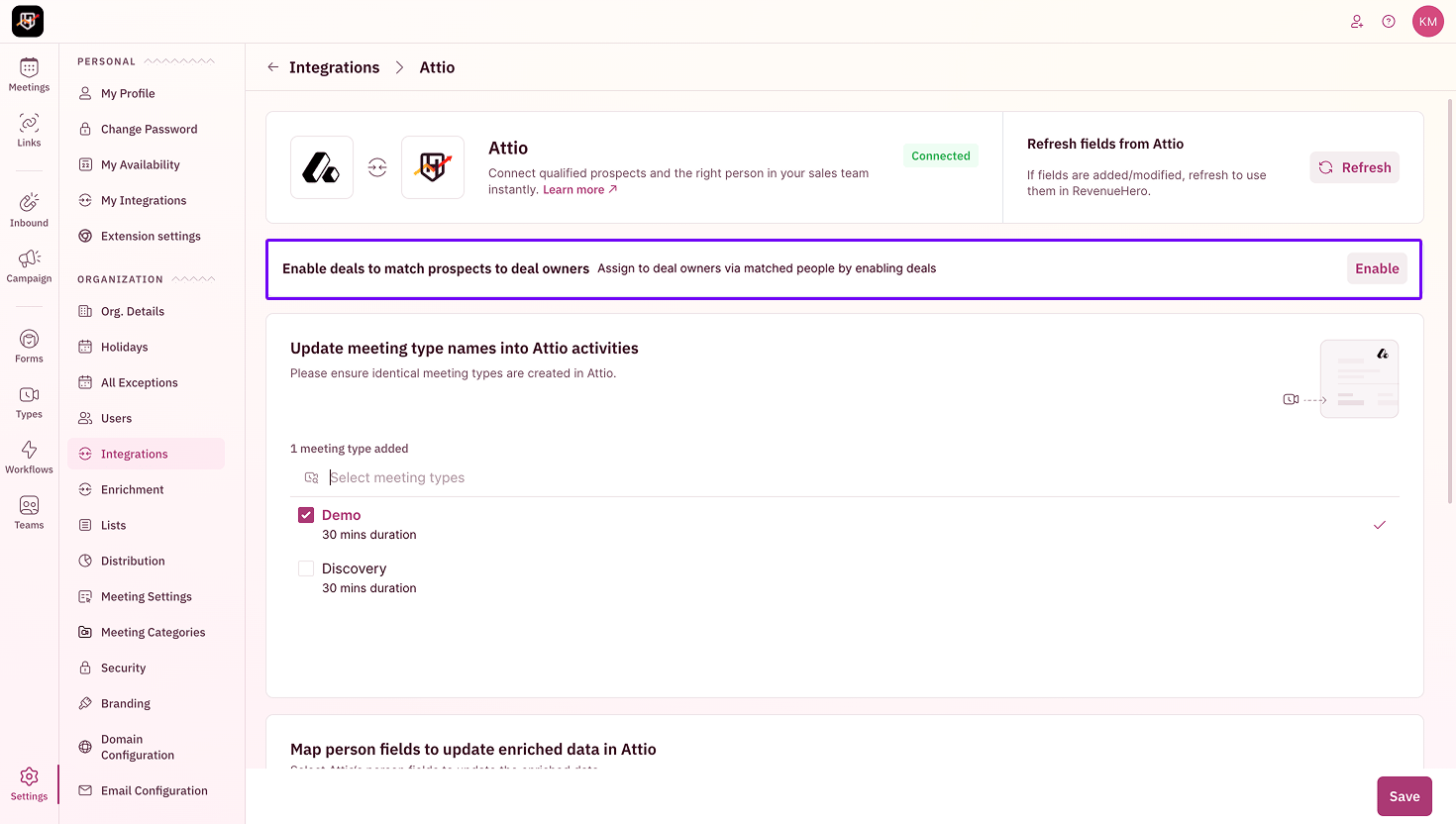
 To assign meetings to deal owners, turn on **Enable deals to match prospects to deal owners** on the Attio configuration page (**Settings → Integrations → Attio**).
 For the full walkthrough, see [Create a Matching Rule](/rules/matching/create-matching-rule).
### Distribute across your team
A distribution rule qualifies a prospect and assigns the meeting when there is no existing owner, or whenever you want to share meetings across a team. You can:
* Build conditions from **form inputs, Attio fields, and enrichment data**.
* Round robin across one or more **teams** you select in the rule. Teams are created by admins in RevenueHero.
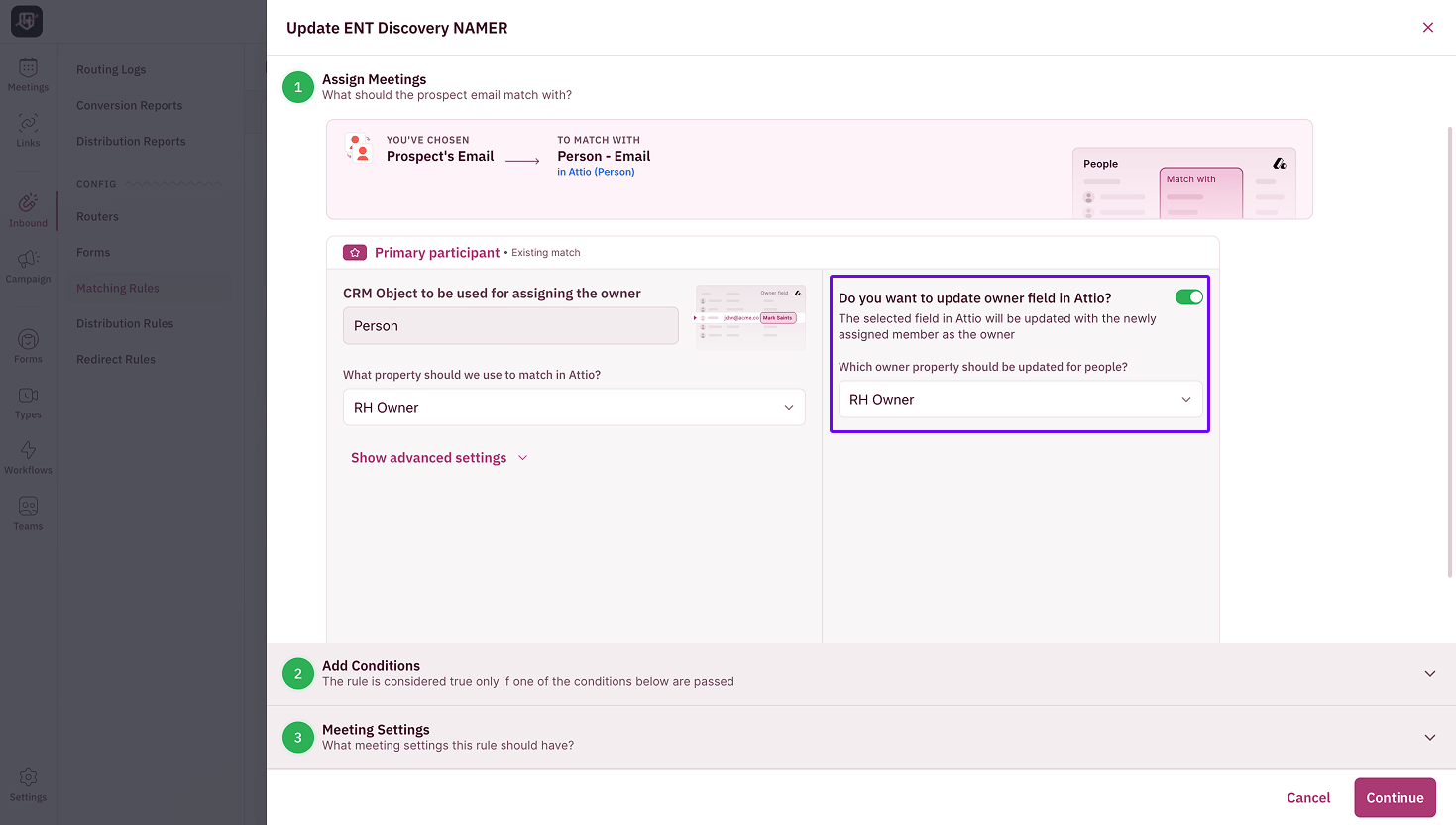
* Turn on **Updates the meeting owner in CRM** to write the assigned owner back to the Attio record.
For the full walkthrough, see [Create a Matching Rule](/rules/matching/create-matching-rule).
### Distribute across your team
A distribution rule qualifies a prospect and assigns the meeting when there is no existing owner, or whenever you want to share meetings across a team. You can:
* Build conditions from **form inputs, Attio fields, and enrichment data**.
* Round robin across one or more **teams** you select in the rule. Teams are created by admins in RevenueHero.
* Turn on **Updates the meeting owner in CRM** to write the assigned owner back to the Attio record.
 For the full walkthrough, see [Create a Distribution Rule](/rules/distribution/create-distribution-rule).
### Reassign when a prospect does not book
Redistribution reassigns a prospect who is routed but does not book within a set time, so the lead does not sit cold. On the router, you can have RevenueHero reassign to the prospect's existing Attio owner, or evaluate the redistribution rules you attach.
## Configure what RevenueHero writes back to Attio
After a meeting is booked, RevenueHero updates your Attio records. Use the Attio configuration page (**Settings → Integrations → Attio → Configure**) to control what syncs back.
For the full walkthrough, see [Create a Distribution Rule](/rules/distribution/create-distribution-rule).
### Reassign when a prospect does not book
Redistribution reassigns a prospect who is routed but does not book within a set time, so the lead does not sit cold. On the router, you can have RevenueHero reassign to the prospect's existing Attio owner, or evaluate the redistribution rules you attach.
## Configure what RevenueHero writes back to Attio
After a meeting is booked, RevenueHero updates your Attio records. Use the Attio configuration page (**Settings → Integrations → Attio → Configure**) to control what syncs back.
 ### Refresh fields from Attio
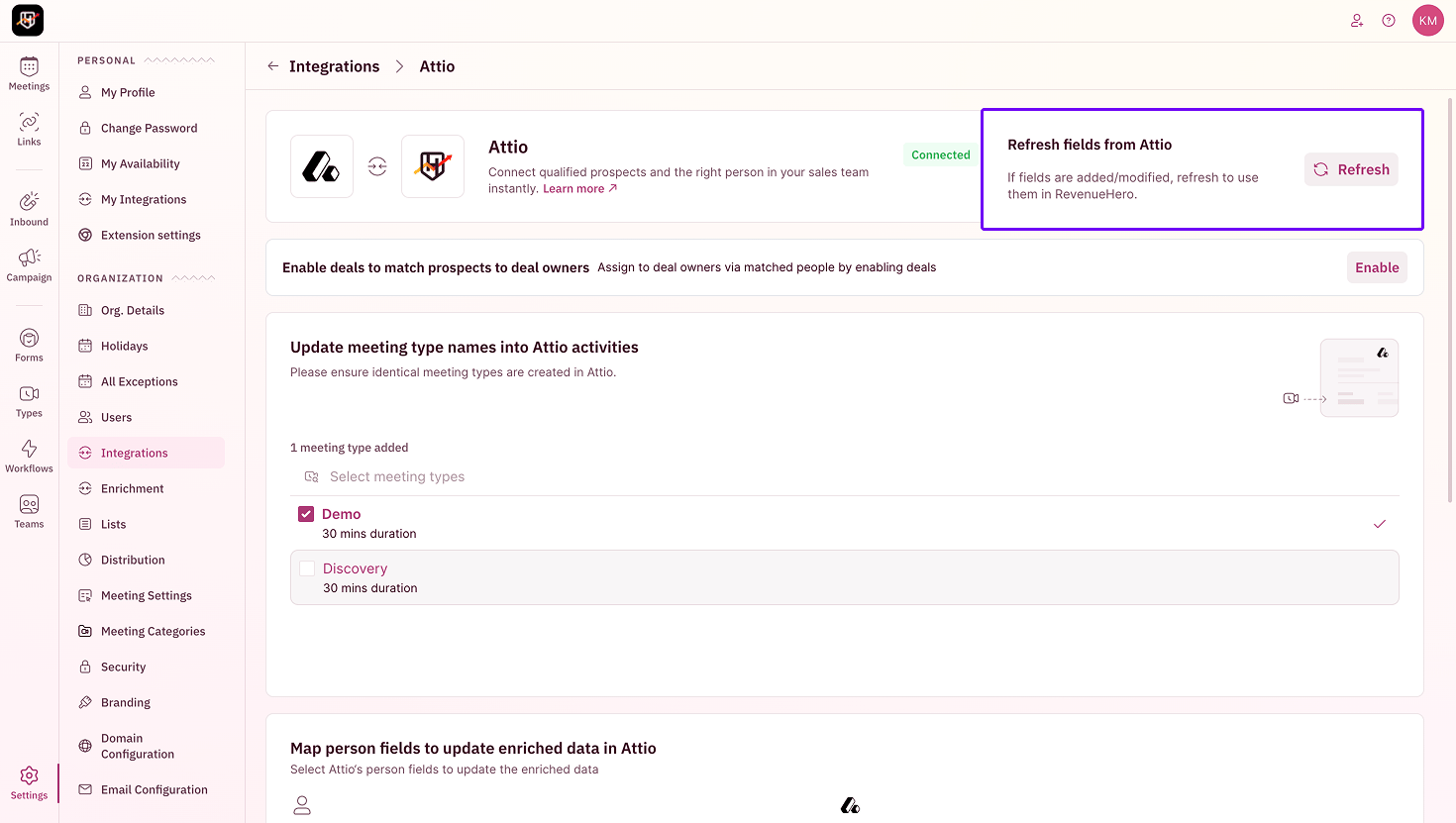
When you add or change fields in Attio, click **Refresh fields from Attio** to pull the latest fields into RevenueHero. This keeps your Attio schema available when you build routing rules and field mappings.
### Refresh fields from Attio
When you add or change fields in Attio, click **Refresh fields from Attio** to pull the latest fields into RevenueHero. This keeps your Attio schema available when you build routing rules and field mappings.
 ### Sync meeting types into Attio activities
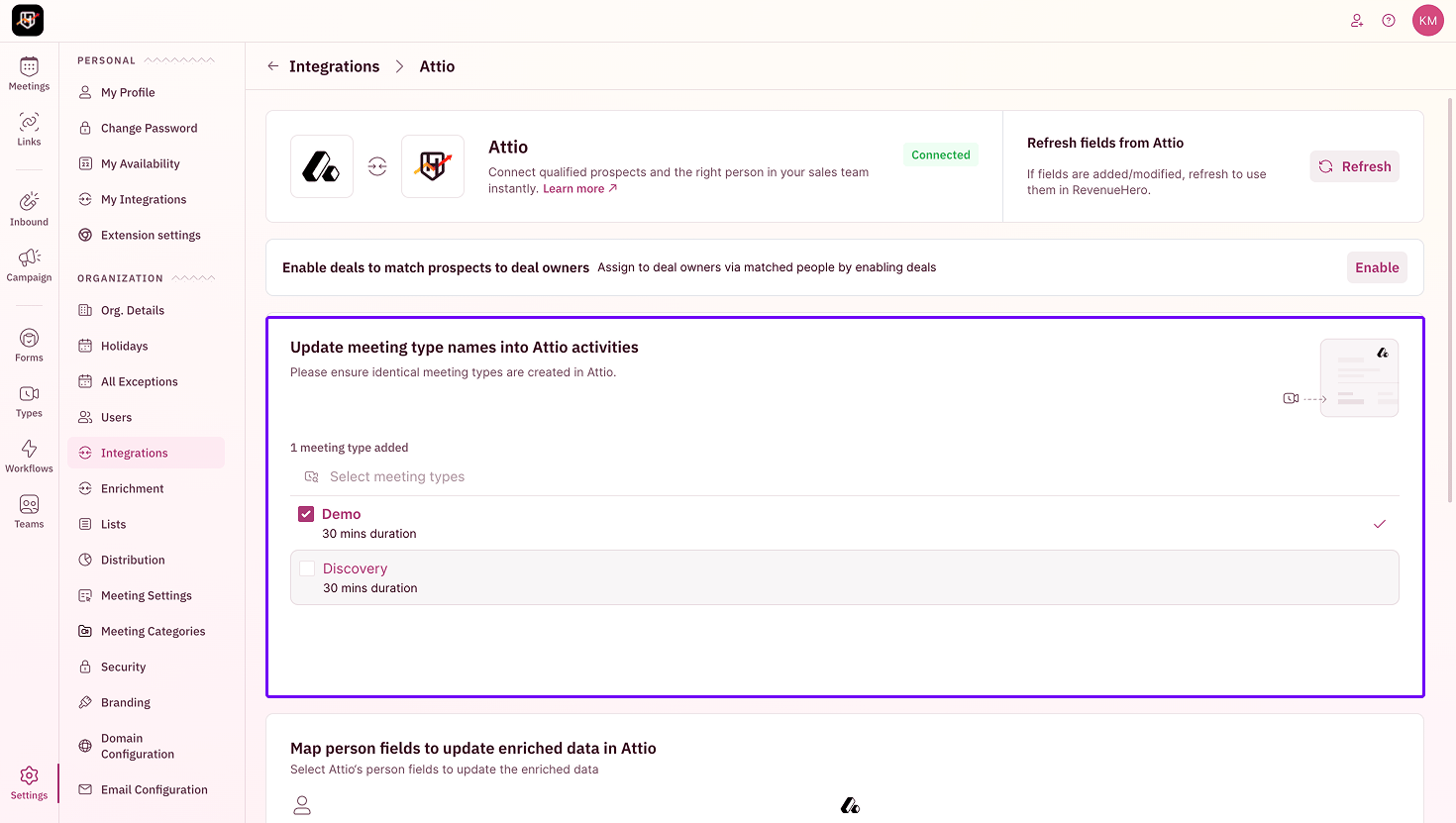
Under **Update meeting type names into Attio activities**, select the RevenueHero meeting types you want reflected in Attio. RevenueHero writes the meeting type name so your team can see what kind of meeting was booked on the record.
Create identical meeting types in Attio first. RevenueHero matches on the meeting type name, so the names must be the same on both sides.
### Sync meeting types into Attio activities
Under **Update meeting type names into Attio activities**, select the RevenueHero meeting types you want reflected in Attio. RevenueHero writes the meeting type name so your team can see what kind of meeting was booked on the record.
Create identical meeting types in Attio first. RevenueHero matches on the meeting type name, so the names must be the same on both sides.
 ### Map enriched fields to Attio
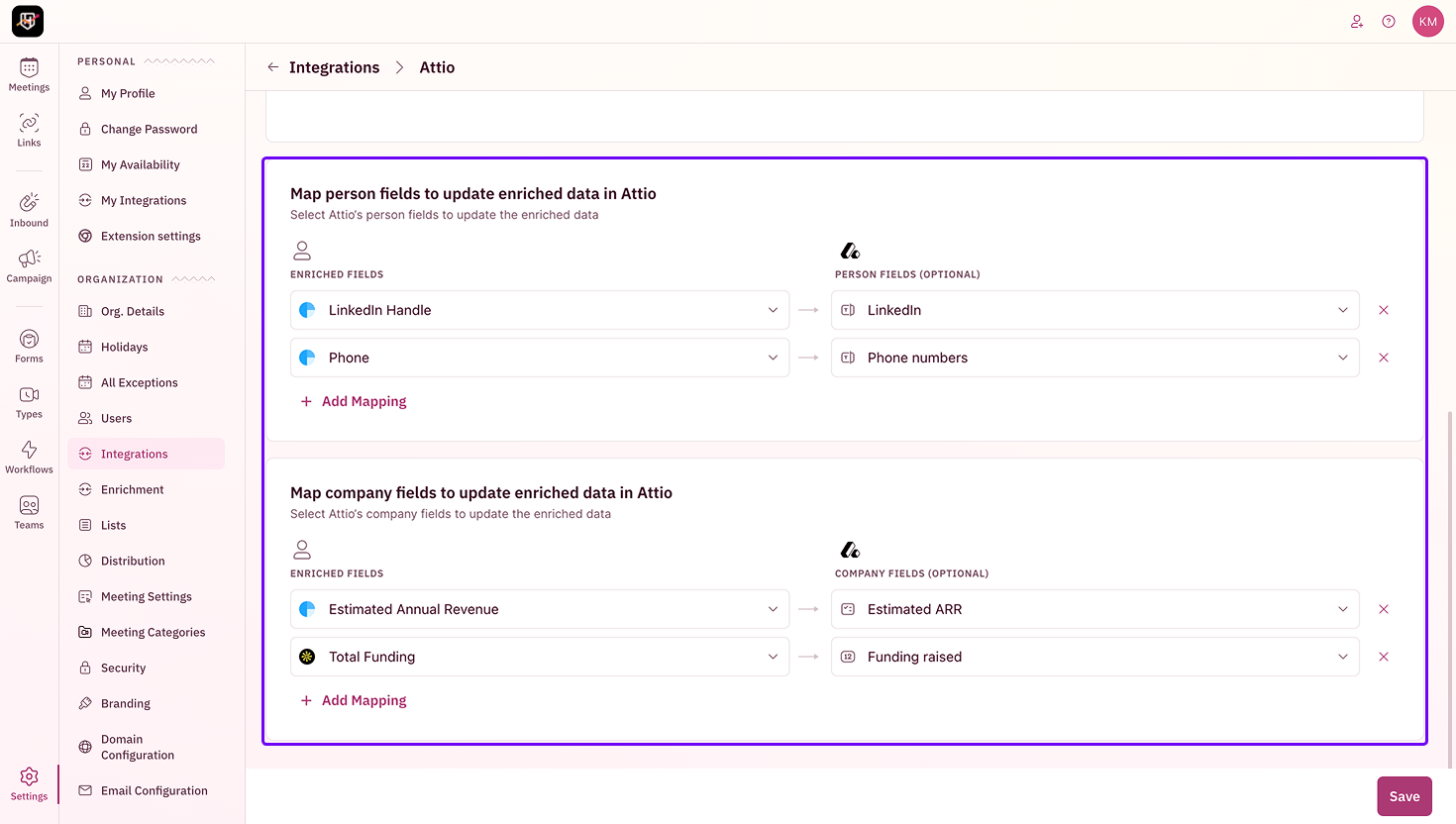
RevenueHero can write enriched data back to your Attio records. There are two mapping sections:
* **Map person fields** to update Attio Person fields, for example LinkedIn Handle to LinkedIn or Phone to Phone numbers.
* **Map company fields** to update Attio Company fields, for example Estimated Annual Revenue to Estimated ARR or Total Funding to Funding raised.
Only the fields you map here are written to Attio.
### Map enriched fields to Attio
RevenueHero can write enriched data back to your Attio records. There are two mapping sections:
* **Map person fields** to update Attio Person fields, for example LinkedIn Handle to LinkedIn or Phone to Phone numbers.
* **Map company fields** to update Attio Company fields, for example Estimated Annual Revenue to Estimated ARR or Total Funding to Funding raised.
Only the fields you map here are written to Attio.
 ***
Your Attio integration is routing meetings and syncing the details back to your records. 🎉🎉🎉
Connect Attio and see how routing works.
See every field RevenueHero reads and writes.
Route prospects to the right Attio record owner.
Qualify and assign meetings using your Attio fields.
***
Your Attio integration is routing meetings and syncing the details back to your records. 🎉🎉🎉
Connect Attio and see how routing works.
See every field RevenueHero reads and writes.
Route prospects to the right Attio record owner.
Qualify and assign meetings using your Attio fields.