> ## Documentation Index
> Fetch the complete documentation index at: https://help.revenuehero.io/llms.txt
> Use this file to discover all available pages before exploring further.
# How to setup Clearbit enrichment in RevenueHero?
> Connect with Clearbit to instantly enrich leads and route them based on job titles, company info, and more.
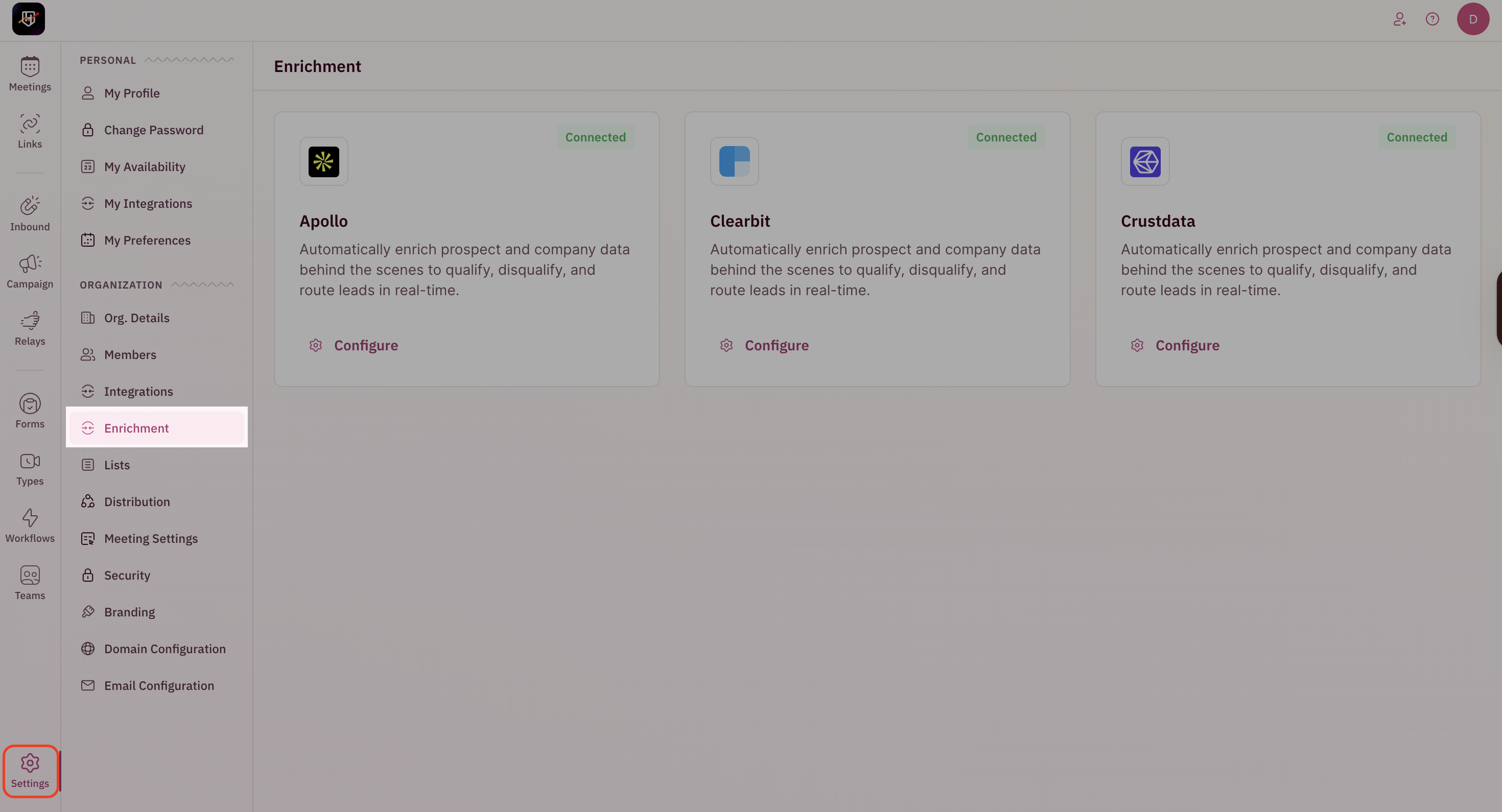
### Navigate to Enrichment Settings
1. Go to **Settings → Enrichment** from the left-hand navigation.
This is an add-on, and if you would like to opt for it, please reach out to [support@revenuehero.io](mailto:support@revenuehero.io), and we'll assist you.
 ## Configure Clearbit Enrichment
To use Clearbit for enrichment, you have two options: you can either create a new Clearbit account or use your own existing Clearbit API key.
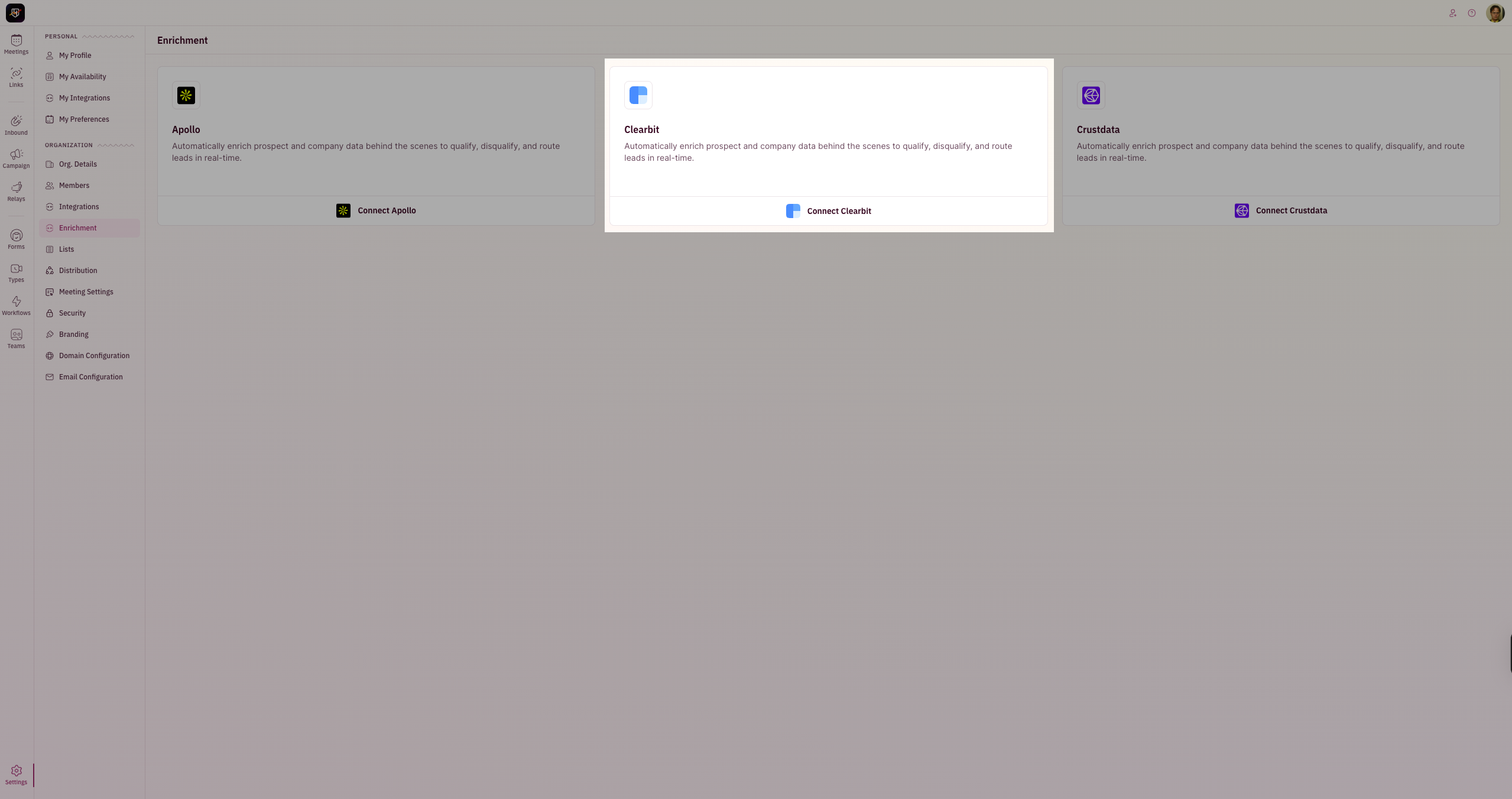
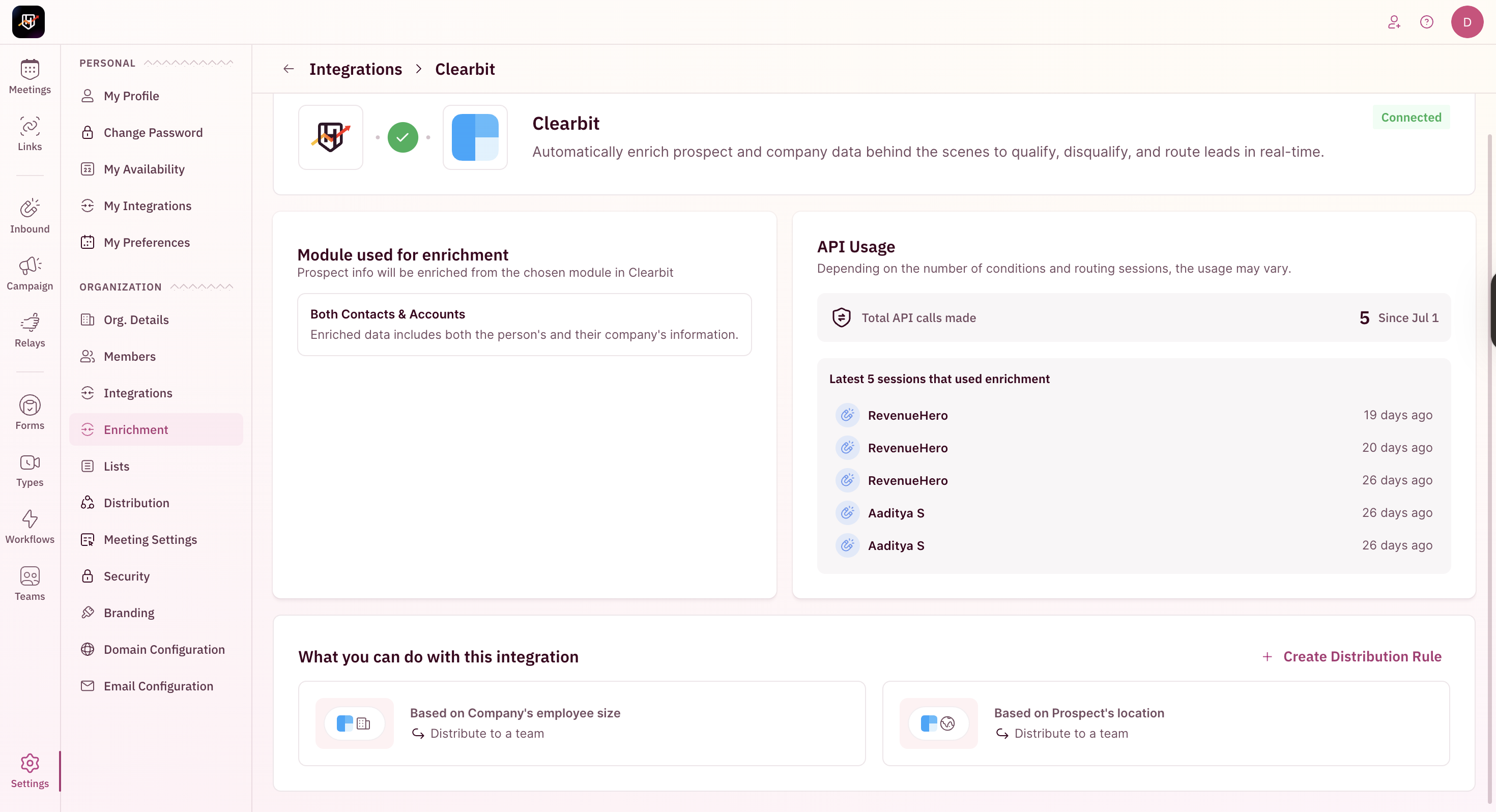
1. Go to **Clearbit** under the Enrichment section and then click on **Connect Clearbit**.
## Configure Clearbit Enrichment
To use Clearbit for enrichment, you have two options: you can either create a new Clearbit account or use your own existing Clearbit API key.
1. Go to **Clearbit** under the Enrichment section and then click on **Connect Clearbit**.
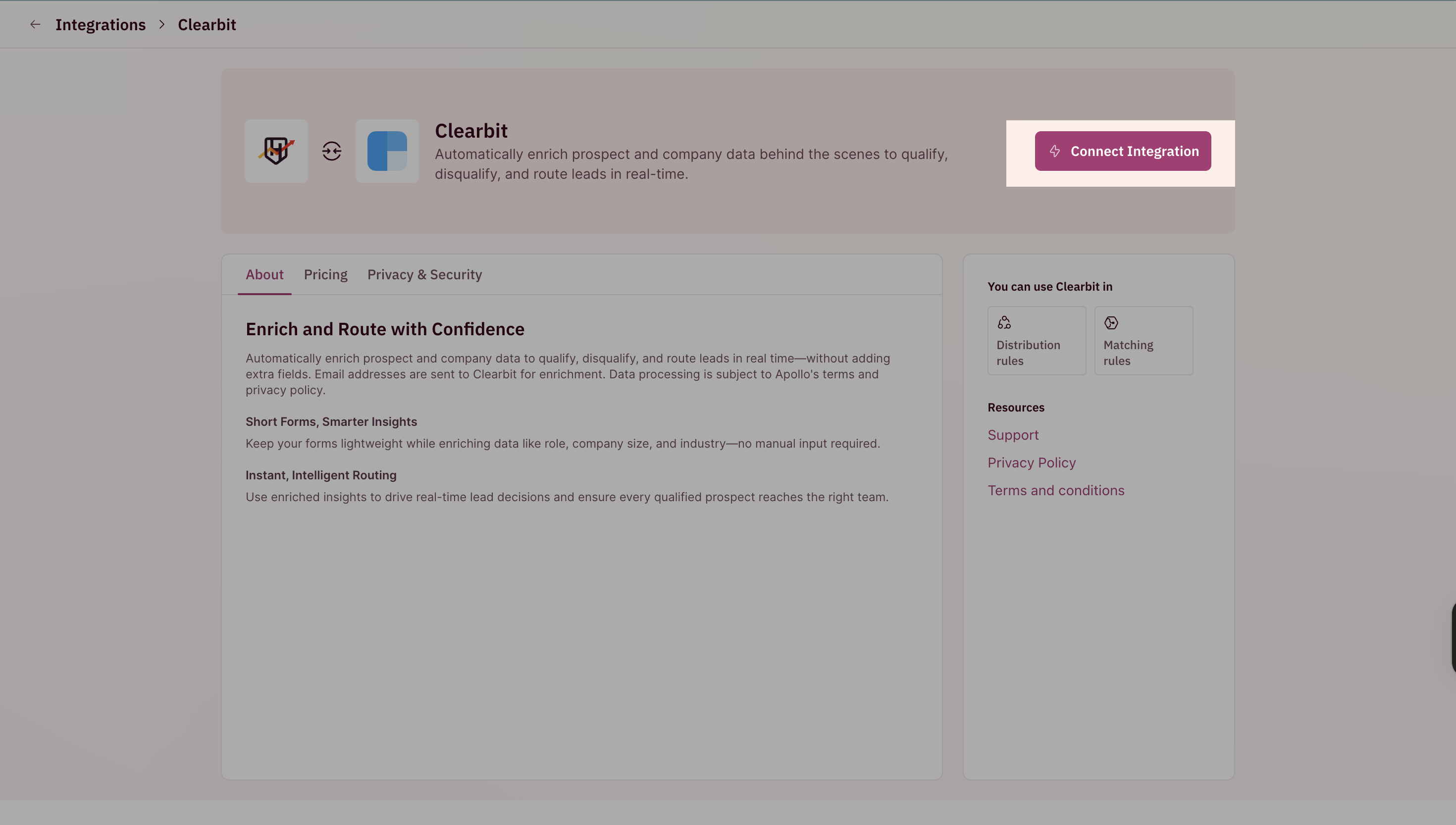
 2. Click on **Connect Integration.**
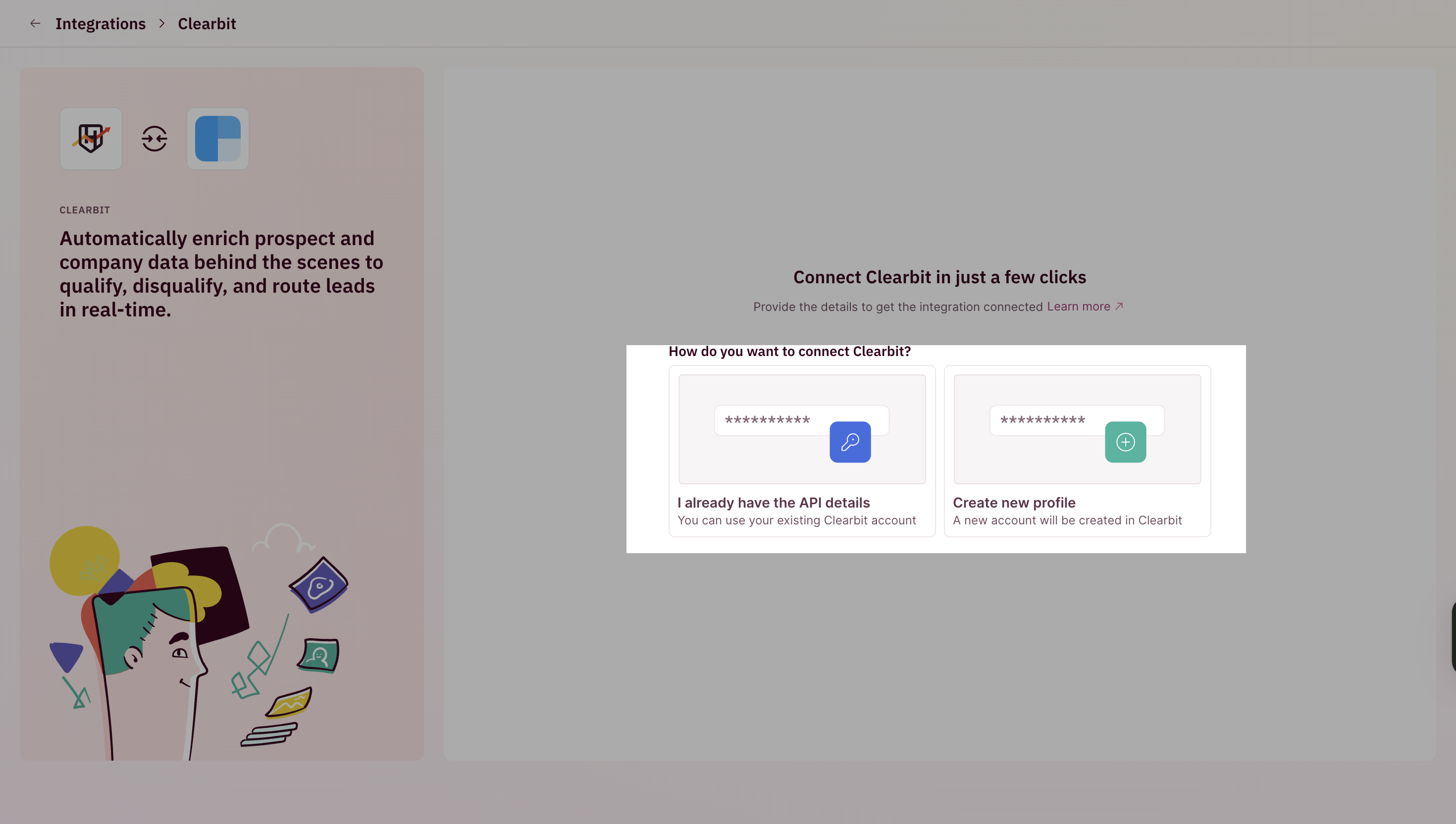
 3. Click on **Create new profile**, and RevenueHero will auto-generate and configure a Clearbit account for you.
 4. You can now start using Clearbit-enriched fields in your routing rules.
 1. Go to **Clearbit** under the Enrichment section and then click on **Connect Clearbit**.
2. Click on **Connect Integration.**
3. Click on **I already have the API details**.
4. Paste your API key and save the configuration.
1. Go to **Clearbit** under the Enrichment section and then click on **Connect Clearbit**.
2. Click on **Connect Integration.**
3. Click on **I already have the API details**.
4. Paste your API key and save the configuration.
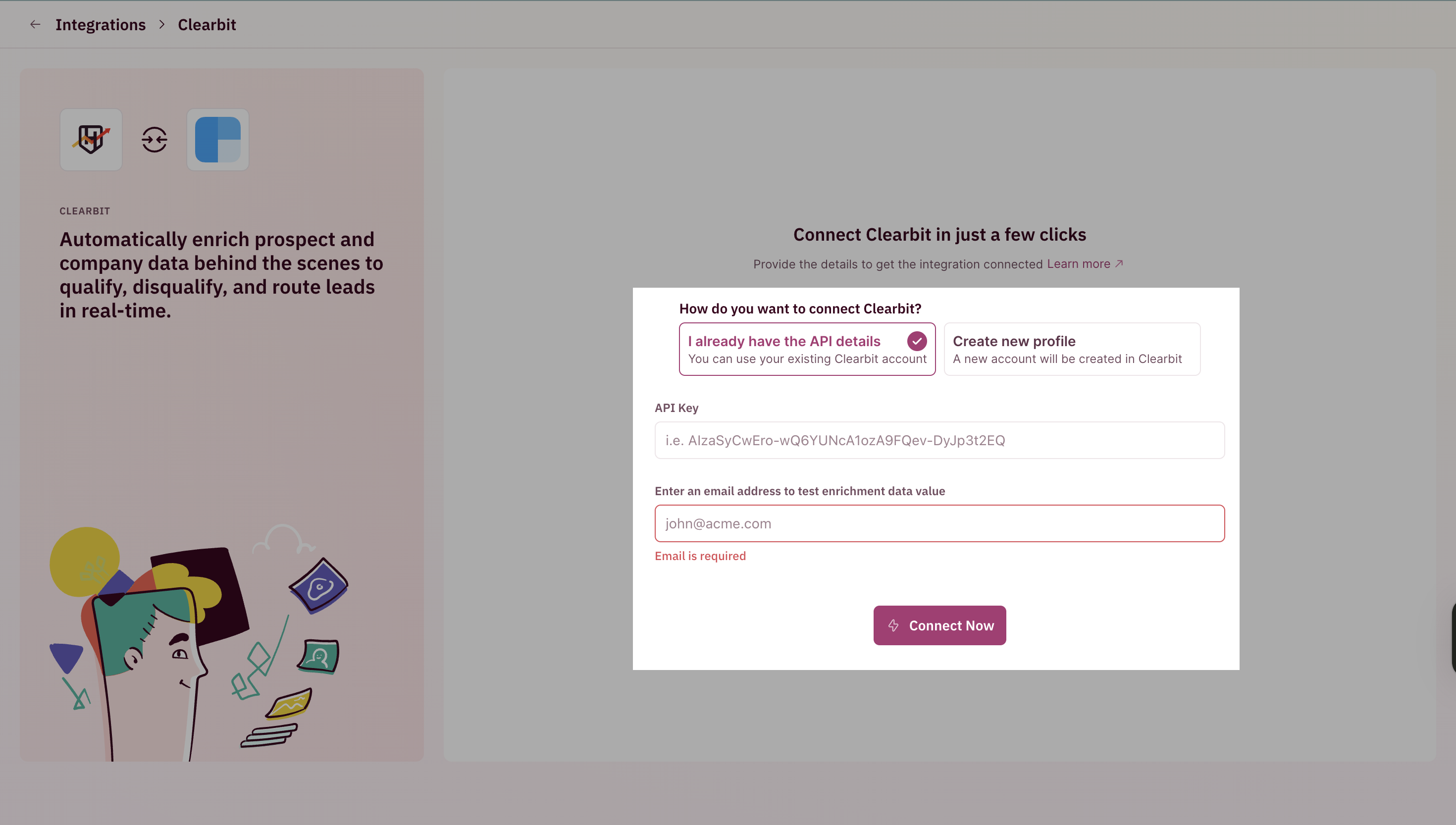 5. You can now start using Clearbit-enriched fields in your routing rules.
That's it! You've successfully set up Clearbit enrichment. 🎉🎉🎉
5. You can now start using Clearbit-enriched fields in your routing rules.
That's it! You've successfully set up Clearbit enrichment. 🎉🎉🎉