> ## Documentation Index
> Fetch the complete documentation index at: https://help.revenuehero.io/llms.txt
> Use this file to discover all available pages before exploring further.

# Pass enrichment data to your CRM

> Configure RevenueHero to pass enriched data points into specific fields in your CRM.

<Note>
  This is an add-on. If you would like to enable it, please reach out to [support@revenuehero.io](mailto:support@revenuehero.io), and we'll assist you.
</Note>

<Tabs>
  <Tab title="Hubspot">
    <Steps>
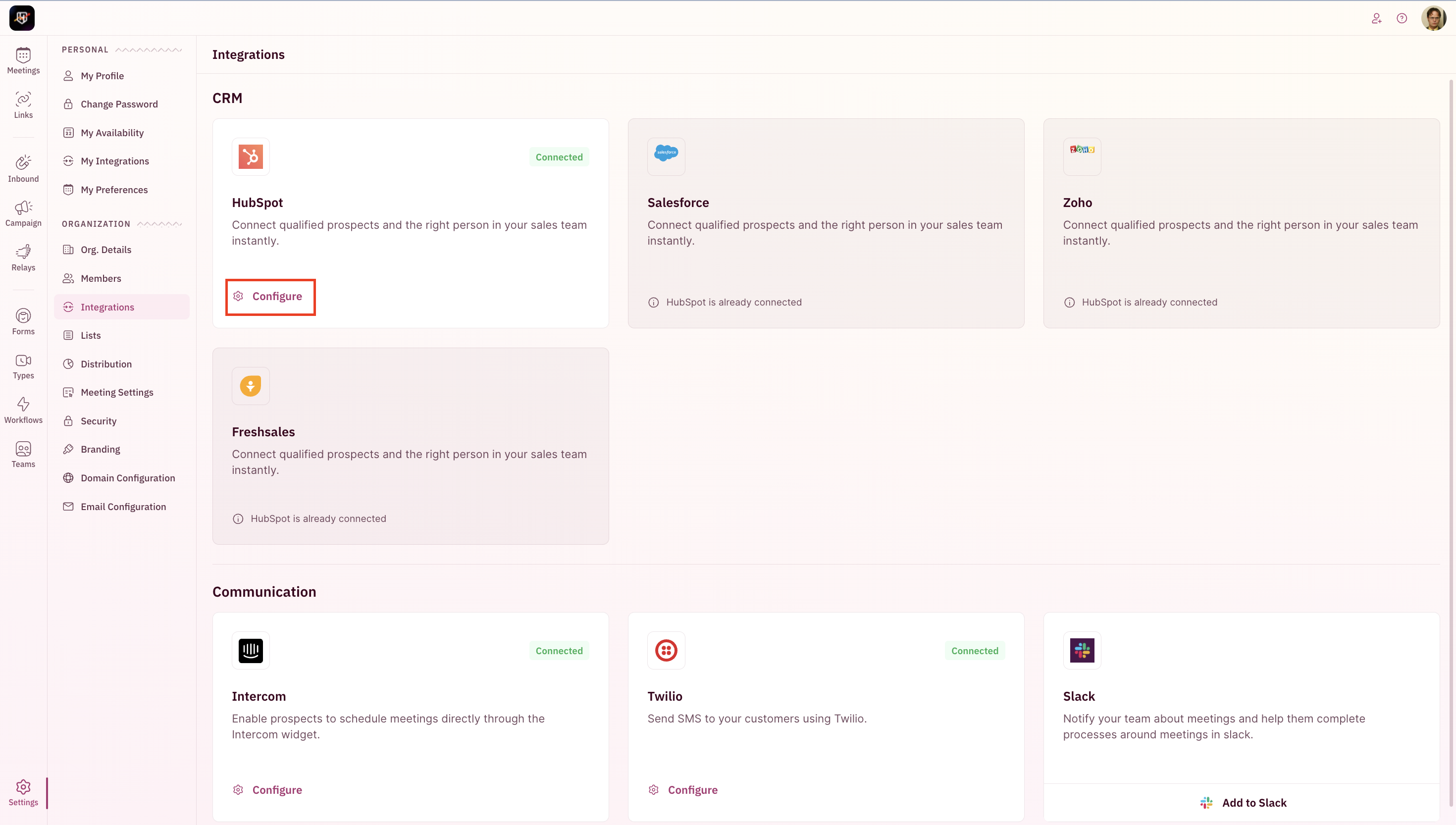
      <Step title="Go to Settings and click on Integrations.">
        <img src="https://mintcdn.com/revenuehero/p8JUmtDoedAH86s1/images/enrichment_crm_hs_1.png?fit=max&auto=format&n=p8JUmtDoedAH86s1&q=85&s=3608202654711b18467a6198953e01ab" alt="Enrichment Crm Hs 1 Pn" width="2940" height="1664" data-path="images/enrichment_crm_hs_1.png" />
      </Step>

      <Step title="Click on Configure under the CRM integration tile.">
        <img src="https://mintcdn.com/revenuehero/p8JUmtDoedAH86s1/images/enrichment_crm_hs_2.png?fit=max&auto=format&n=p8JUmtDoedAH86s1&q=85&s=f741cf36b411c03293b90299c4c526e5" alt="Enrichment Crm Hs 2 Pn" width="2940" height="1666" data-path="images/enrichment_crm_hs_2.png" />
      </Step>

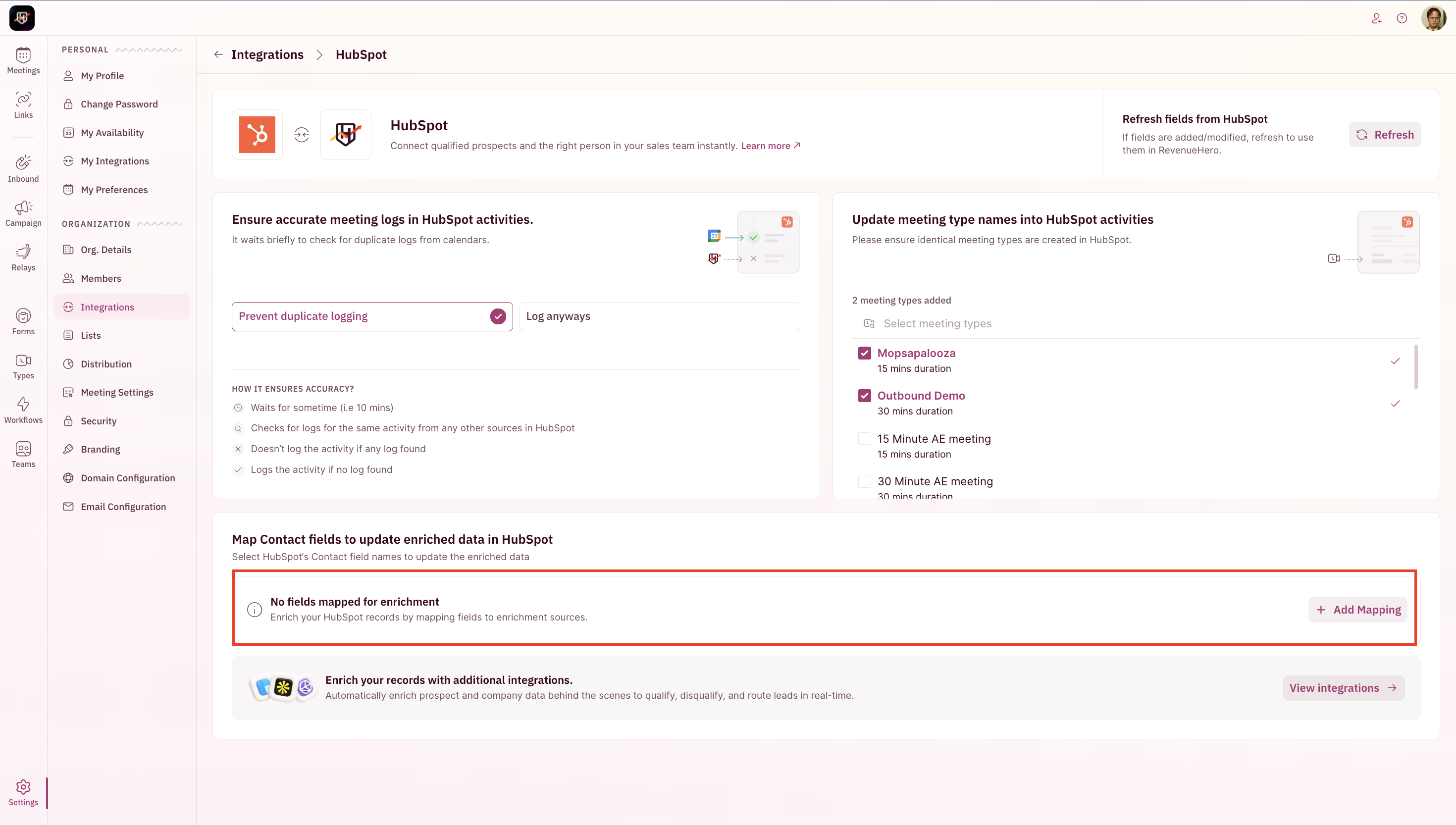
      <Step title="Click on Add Mapping.">
        <img src="https://mintcdn.com/revenuehero/p8JUmtDoedAH86s1/images/enrichment_crm_hs_3.png?fit=max&auto=format&n=p8JUmtDoedAH86s1&q=85&s=d5c3867c4ac7ee49b65e643cdb0fdda0" alt="Enrichment Crm Hs 3 Pn" width="2940" height="1666" data-path="images/enrichment_crm_hs_3.png" />
      </Step>

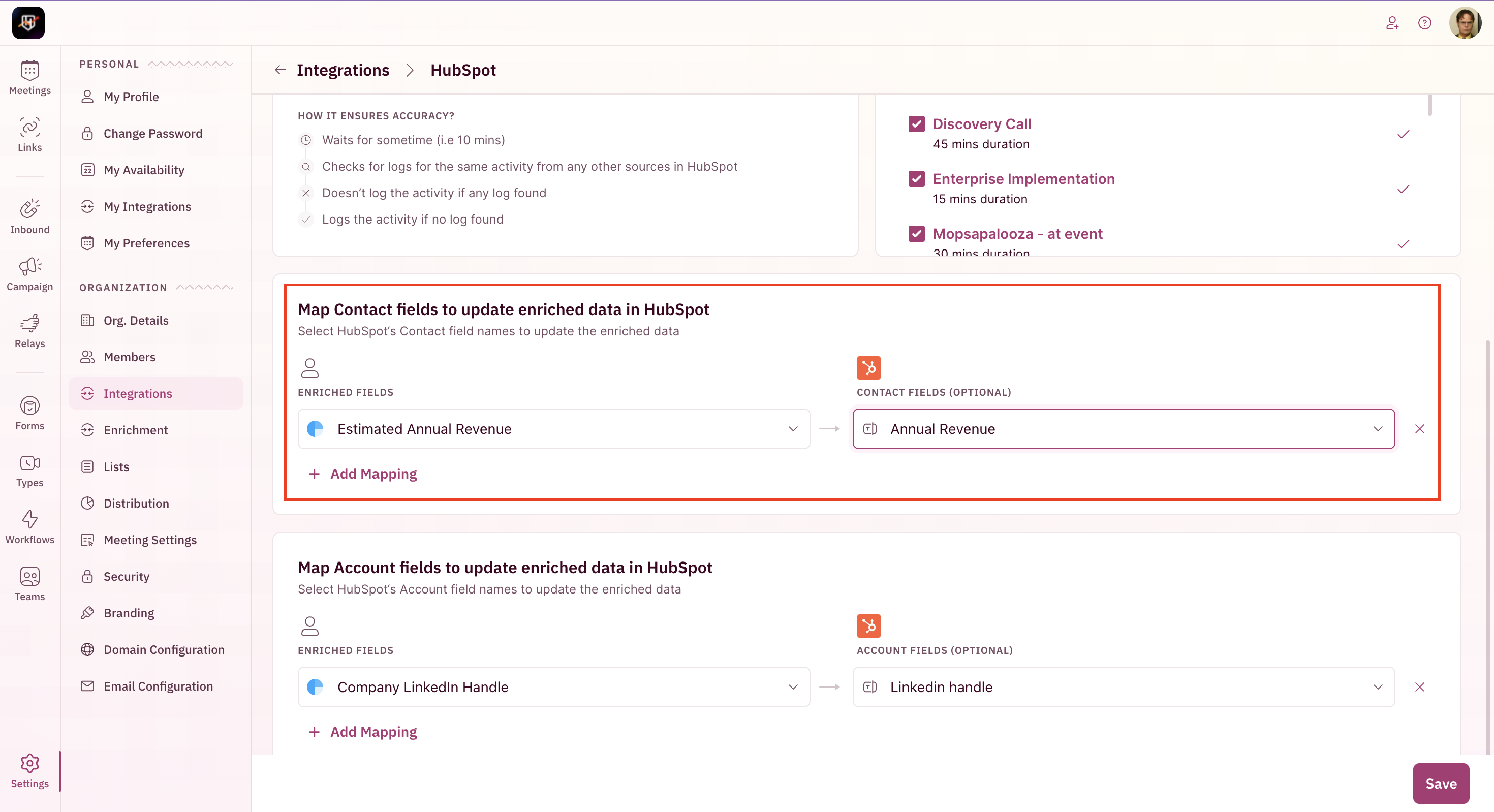
      <Step title="Select the enriched field and map it to your lead and contact fields in Salesforce.">
        <img src="https://mintcdn.com/revenuehero/p8JUmtDoedAH86s1/images/enrichment_crm_hs_4.png?fit=max&auto=format&n=p8JUmtDoedAH86s1&q=85&s=937ec9a13581588be740f62d7e74619f" alt="Enrichment Crm Hs 4 Pn" width="2940" height="1598" data-path="images/enrichment_crm_hs_4.png" />
      </Step>

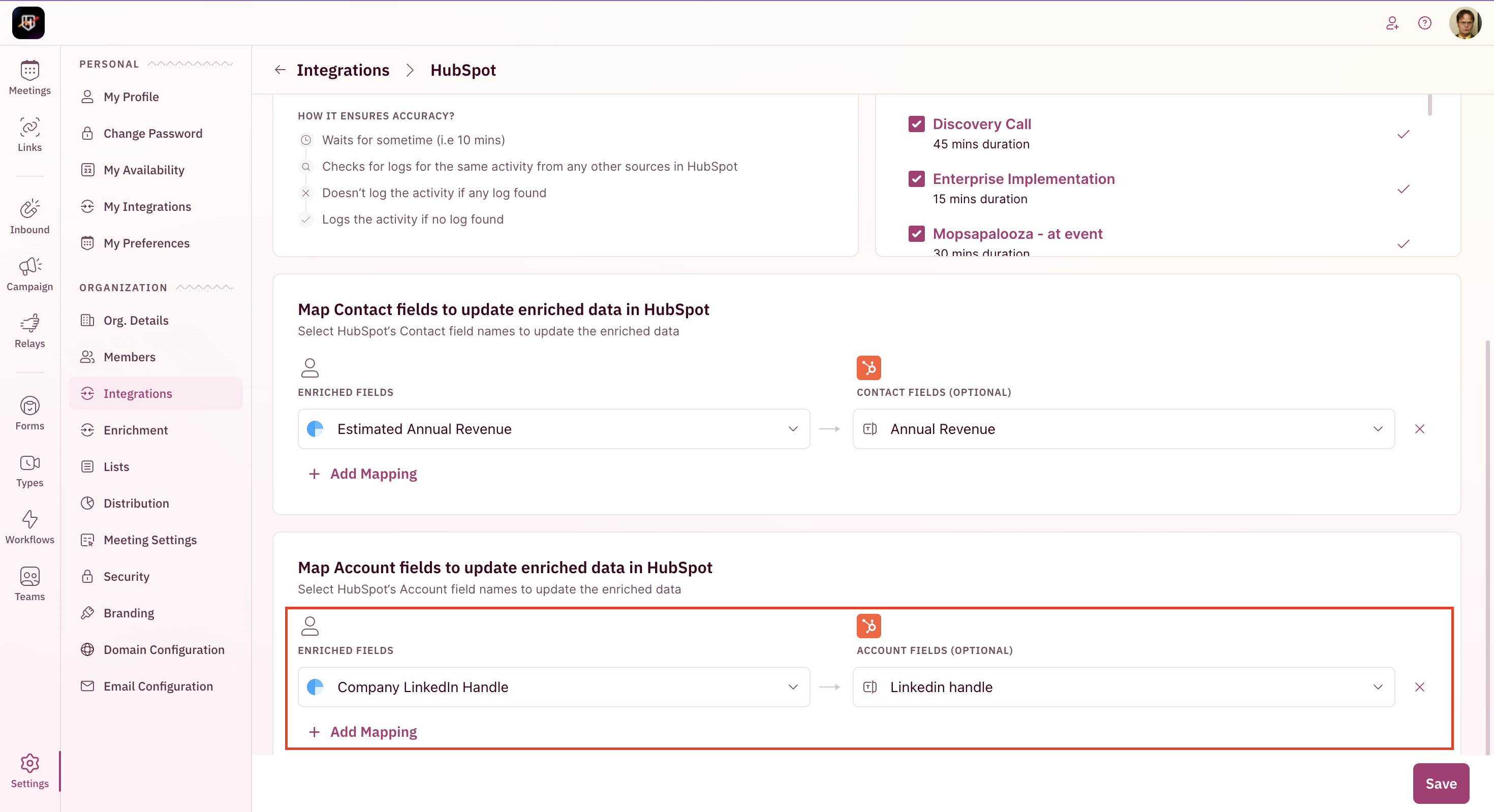
      <Step title="Similarly, enriched data can be passed to company fields.">
        <img src="https://mintcdn.com/revenuehero/p8JUmtDoedAH86s1/images/enrichment_crm_hs_5.png?fit=max&auto=format&n=p8JUmtDoedAH86s1&q=85&s=777ceb86d443cb72ca654da18a47c9ee" alt="Enrichment Crm Hs 4 Pn" width="2940" height="1598" data-path="images/enrichment_crm_hs_5.png" />
      </Step>

      <Step title="Save. You're all set!" />
    </Steps>
  </Tab>

  <Tab title="Salesforce">
    <Steps>
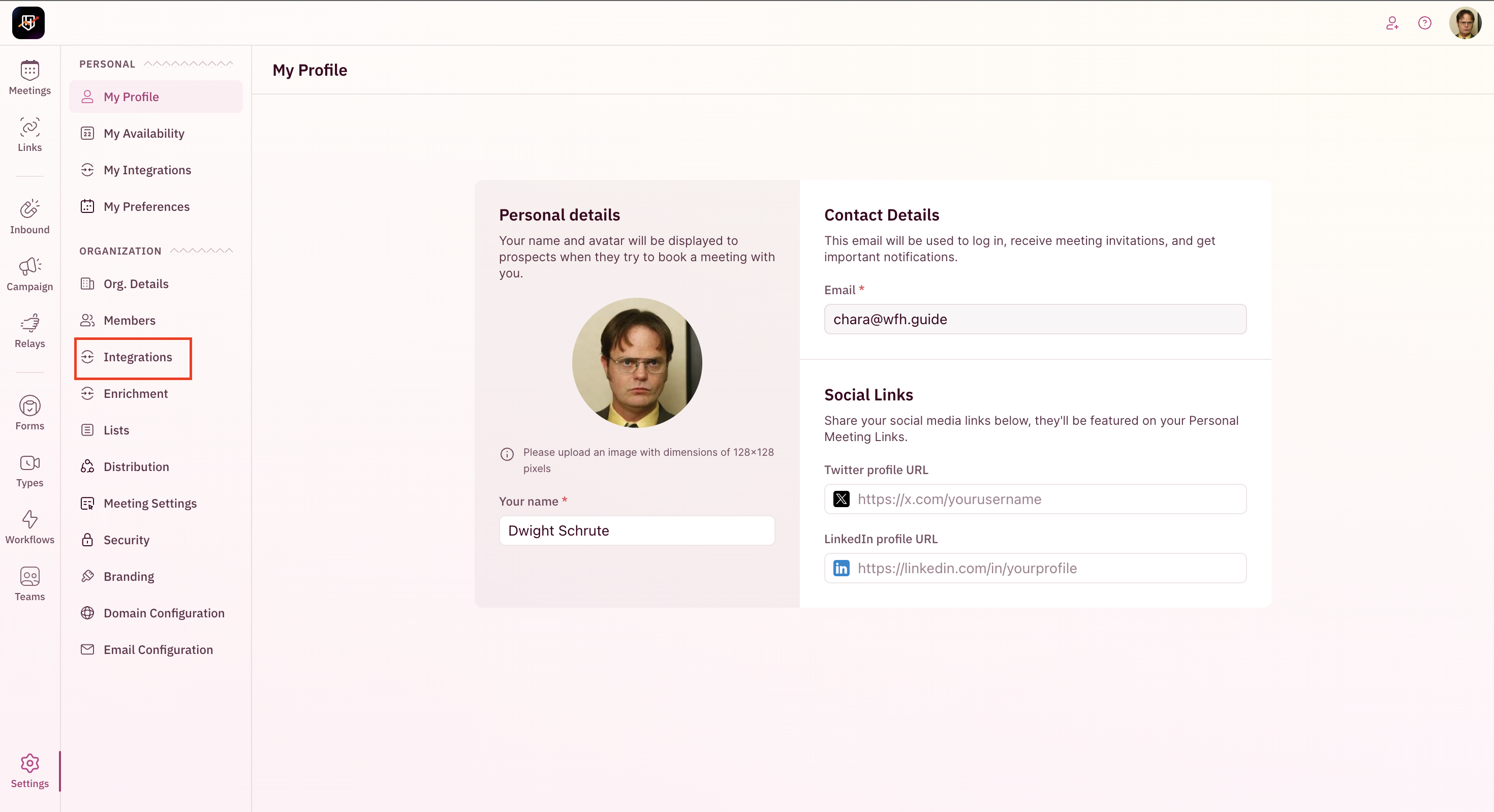
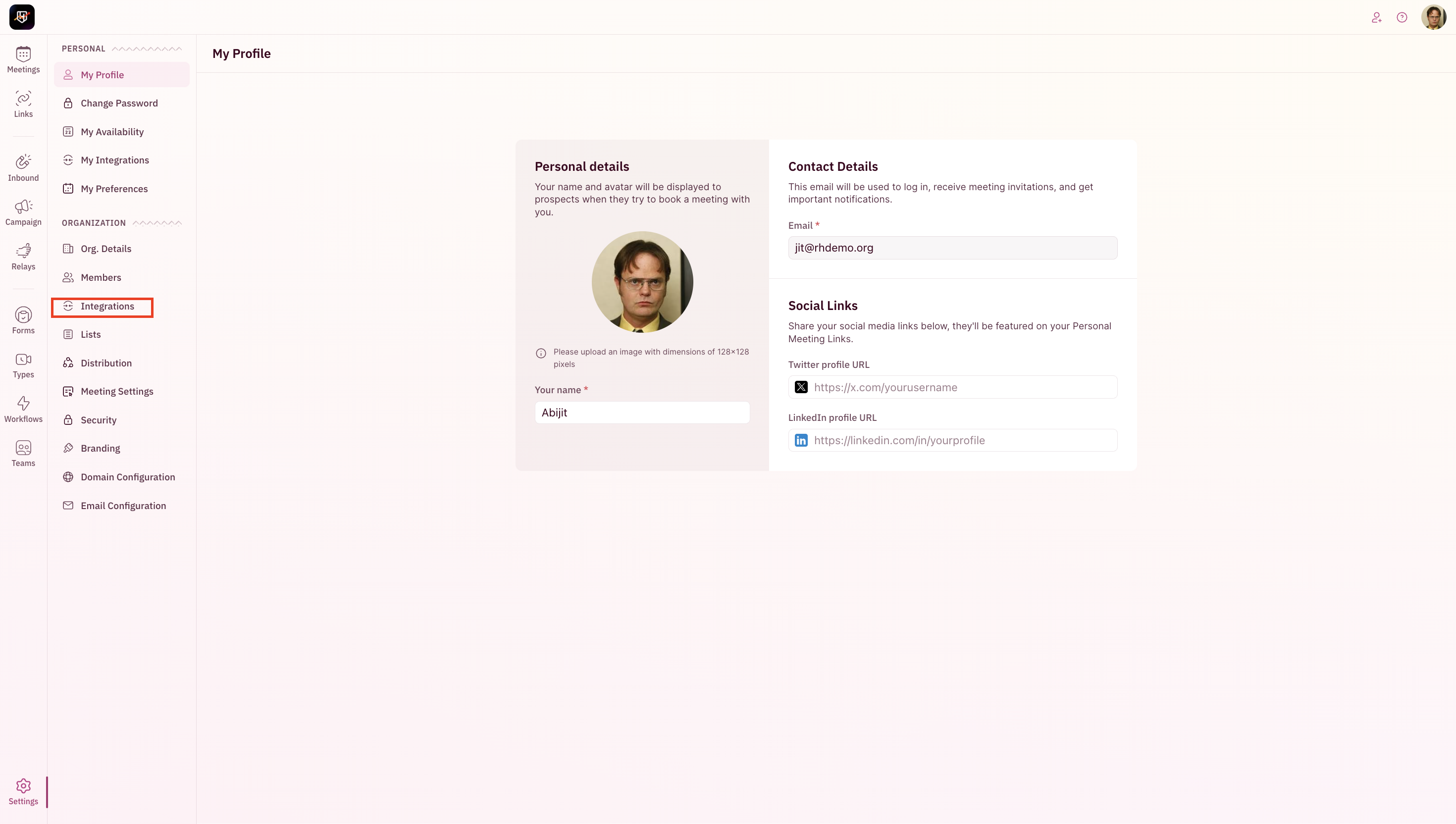
      <Step title="Go to Settings and click on Integrations.">
        <img src="https://mintcdn.com/revenuehero/p8JUmtDoedAH86s1/images/enrichment_crm_sf_1.png?fit=max&auto=format&n=p8JUmtDoedAH86s1&q=85&s=cf0e6d1d44fe6ab1712bcd925b3e5c5c" alt="Enrichment Crm Sf 1 Pn" width="2940" height="1598" data-path="images/enrichment_crm_sf_1.png" />
      </Step>

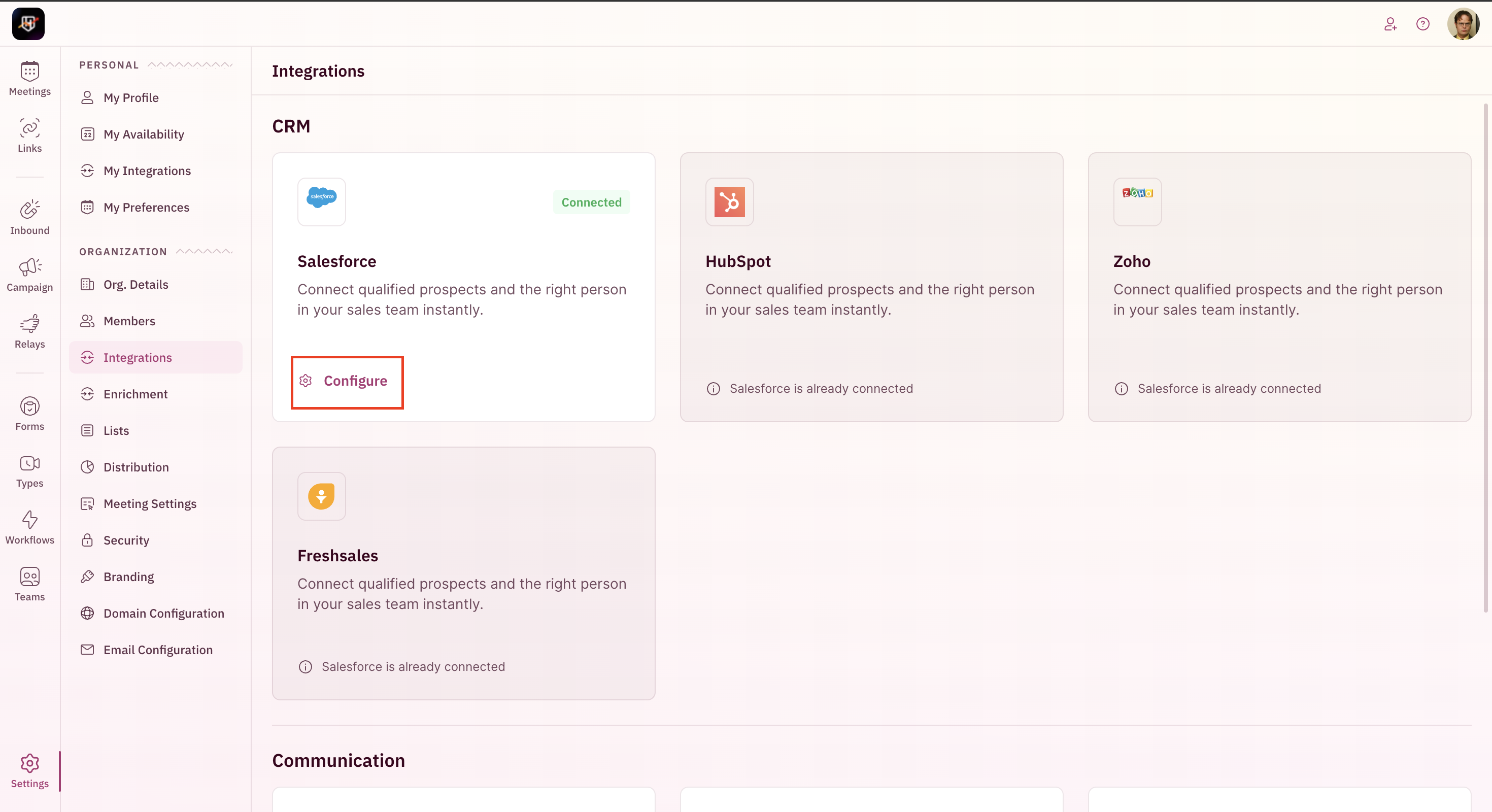
      <Step title="Click on Configure under the CRM integration tile.">
        <img src="https://mintcdn.com/revenuehero/p8JUmtDoedAH86s1/images/enrichment_crm_sf_2.png?fit=max&auto=format&n=p8JUmtDoedAH86s1&q=85&s=79bf495d3c31355972f28e0d63b6aaf1" alt="Enrichment Crm Sf 2 Pn" width="2940" height="1600" data-path="images/enrichment_crm_sf_2.png" />
      </Step>

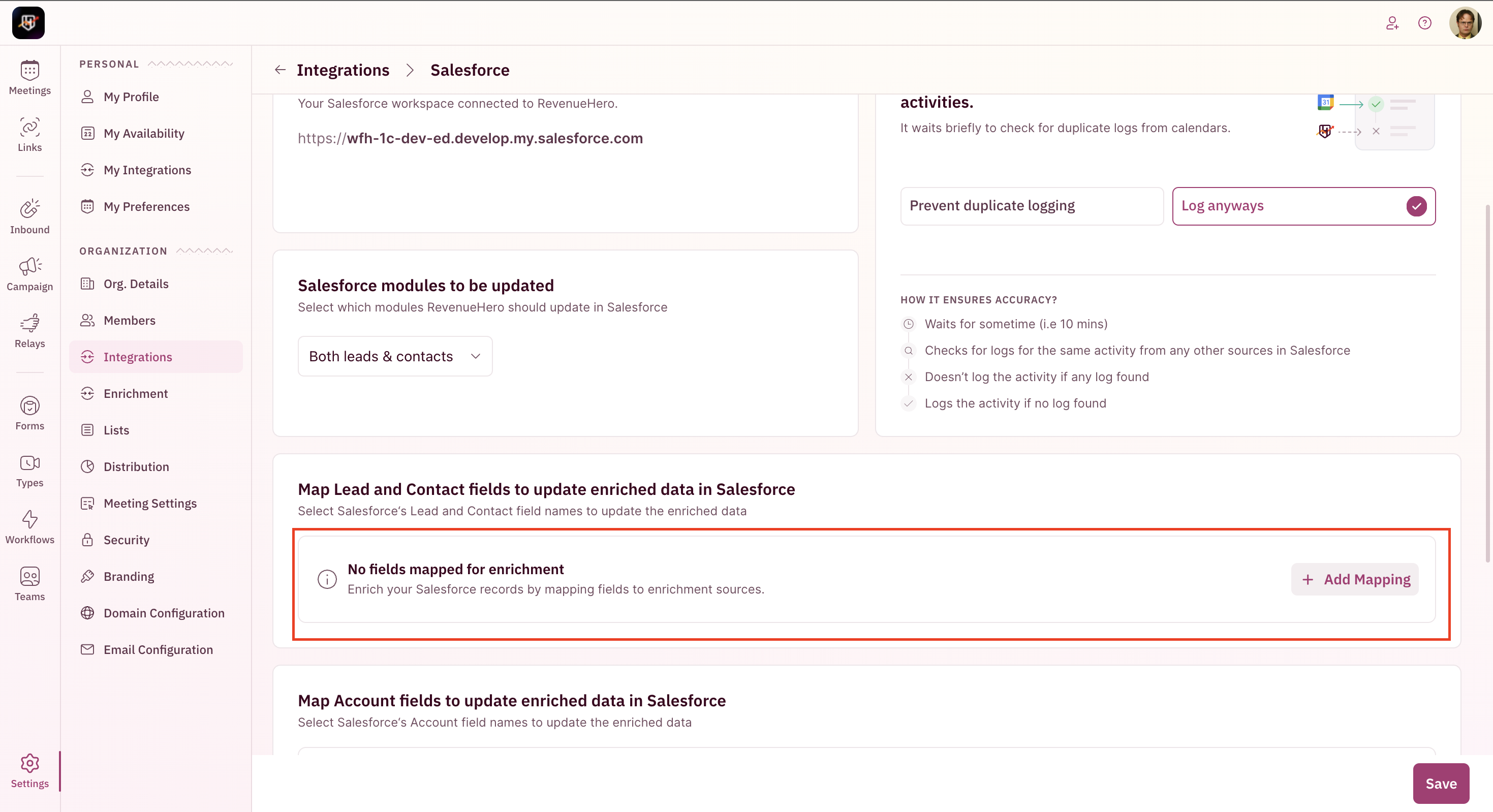
      <Step title="Click on Add Mapping.">
        <img src="https://mintcdn.com/revenuehero/p8JUmtDoedAH86s1/images/enrichment_crm_sf_3.png?fit=max&auto=format&n=p8JUmtDoedAH86s1&q=85&s=0cececec7254c9254d90de54753d190c" alt="Enrichment Crm Sf 3 Pn" width="2938" height="1598" data-path="images/enrichment_crm_sf_3.png" />
      </Step>

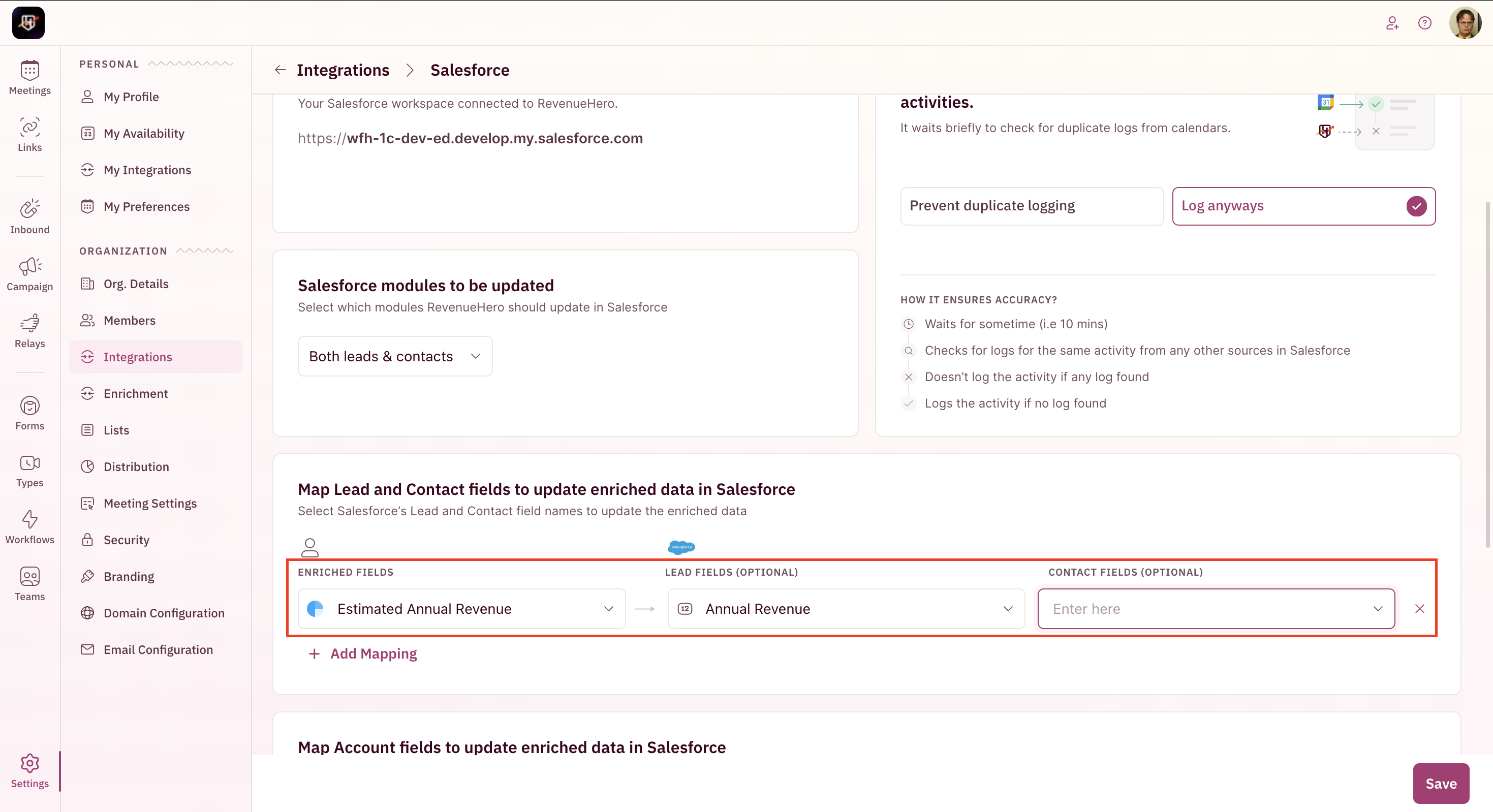
      <Step title="Select the enriched field and map it to your lead and contact fields in Salesforce.">
        <img src="https://mintcdn.com/revenuehero/p8JUmtDoedAH86s1/images/enrichment_crm_sf_4.png?fit=max&auto=format&n=p8JUmtDoedAH86s1&q=85&s=f52f91e99cc42785c6471bc4512616c3" alt="Enrichment Crm Sf 4 Pn" width="2938" height="1598" data-path="images/enrichment_crm_sf_4.png" />
      </Step>

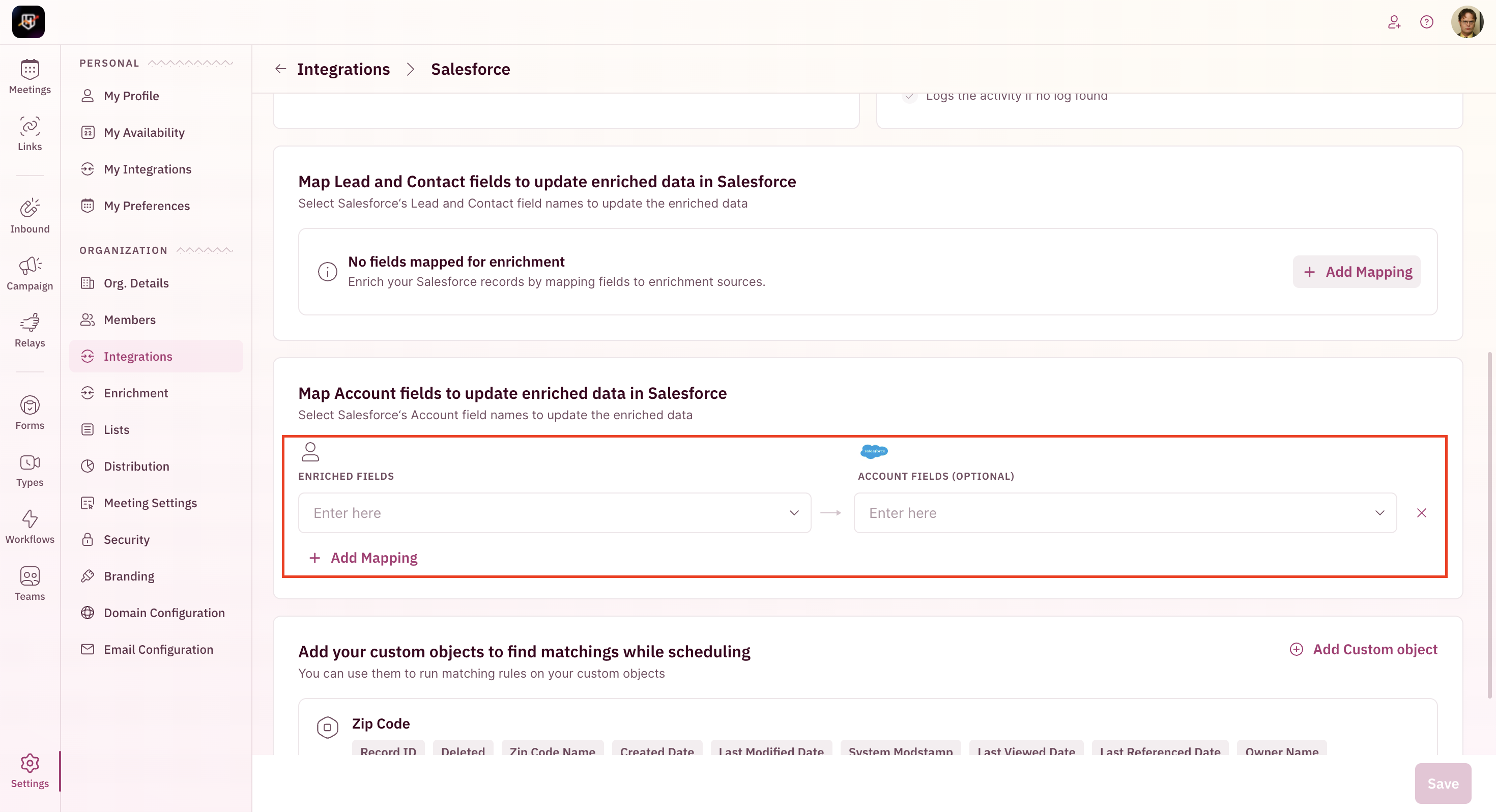
      <Step title="Similarly, enriched data can be passed to Account fields.">
        <img src="https://mintcdn.com/revenuehero/p8JUmtDoedAH86s1/images/enrichment_crm_sf_5.png?fit=max&auto=format&n=p8JUmtDoedAH86s1&q=85&s=17a171443f1c16e097ff7a751361180a" alt="Enrichment Crm Sf 5 Pn" width="2940" height="1596" data-path="images/enrichment_crm_sf_5.png" />
      </Step>

      <Step title="Save. You're all set!" />
    </Steps>
  </Tab>
</Tabs>