> ## Documentation Index
> Fetch the complete documentation index at: https://help.revenuehero.io/llms.txt
> Use this file to discover all available pages before exploring further.
# Filter out spam submissions from your lead funnel
> Configure real-time spam check to disqualify/route spam leads with RevenueHero
Spam submissions clutter inbound funnels, waste rep time, and distort metrics. Preventing them is critical to keeping only real prospects in the pipeline. RevenueHero filters out spam at the source, ensuring reps focus only on qualified leads.\
\
This can be enabled on the router or on specific rules.
Spam prevention applies only to [Inbound routers](/routers/inbound/create-inbound-router) i.e scheduling on your website or through an Inbound link.
RevenueHero utilizes [Zerbounce statuses](https://www.zerobounce.net/docs/email-list-validation/status-codes/) to determine spam emails.
## Where should I enable this - router or rule?
| | **Router Level** | **Rule Level** |
| ------------------------------------------------------------------------- | :------------------------------------------------------: | :--------------------------------------------------: |
| **What is qualified?** | Only **Valid** emails. | Choose which status you'd like to qualify/disqualify |
| **What should I do to set this up?** | Toggle this on in the router. | Set this up on all rules in the router. |
| **If I have enrichment enabled, what would the spam filter affect that?** | Yes, only valid emails are enriched to conserve credits. | All submissions are enriched. |
## Spam prevention on a router-level
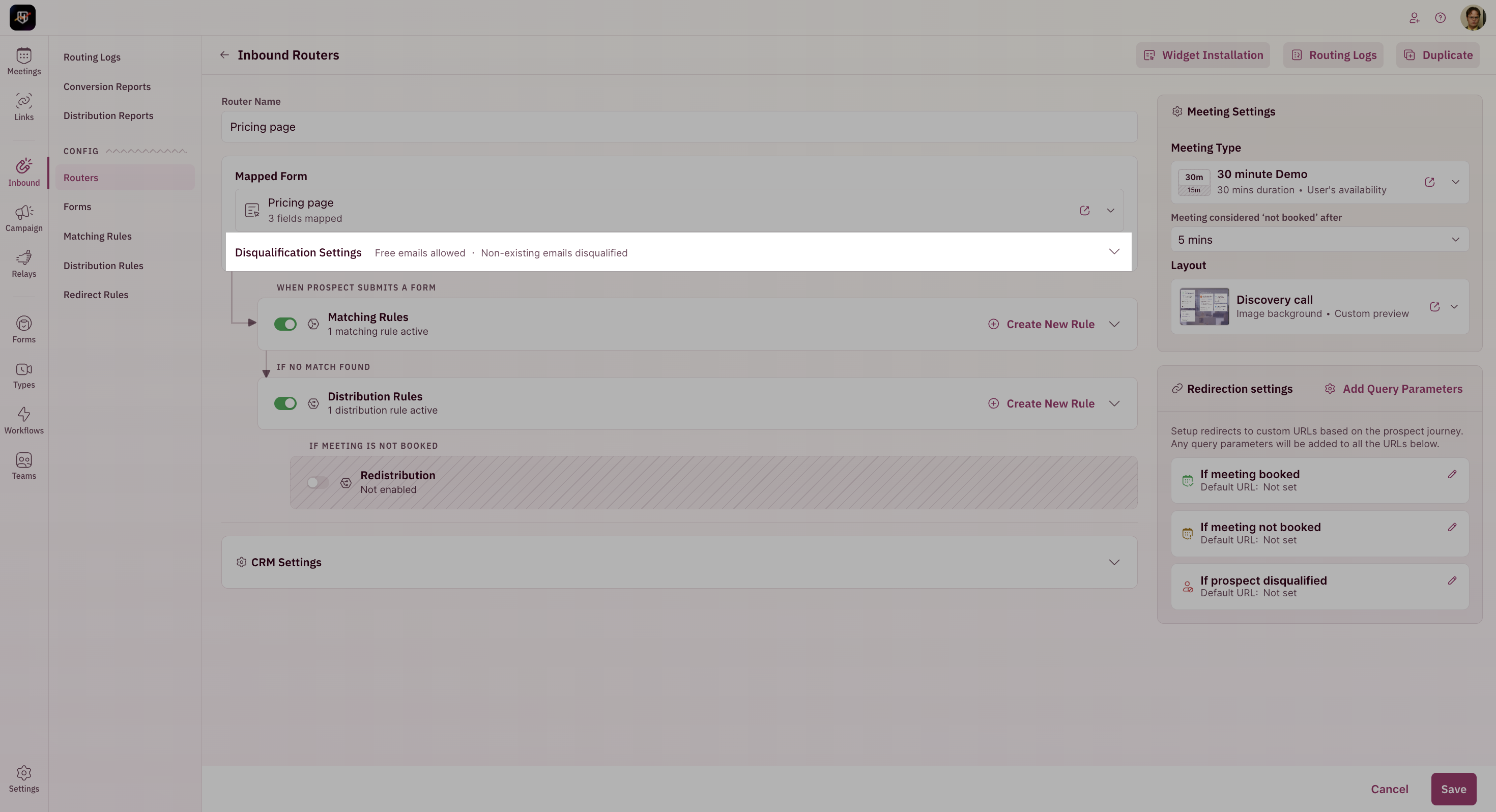
1. Edit the router and click on **Disqualification Settings**.
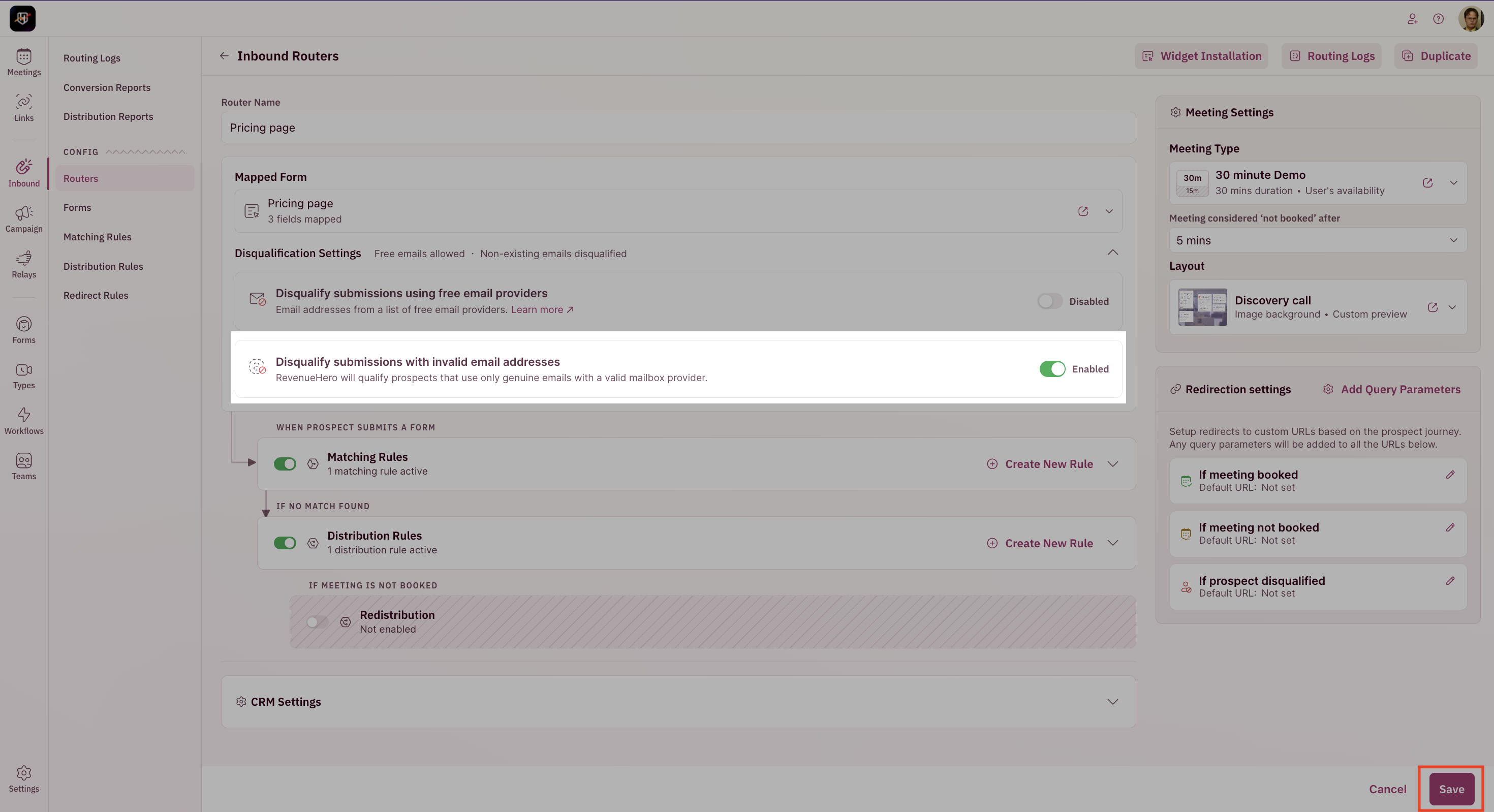
 2. Enable the **Disqualify submissions with invalid email addresses** option and hit **Save**.
 ## Spam prevention on a rule-level
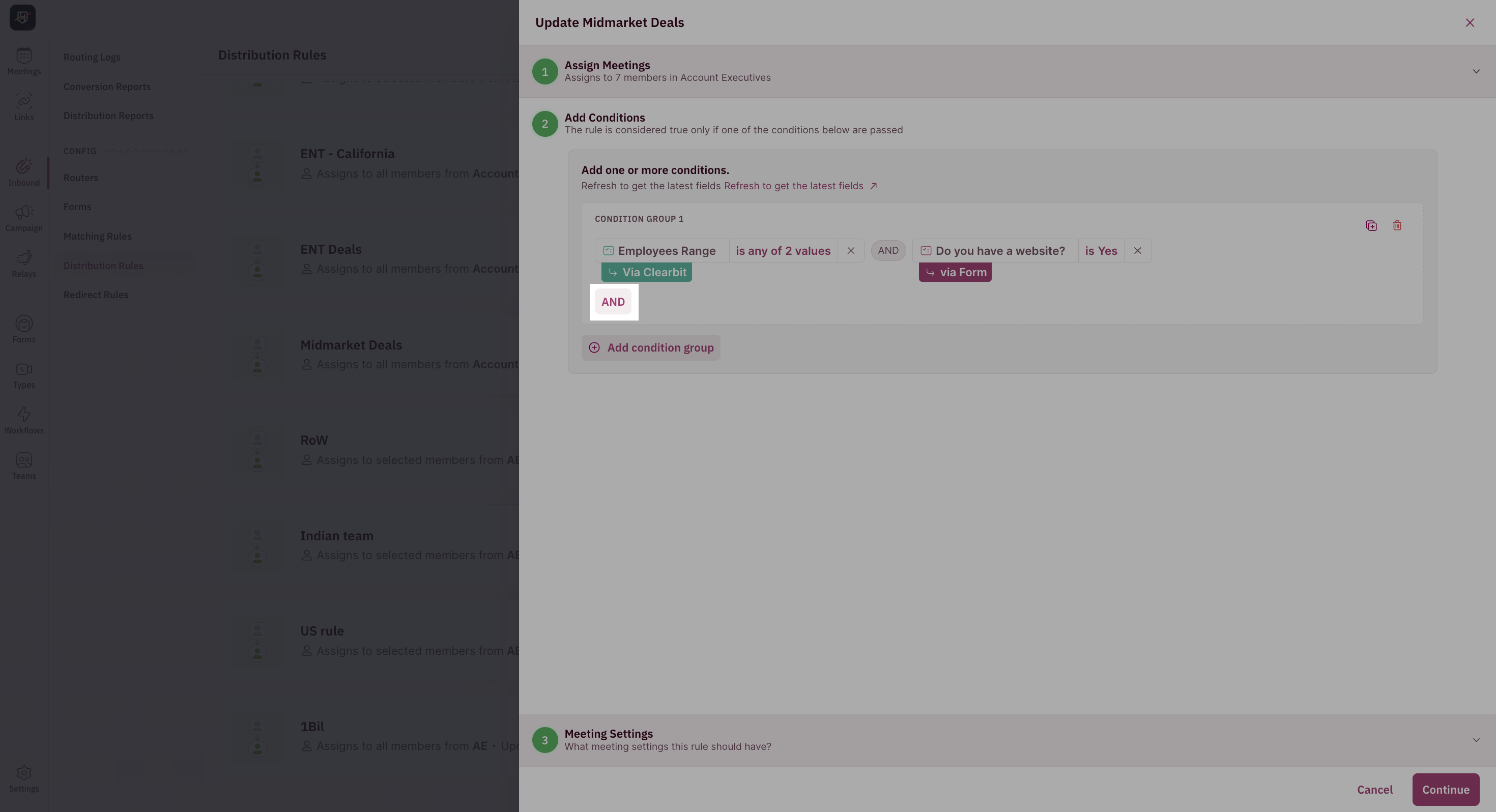
1. Edit your rule, click on Add conditions and hit \*\*And. \*\*
## Spam prevention on a rule-level
1. Edit your rule, click on Add conditions and hit \*\*And. \*\*
 2. Click on **Zerobounce** under Enrichment.
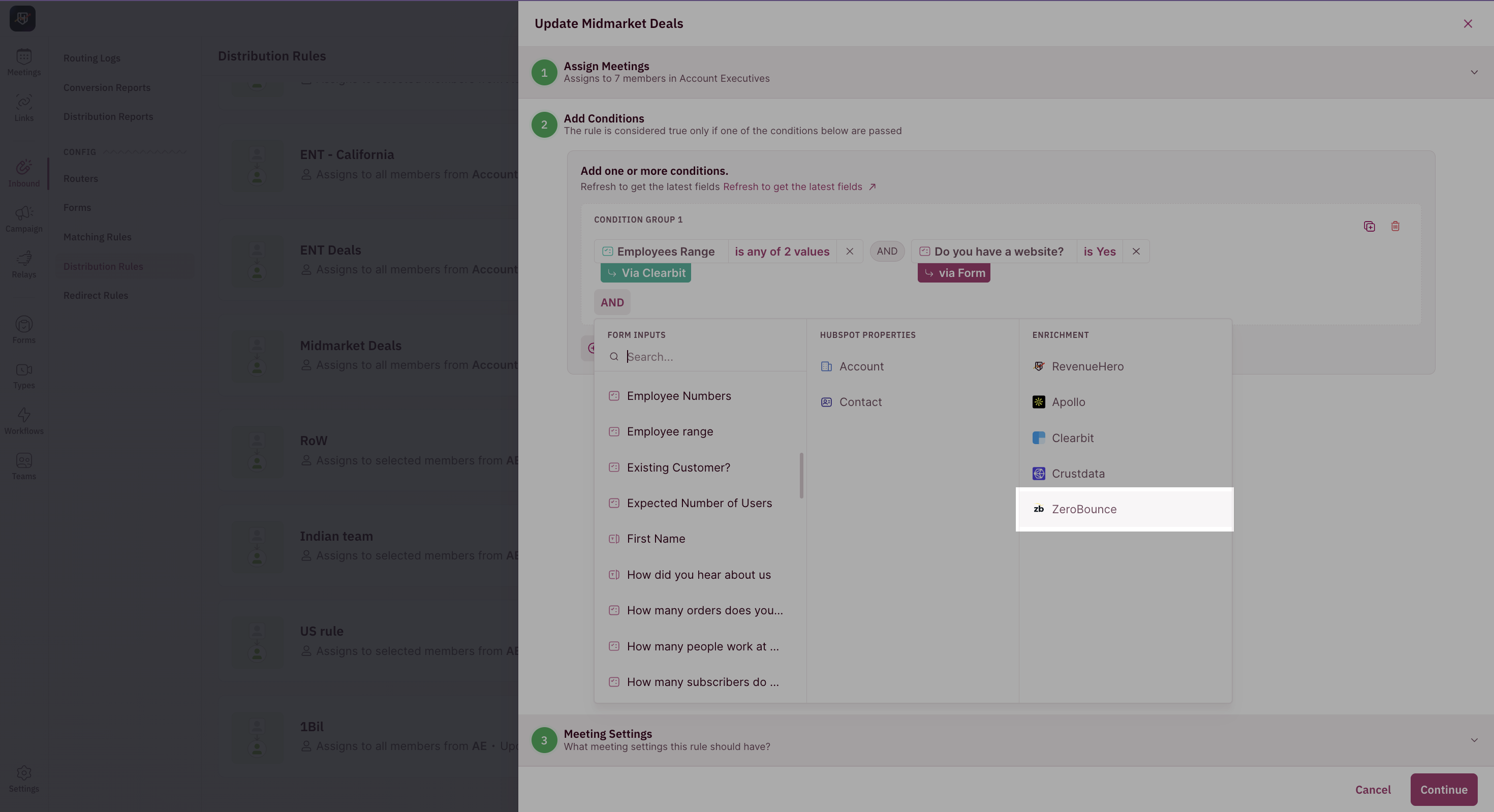 3. Select the statuses that you'd like to qualify and click on **Add Condition.**
 If there are multiple OR branches in your rule, ensure you're adding this condition to all brancehs.
4. Save the rule.
Ensure you're adding the filter to all rules in your router.
## Data flow to CRM
The email validity status can be pushed to a CRM field. [Click here](/enrichment/enrichment-crm) for instructions.
If there are multiple OR branches in your rule, ensure you're adding this condition to all brancehs.
4. Save the rule.
Ensure you're adding the filter to all rules in your router.
## Data flow to CRM
The email validity status can be pushed to a CRM field. [Click here](/enrichment/enrichment-crm) for instructions.