> ## Documentation Index
> Fetch the complete documentation index at: https://help.revenuehero.io/llms.txt
> Use this file to discover all available pages before exploring further.
# Gong integration
> Insert booking slots into Gong emails and hand prospects off to an AE without leaving Gong.
Your SDR is writing to a prospect in Gong and needs to get a meeting on the calendar. RevenueHero puts both options inside Gong itself, so there's no tab switching to copy a link or check an AE's availability.
**BEFORE YOU BEGIN**
1. [Install the RevenueHero Chrome extension](/integrations/chrome-extension) and log in
2. [Set up Relays](/routers/relays/create-relays) if you want to hand prospects off to an AE
3. Set up a [Personal Meeting Link](/meeting-links/personal-meeting-links) if you want reps sharing their own availability
## What you can do from Gong
There are two ways to get a meeting booked, and which one you use depends on who you want doing the booking.
| You want | Use | Who books |
| ------------------------------------------------- | -------------------------- | ------------ |
| The prospect to pick a time from your email | `rh/` in the Gong composer | The prospect |
| To book the meeting yourself, on an AE's calendar | The extension icon | The rep |
## Insert booking slots into a Gong email
### Step 1: Start composing in Gong
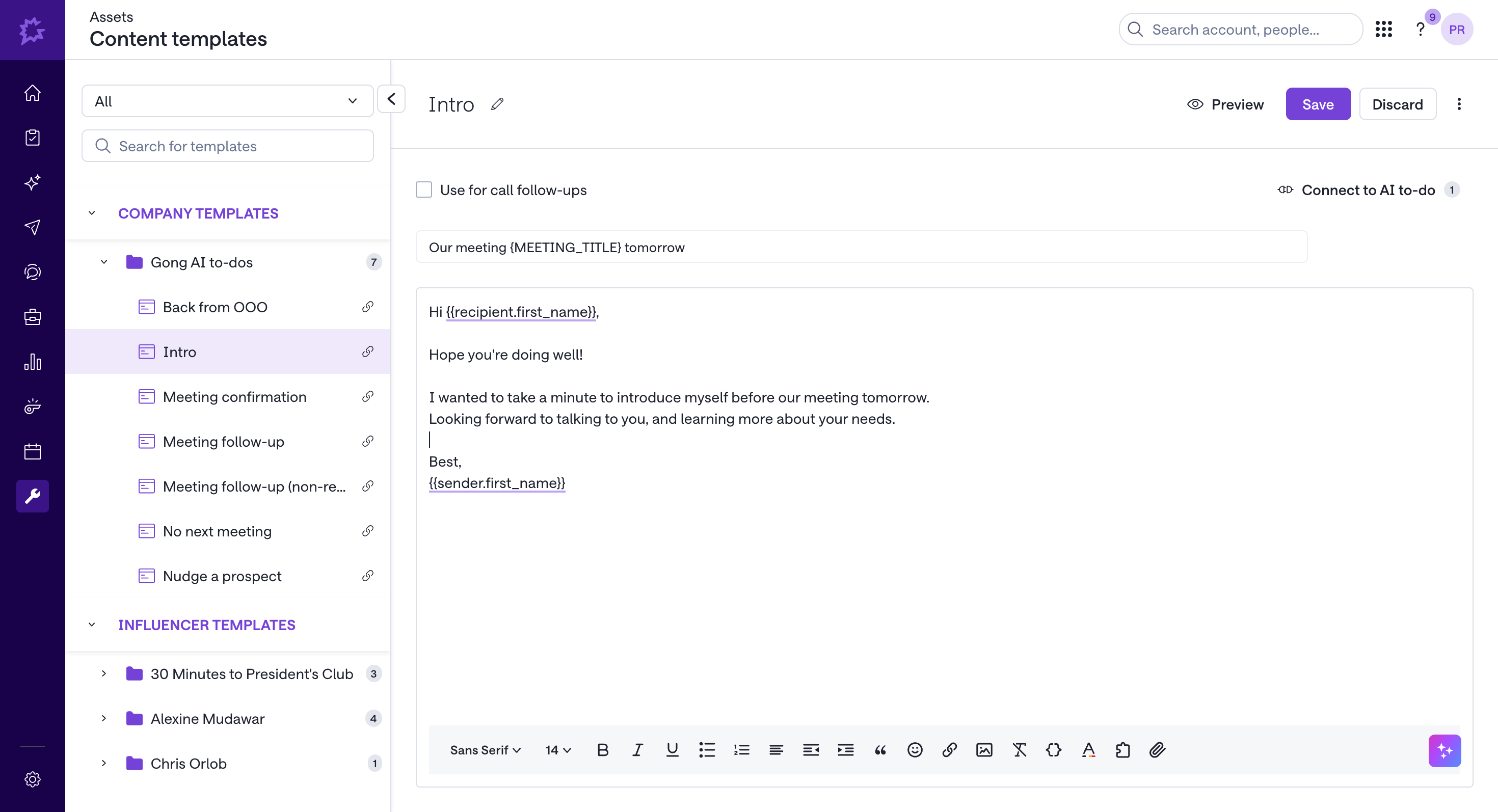
Write your email as usual. The RevenueHero commands work anywhere in the Gong composer, so you don't need to draft elsewhere and paste in.
 ### Step 2: Type `rh/` in the email body
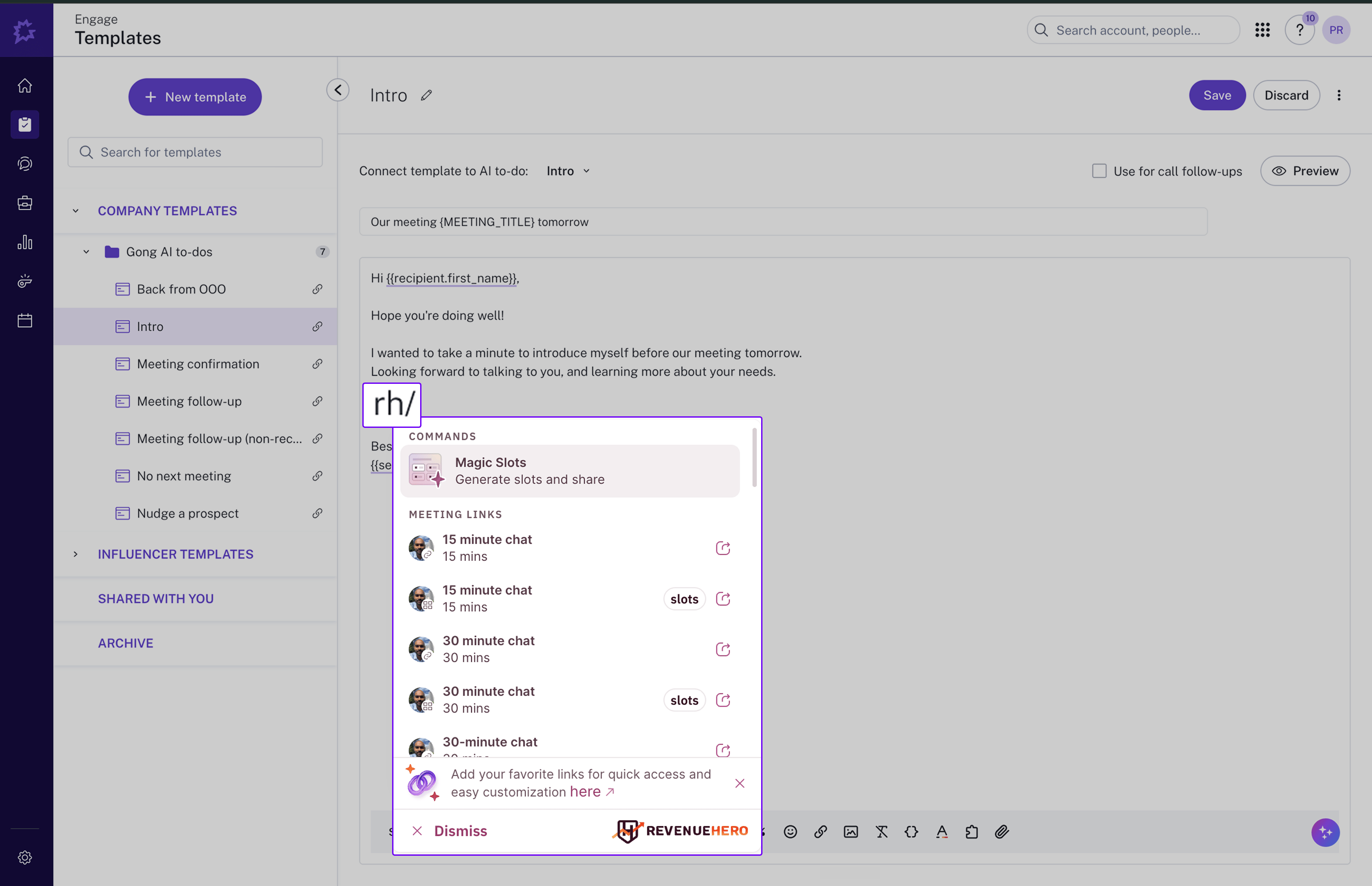
Typing **`rh/`** opens the RevenueHero picker inline. This reads the recipient from the Gong thread, which is what lets the booking form arrive pre-filled later.
### Step 2: Type `rh/` in the email body
Typing **`rh/`** opens the RevenueHero picker inline. This reads the recipient from the Gong thread, which is what lets the booking form arrive pre-filled later.
 ### Step 3: Choose what to insert
| Option | What the prospect gets | Use it when |
| ---------------------------------- | --------------------------------- | ---------------------------------------------- |
| **Meeting Link** | A link to your booking page | The prospect should see your full availability |
| **Relay time slots** | Clickable times from a Relay | The meeting belongs to an AE, not you |
| **Time slots from a Meeting Link** | Specific times from your own link | You want to narrow the choice to a few times |
Pick Relay time slots when the meeting is a handoff. The times come from the AE the Relay routes to, and the routing rules still apply, so the prospect never sees a rep who shouldn't own the meeting.
### Step 4: Send
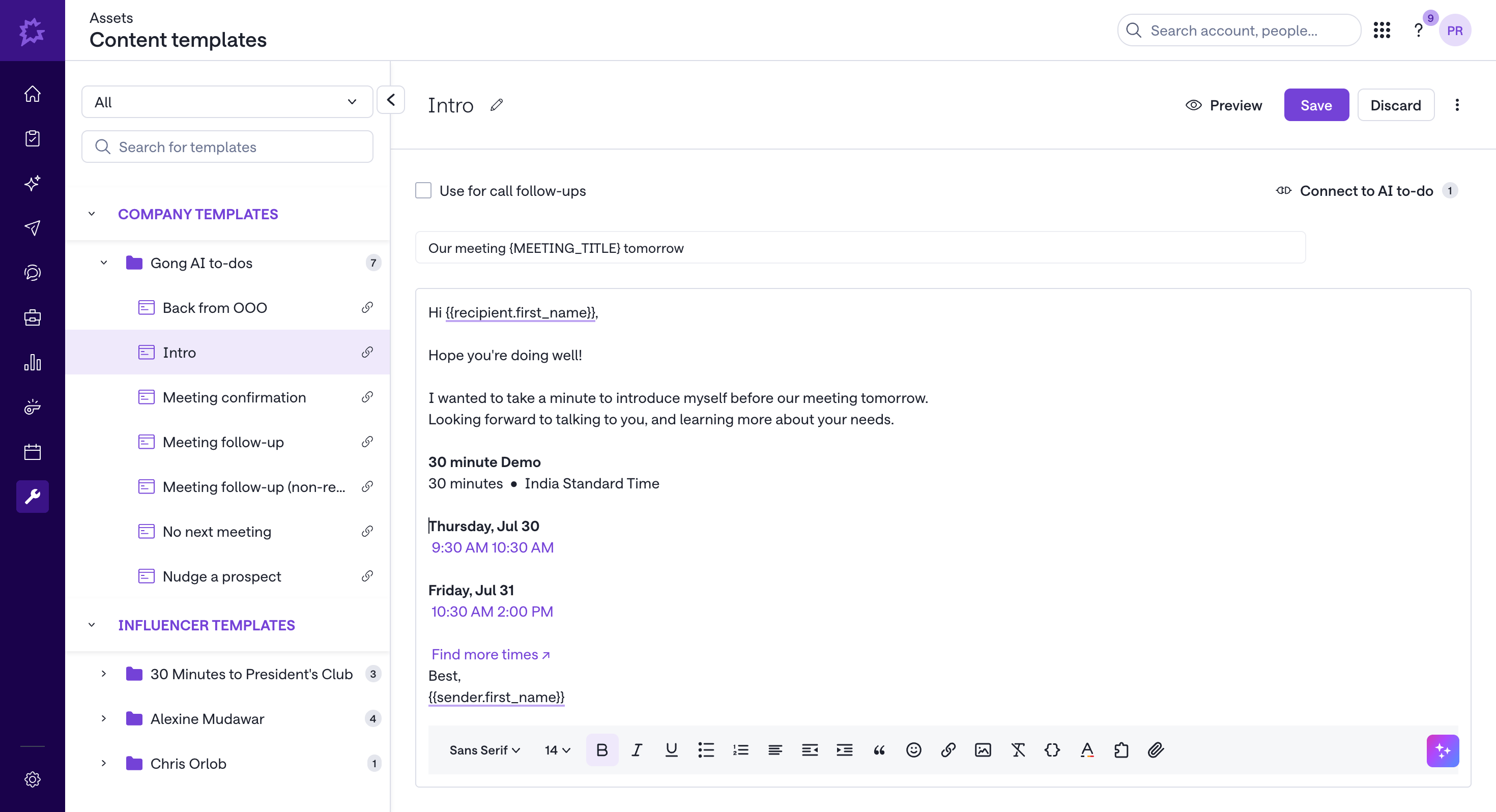
The slots or link go into the email body. When the prospect clicks, their details carry over from the Gong thread, so the booking form is already filled in and they only pick a time.
### Step 3: Choose what to insert
| Option | What the prospect gets | Use it when |
| ---------------------------------- | --------------------------------- | ---------------------------------------------- |
| **Meeting Link** | A link to your booking page | The prospect should see your full availability |
| **Relay time slots** | Clickable times from a Relay | The meeting belongs to an AE, not you |
| **Time slots from a Meeting Link** | Specific times from your own link | You want to narrow the choice to a few times |
Pick Relay time slots when the meeting is a handoff. The times come from the AE the Relay routes to, and the routing rules still apply, so the prospect never sees a rep who shouldn't own the meeting.
### Step 4: Send
The slots or link go into the email body. When the prospect clicks, their details carry over from the Gong thread, so the booking form is already filled in and they only pick a time.
 ## Book a handoff to an AE from Gong
If the prospect is already qualified and you want the meeting on an AE's calendar now, book it yourself instead of sending slots. Click the RevenueHero extension icon while you're on the prospect in Gong, fill in the Relay form, and pick from the AE's real availability. You stay in the tab the whole time.
Enter the prospect's details yourself on this path. The extension does not read them from the Gong record, so type them in or copy them across before you book. The pre-fill described above applies to the `rh/` flow only.
This is the same flow the extension gives you in any sales tool.
Install the extension and log in before using either flow in Gong.
The full step by step for handing a prospect to an AE.
Set up the routing that decides which AE receives the handoff.
Create the link reps insert when sharing their own availability.
## Book a handoff to an AE from Gong
If the prospect is already qualified and you want the meeting on an AE's calendar now, book it yourself instead of sending slots. Click the RevenueHero extension icon while you're on the prospect in Gong, fill in the Relay form, and pick from the AE's real availability. You stay in the tab the whole time.
Enter the prospect's details yourself on this path. The extension does not read them from the Gong record, so type them in or copy them across before you book. The pre-fill described above applies to the `rh/` flow only.
This is the same flow the extension gives you in any sales tool.
Install the extension and log in before using either flow in Gong.
The full step by step for handing a prospect to an AE.
Set up the routing that decides which AE receives the handoff.
Create the link reps insert when sharing their own availability.