> ## Documentation Index
> Fetch the complete documentation index at: https://help.revenuehero.io/llms.txt
> Use this file to discover all available pages before exploring further.
# How to set up your Meetings Profile?
> Learn how to set up your meetings profile.
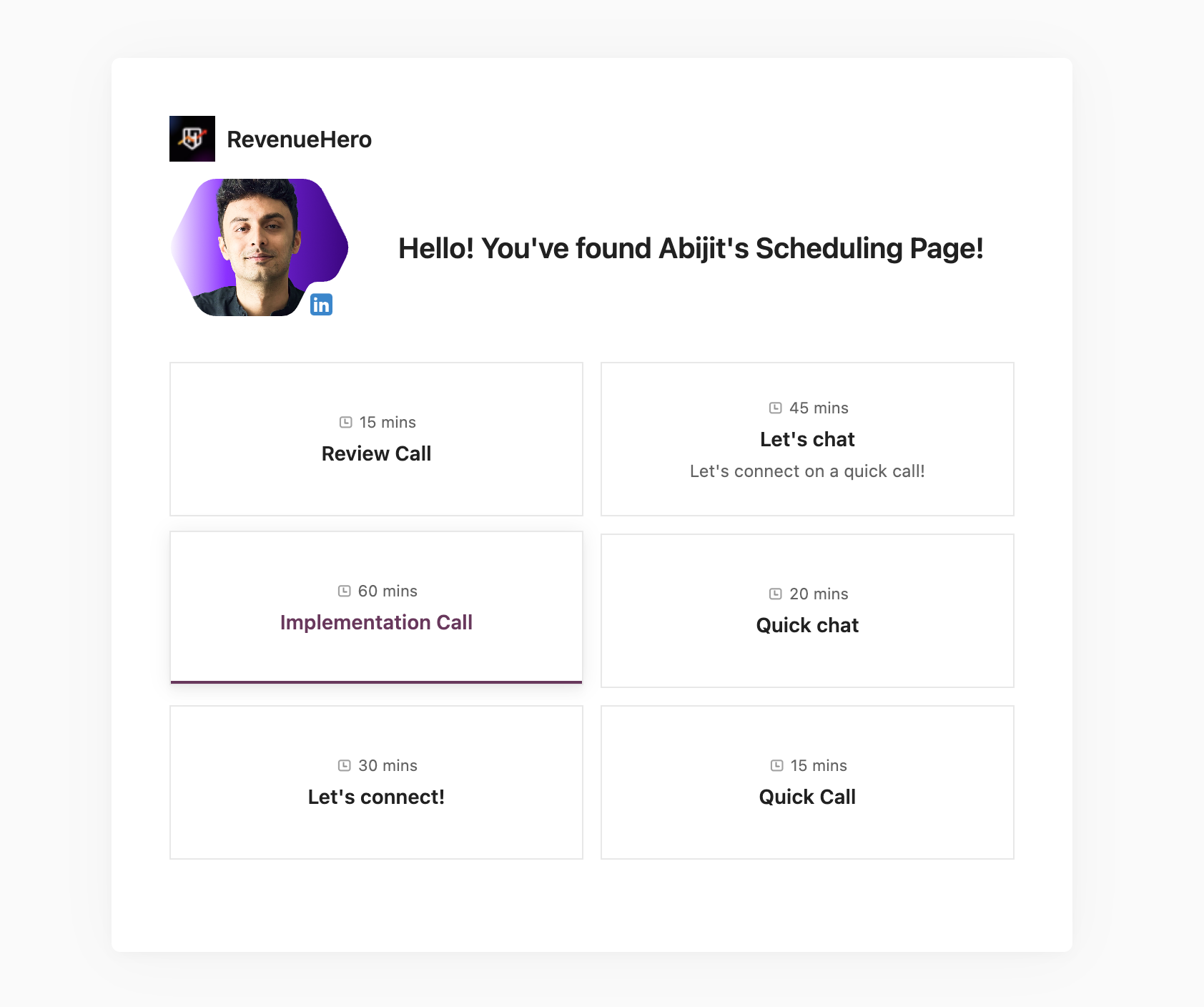
Your meeting profile in RevenueHero can be used to display different booking options for prospects to choose from.
A prerequisite for setting up your meeting profile is to set up the [meeting links](/meeting-links/personal-meeting-links) that would be added to it.
To set up up your meetings profile, navigate to **Sidebar** -> Links -> My Personal Links.
1. Click on the edit(pencil) icon on the right to edit the meetings profile.
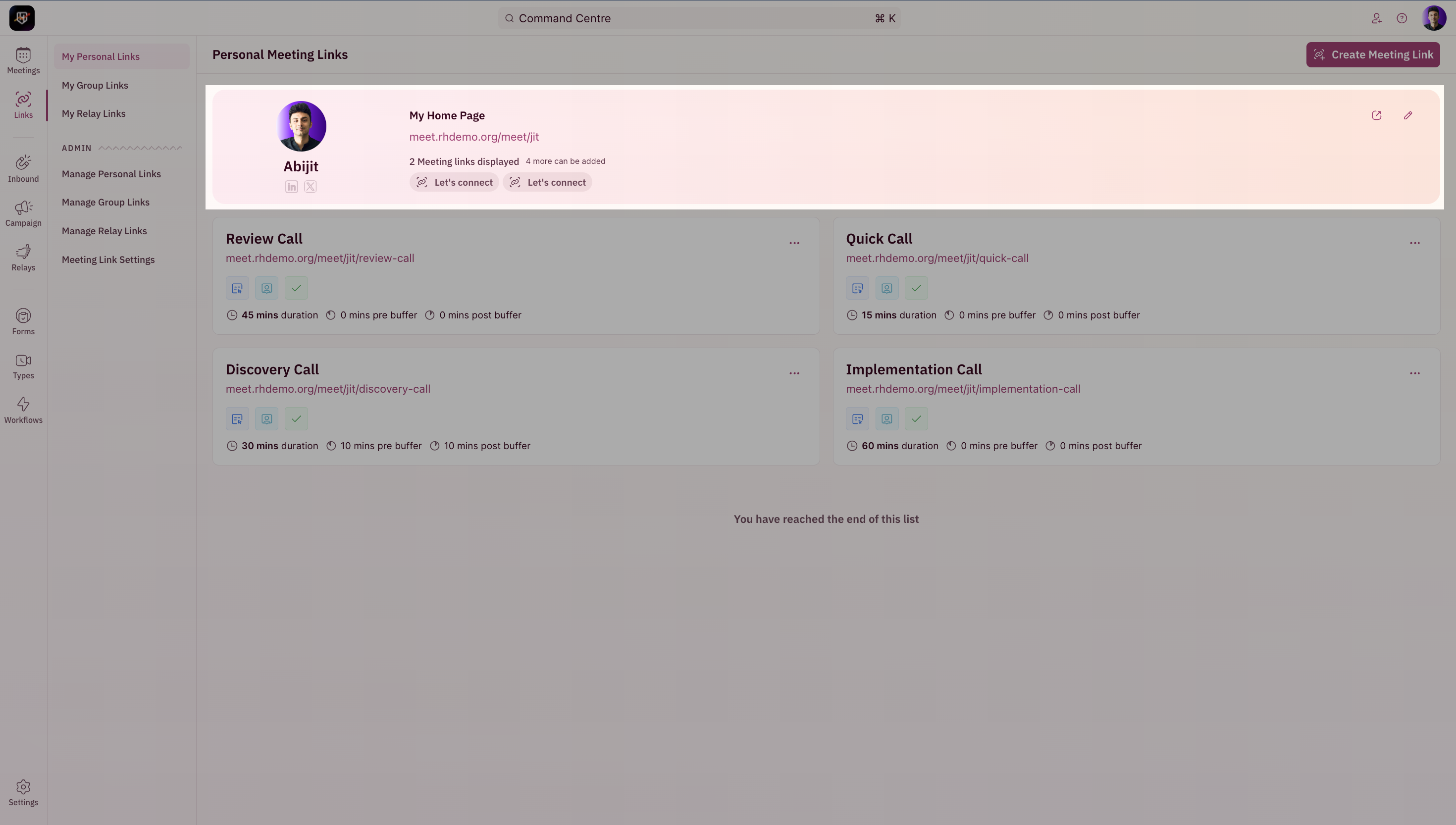 2. Edit your base link's URL. This link will be used as the base for your other personal meeting links.
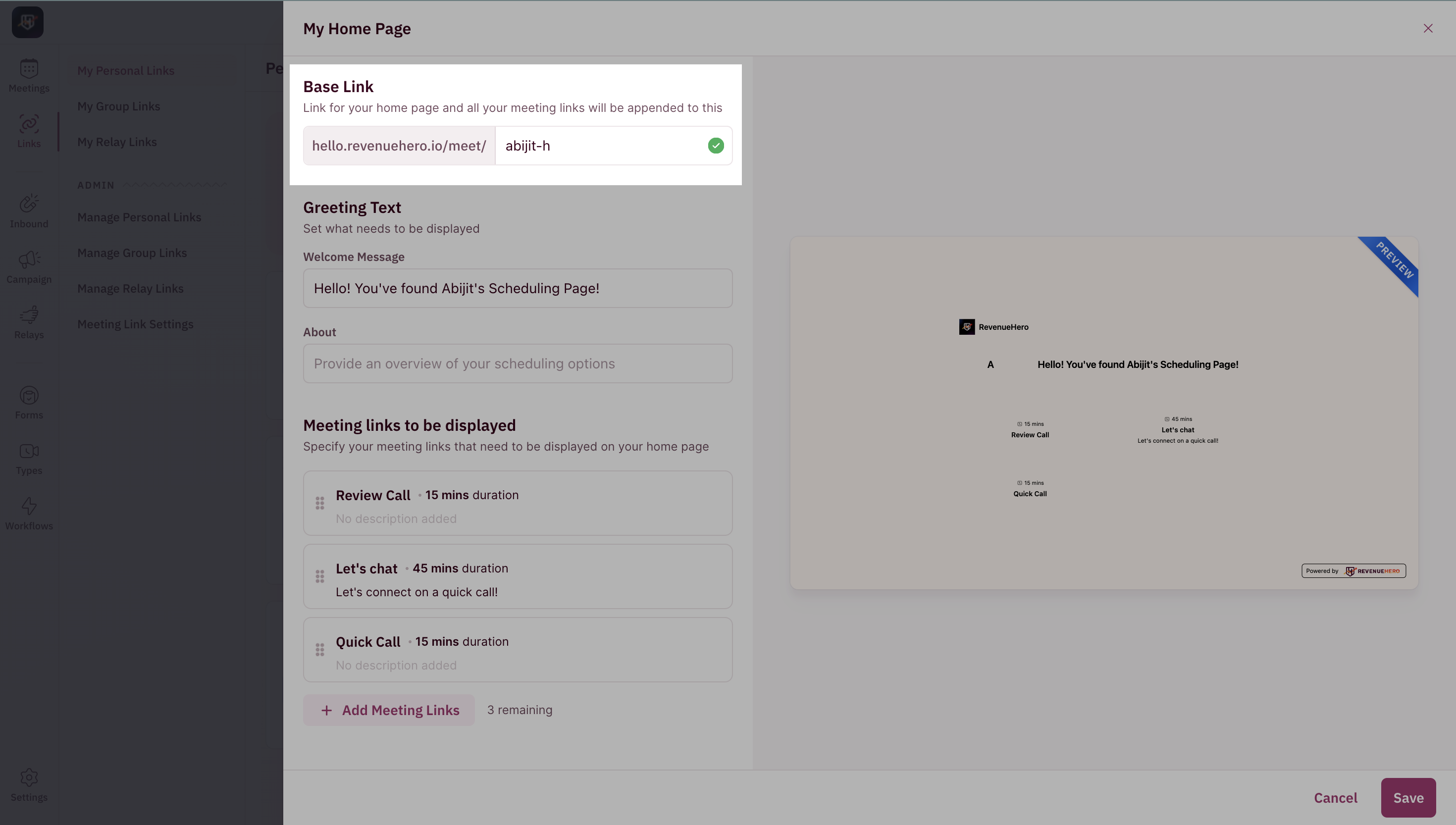 3. Modify the greetings text and description that would be visible on the meetings profile.
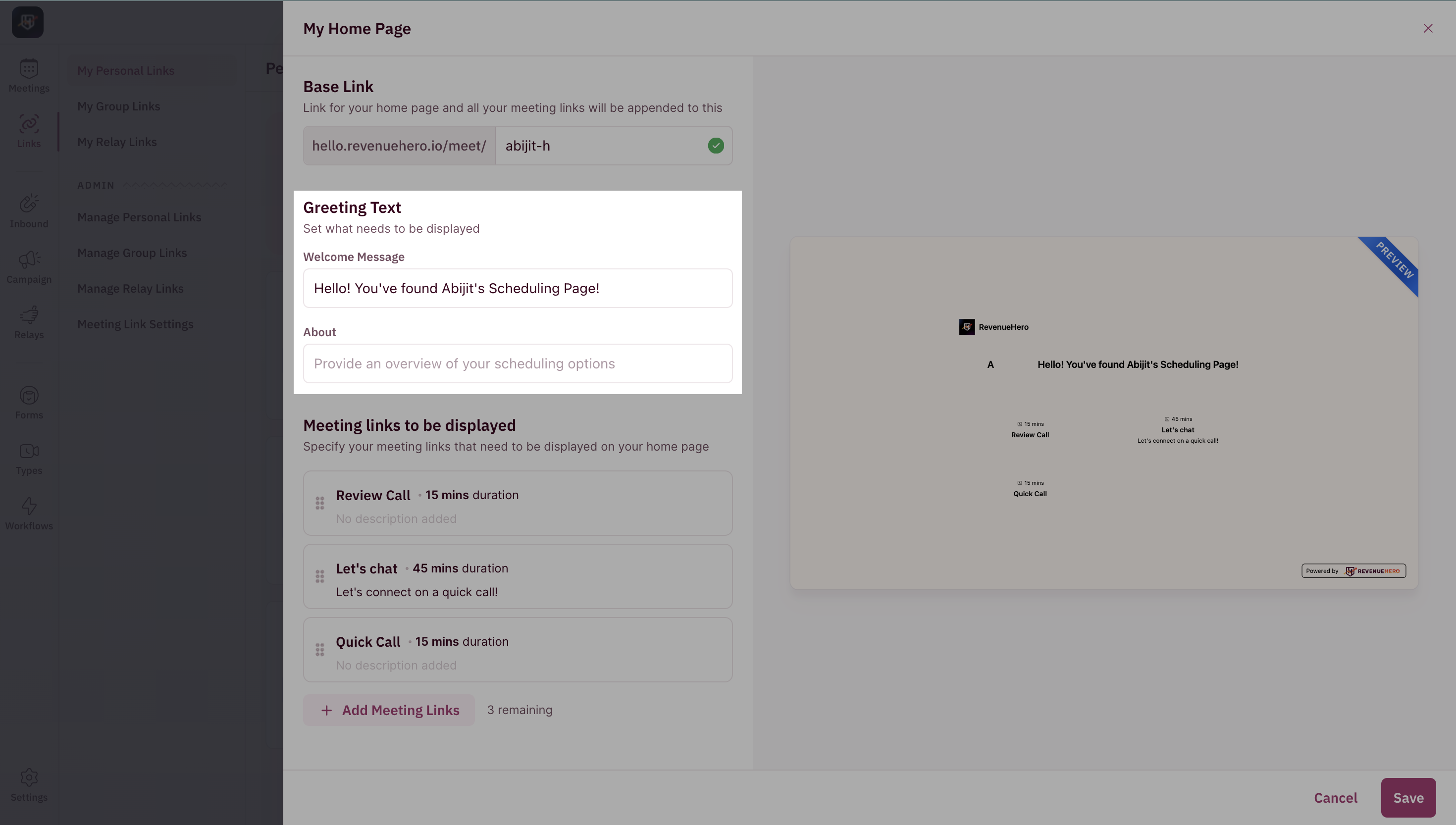 4. Select the different meeting links that you've created already. You can select **upto 6 different links**.
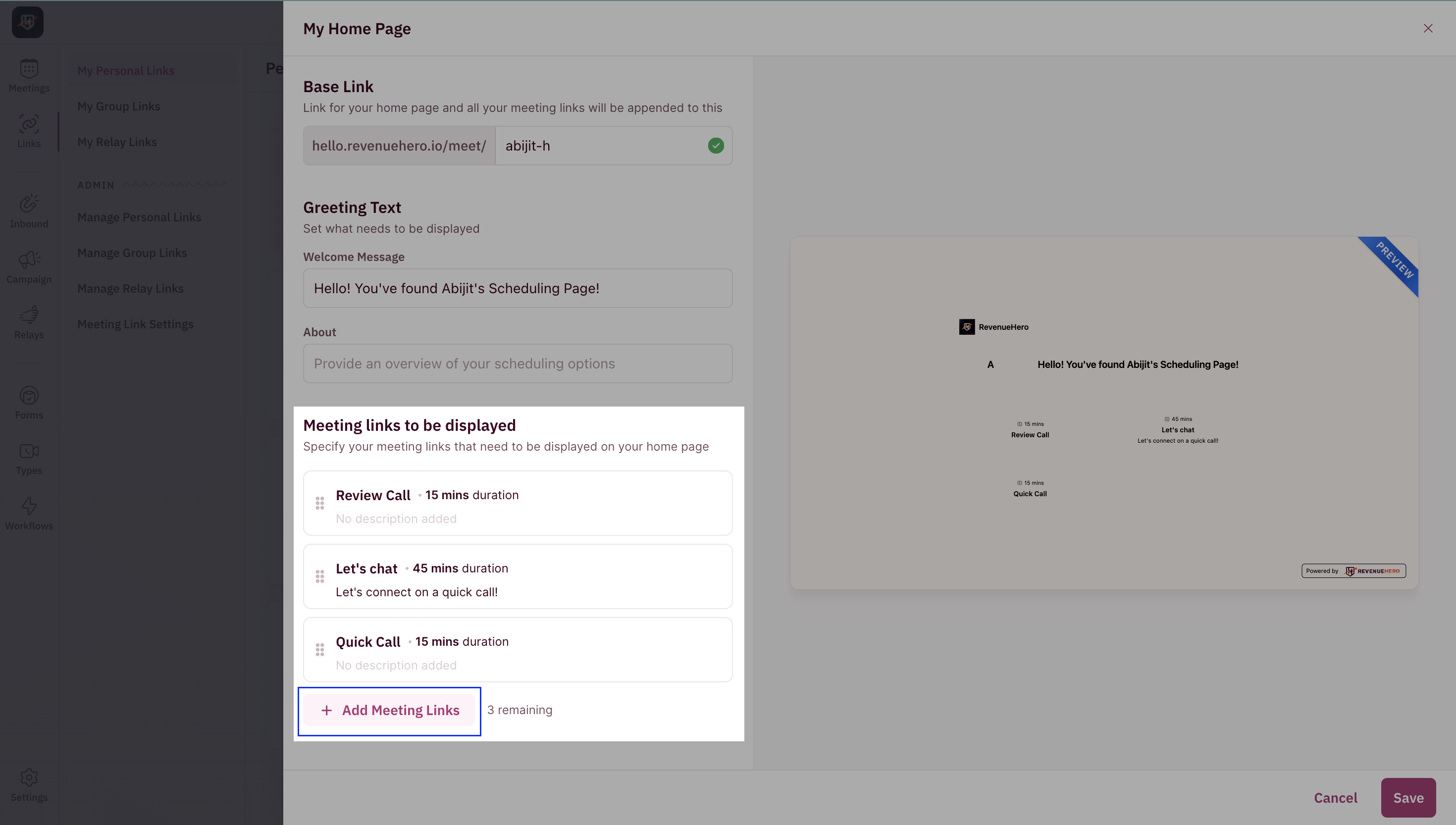 5. You're all set. You can share your meeting's profile's link to your prospects!