> ## Documentation Index
> Fetch the complete documentation index at: https://help.revenuehero.io/llms.txt
> Use this file to discover all available pages before exploring further.
# Trace each submission with Routing Logs
> Trace, analyze and troubleshoot every single session regardless of qualification or meeting booking.
### Search and Filters
To access your inbound routing logs, click on the Inbound in your left nav bar.
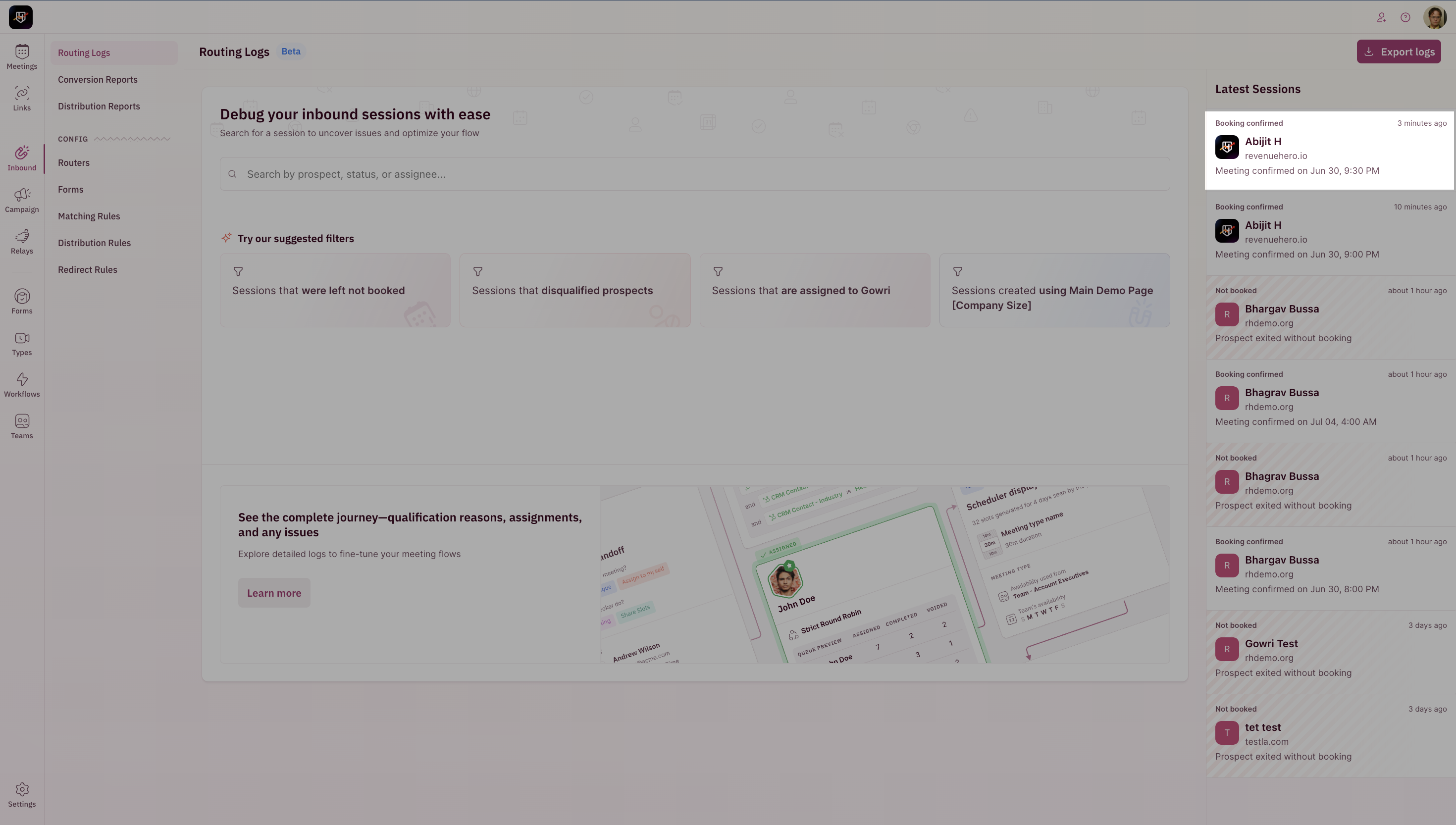
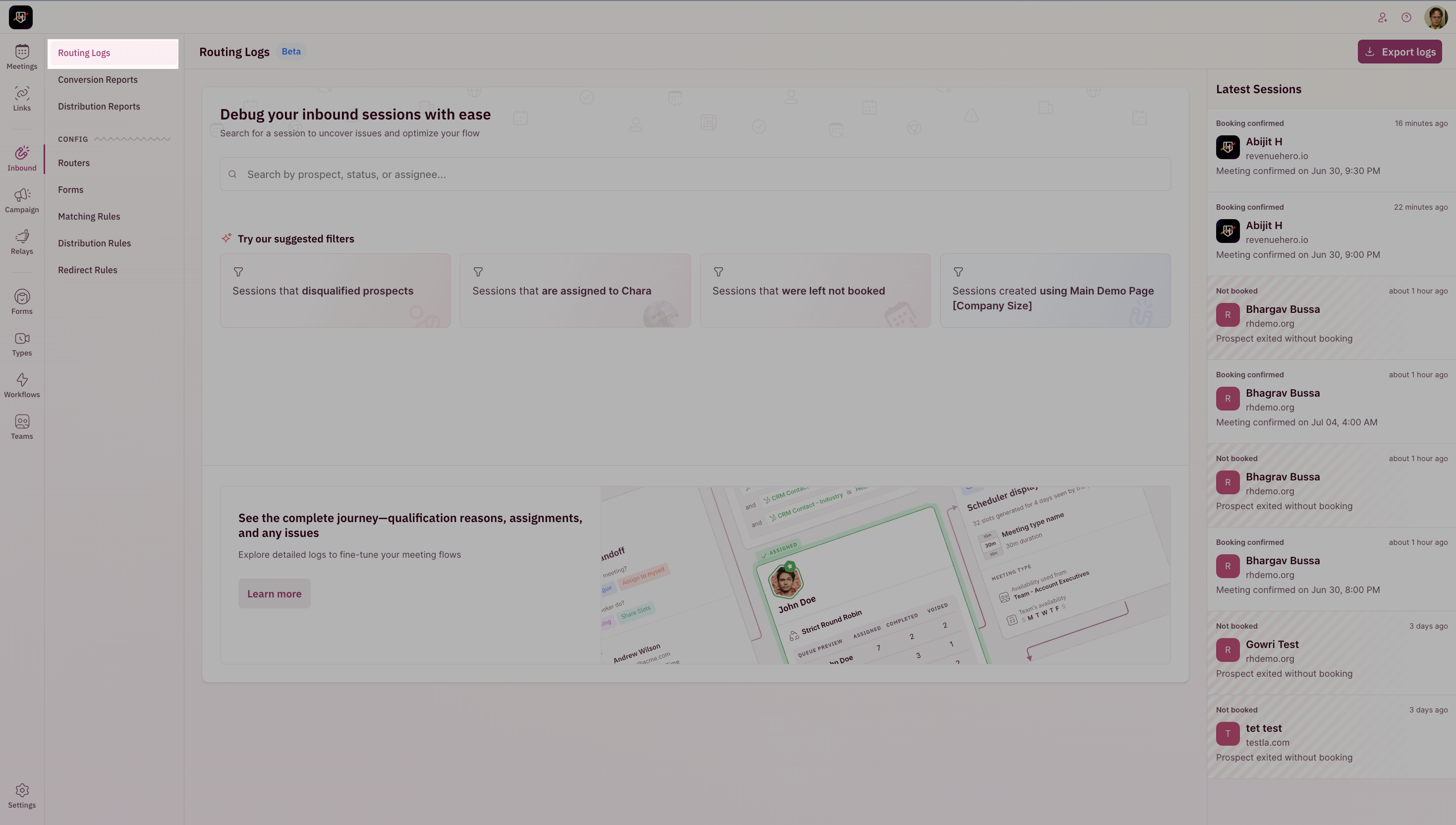 The latest sessions are listed on the right sidebar. To access a specific session, you can click to expand and view a specific session.
 Alternatively, you can also use the search bar to find specific records or to curate lists.
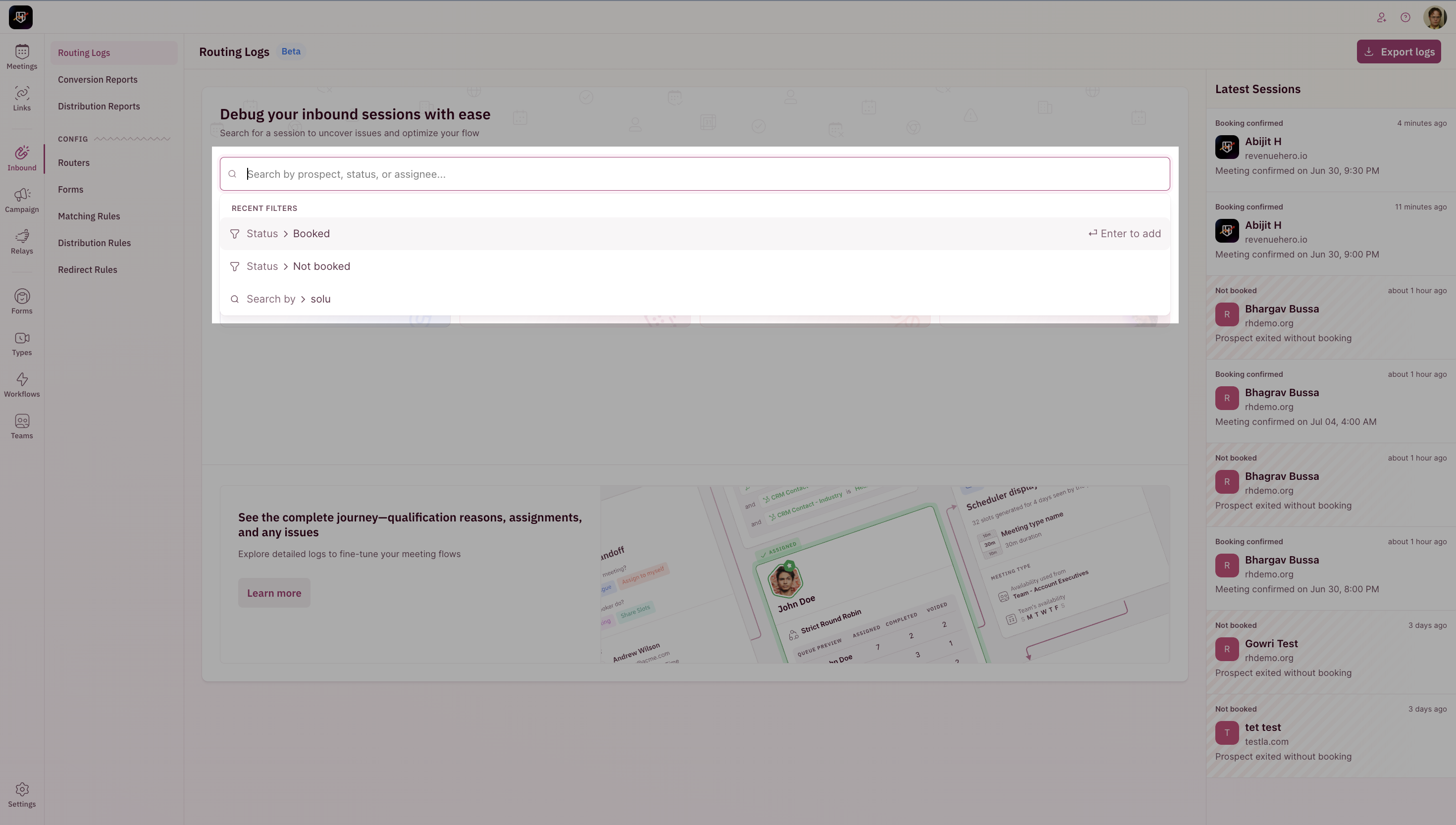 The search options are as follows:
| **Filter by** | **Options** |
| ----------------- | ---------------------------------------------------------------------------------------------------------------------------------------------------------------------------------------------- |
| **Created At** | Use one of these options, eg: **Before 90 days**
The search options are as follows:
| **Filter by** | **Options** |
| ----------------- | ---------------------------------------------------------------------------------------------------------------------------------------------------------------------------------------------- |
| **Created At** | Use one of these options, eg: **Before 90 days**
*Today/Yesterday*
*This/Previous Week*
*Last 7/30/60/90/180 days*
*Before 30/60/90/180 days*
*This/Last Month* |
| **Domain** | Search by prospect domain eg:**revenuehero.io** |
| **Meeting Owner** | Search by a specific assignee name. |
| **Router** | Search by a specific RevenueHero router name. |
| **Search** | Search by a specific email address. |
| **Status** | Use one of these options:
***BookedNot booked/Disqualified*** |
| **Team** | Search by a specific RevenueHero team name. |
Once you've filtered based on these options, you should be able to view/export the list of records that match your filter. To inspect a specific record, click on it to expand.
### Navigation
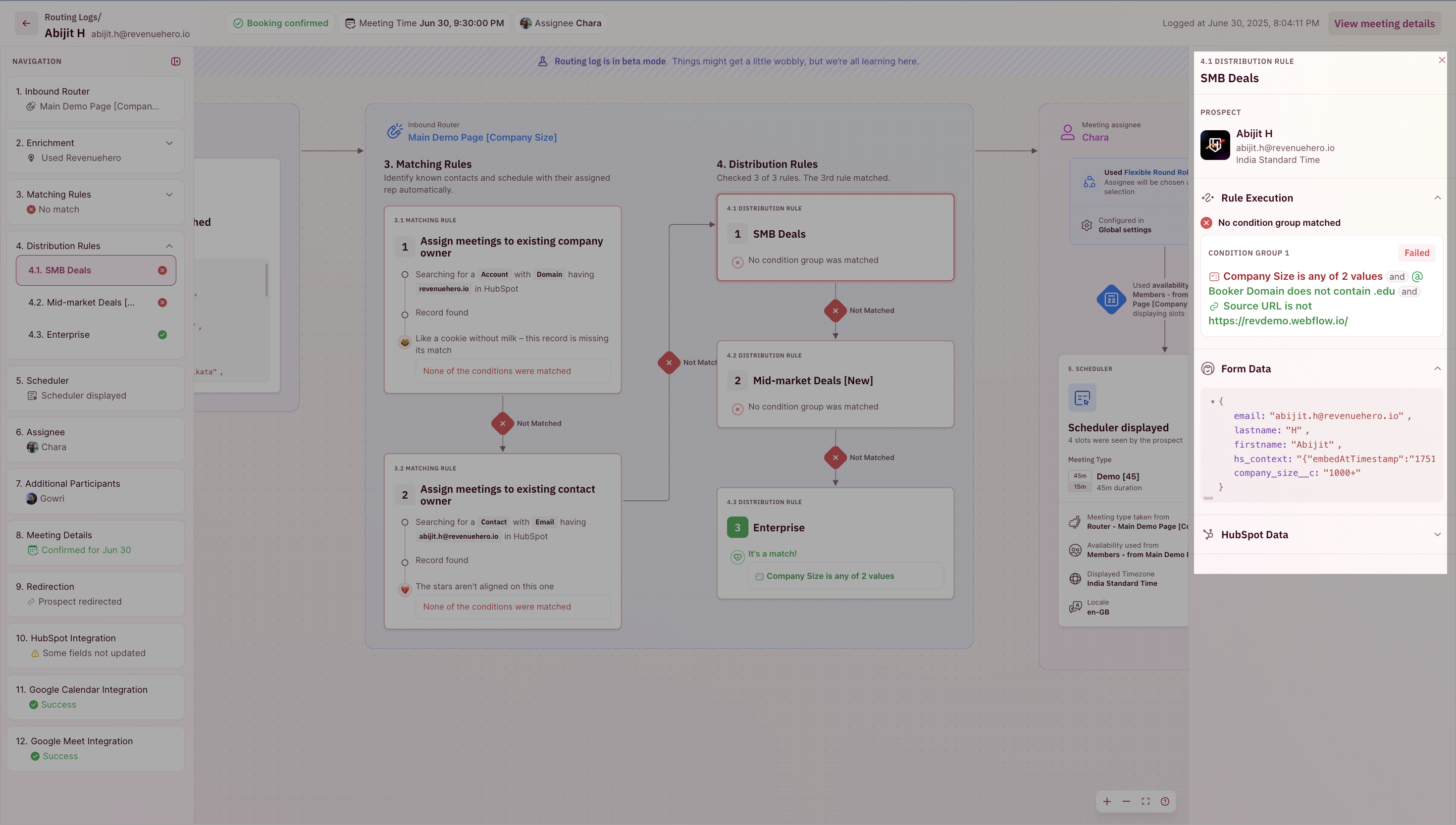
Any specific record should have the following blocks for a qualified prospect:
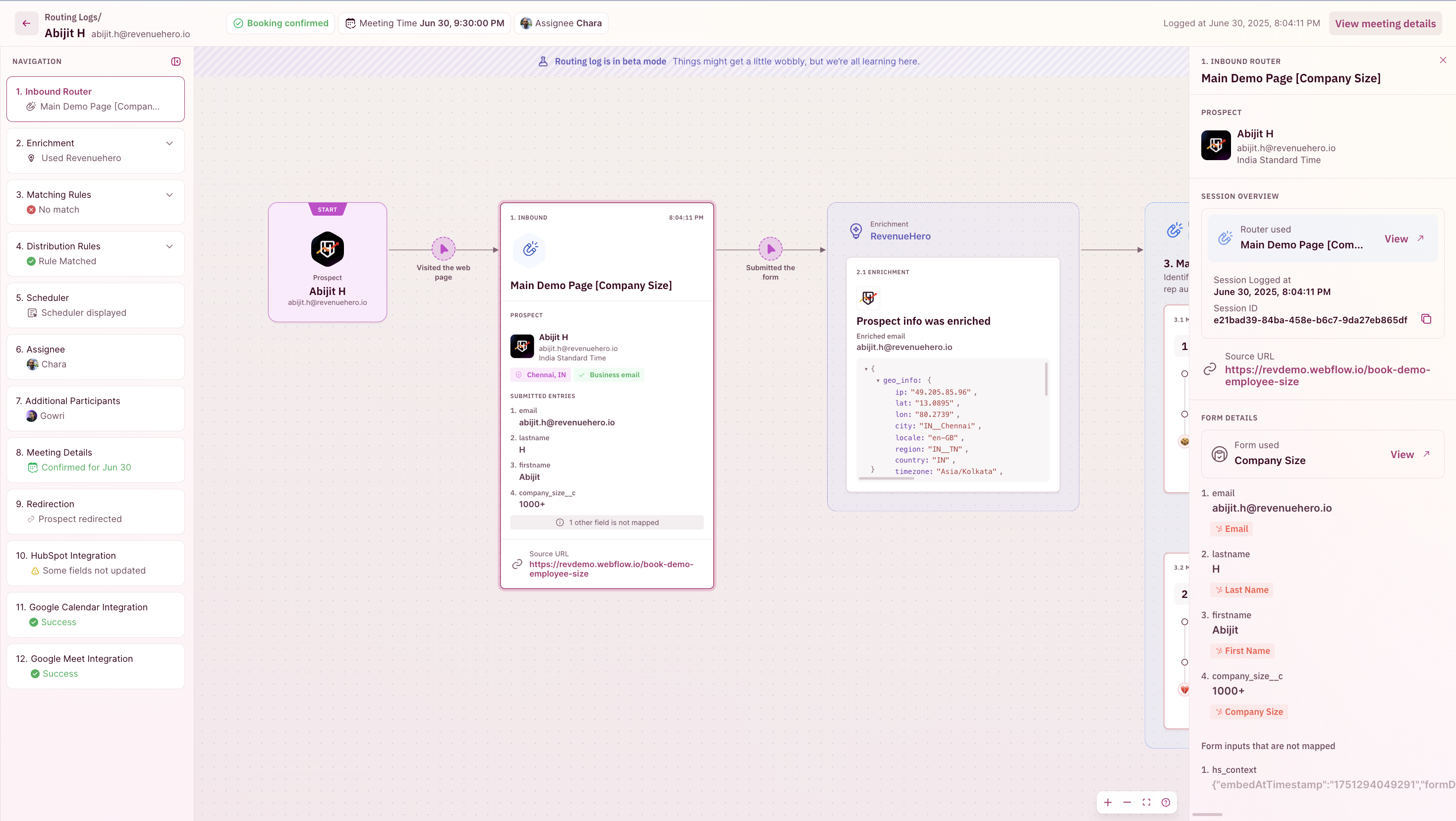 | **Block** | **Details** |
| --------------------------- | ---------------------------------------------------------------------------------------------------------------------------------------------------------------------------------------------- |
| **Inbound Router** | Log of:
| **Block** | **Details** |
| --------------------------- | ---------------------------------------------------------------------------------------------------------------------------------------------------------------------------------------------- |
| **Inbound Router** | Log of:
Router Name
Form Data
Source URL |
| **Enrichment** | Log of RevenueHero IP Enrichment and data from your chosen enrichment provider. |
| **Matching Rules** | Details of the ownership check set up in the router. |
| **Distribution Rules** | Details of the distribution flow set up in the router. |
| **Scheduler** | Details regarding number of slots, meeting type (duration,buffers etc), timezone and language that was displayed to the prospect. |
| **Assignee** | Details of the meeting owner, their team and the round robin system applied. |
| **Additional Participants** | Details of additional assignees (if collective round robin is set up). |
| **Meeting Details** | Date, time and participants on the invite. |
| **Redistribution** | Routing flow and assignment if the prospect didn't book a meeting. |
| **Redirection** | The URL (if set up) the prospect was redirected to. |
| **Integrations** | Log of:
CRM Integration - the fields that were updated
Calendar Integration - the invite that was created
Conference Tool integration - the conference link added to the invite |
\
Use the navbar to click and zoom in on a specific block eg: Meeting Details.
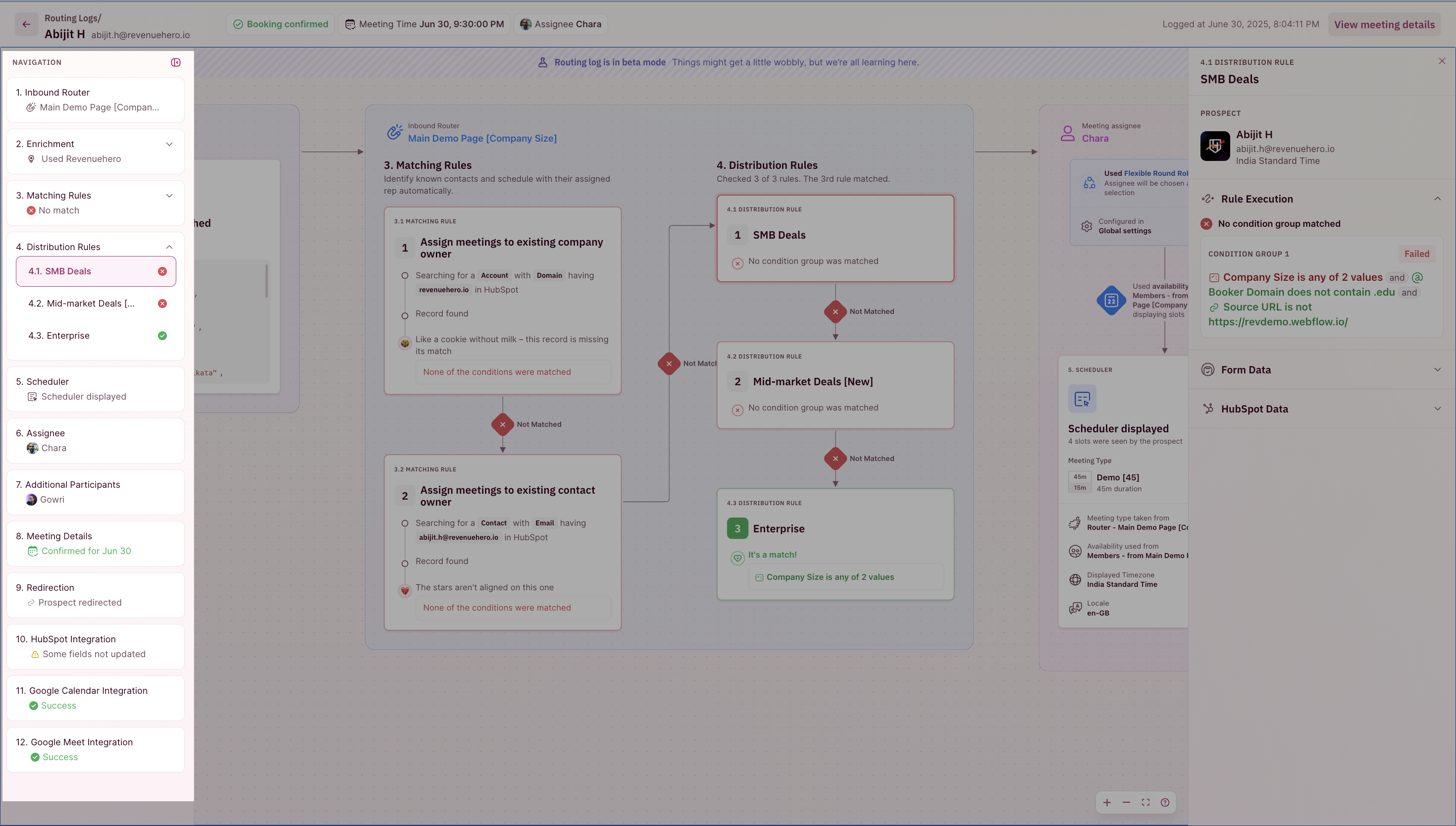 To inspect the routing flow click on the specific rule.
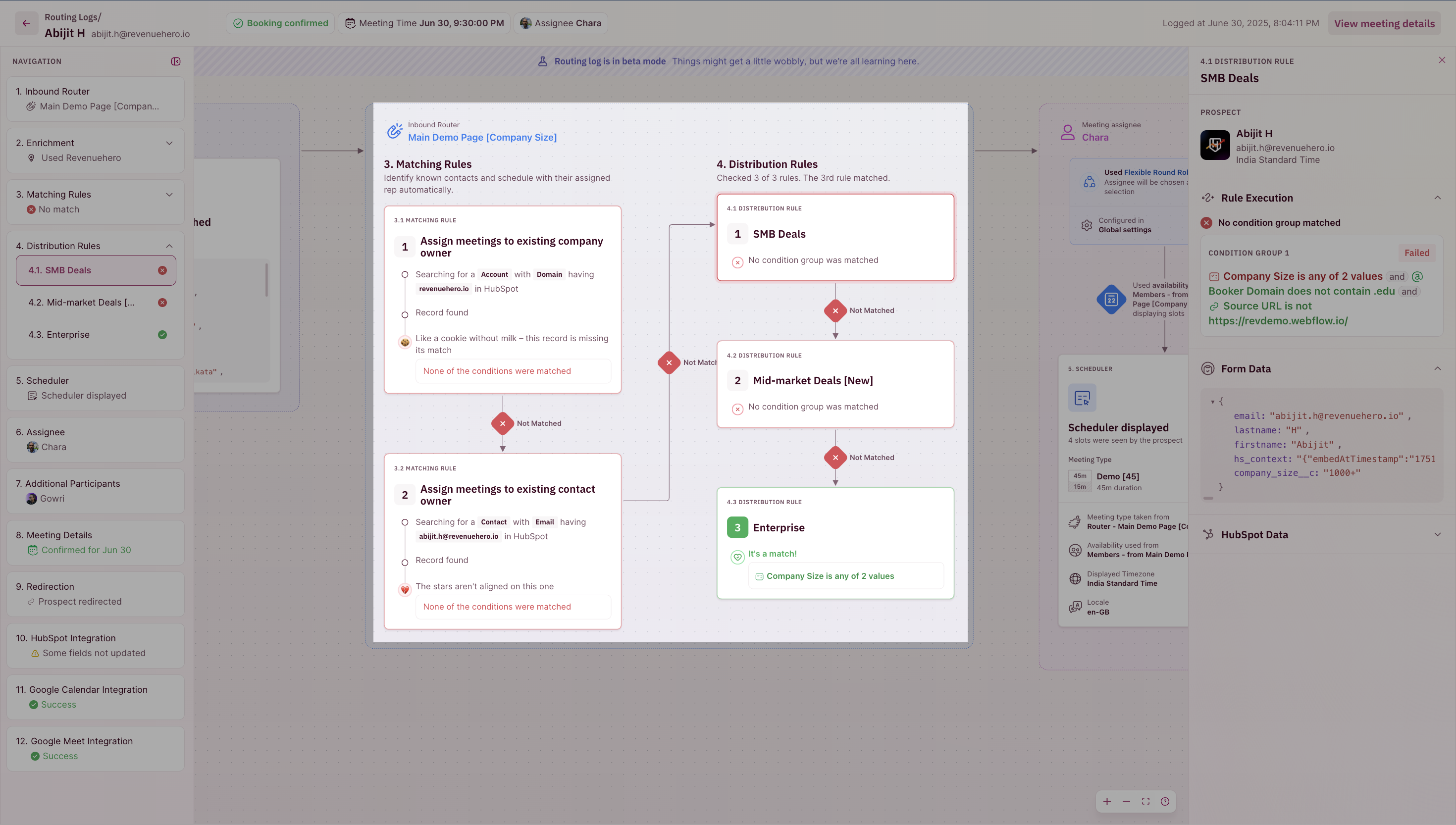 Clicking on the rule should expand the criteria that was set up. The conditions marked in **green** were succesfully met while the ones in **red** didn't, hence not assigning through that rule.