> ## Documentation Index
> Fetch the complete documentation index at: https://help.revenuehero.io/llms.txt
> Use this file to discover all available pages before exploring further.

# How to customize email domain?

> Give your reminder emails your brand's touch by adding a custom domain.

The email domain from which reminder emails are sent to your prospects can be customized by following these steps.

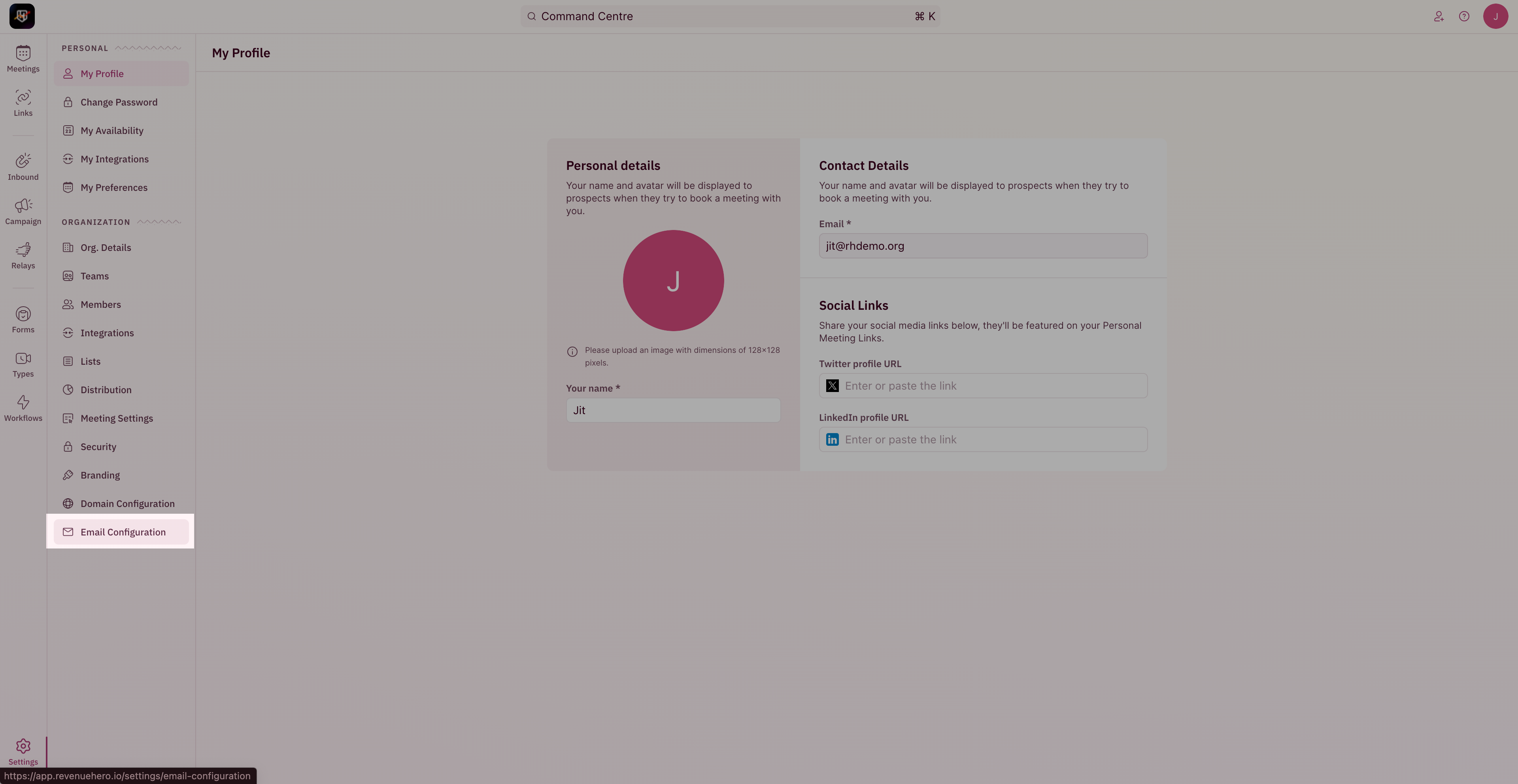
1. To update your email domain, head to "**Settings**" from the left navigation menu and click on "**Email Configuration**" under "Organization Settings".
<Frame>
  <img src="https://mintcdn.com/revenuehero/KyUwaY3HenFwv4nb/images/email_domain_1.png?fit=max&auto=format&n=KyUwaY3HenFwv4nb&q=85&s=14e9925ac0e8ed0ababd91a495aaeacc" width="3840" height="1984" data-path="images/email_domain_1.png" />
</Frame>

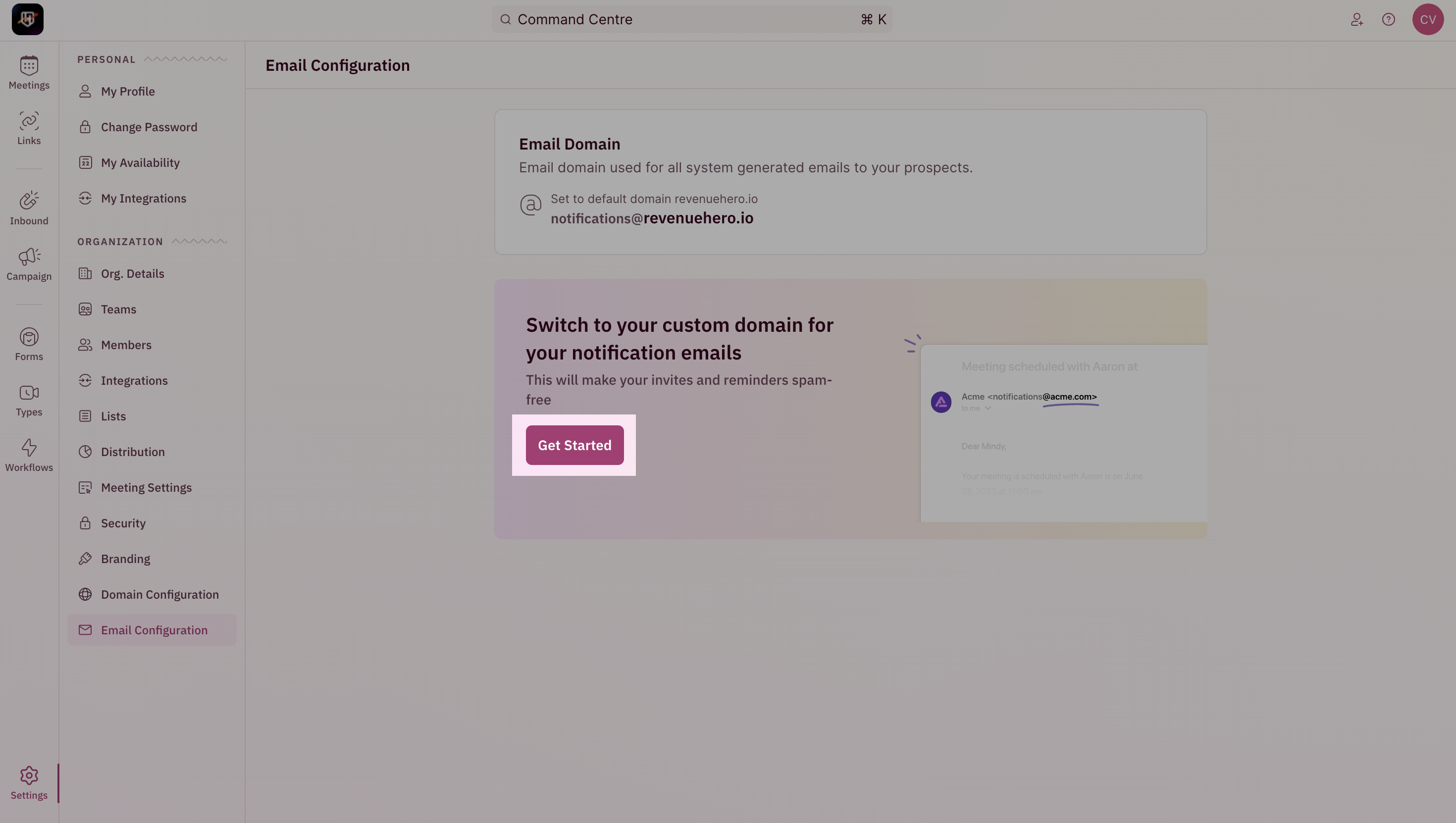
2. Click on "**Get Started**"

<Frame>
  <img src="https://mintcdn.com/revenuehero/KyUwaY3HenFwv4nb/images/email_domain_2.png?fit=max&auto=format&n=KyUwaY3HenFwv4nb&q=85&s=b126042836de4aafea36c8e10c9c6707" width="2940" height="1662" data-path="images/email_domain_2.png" />
</Frame>

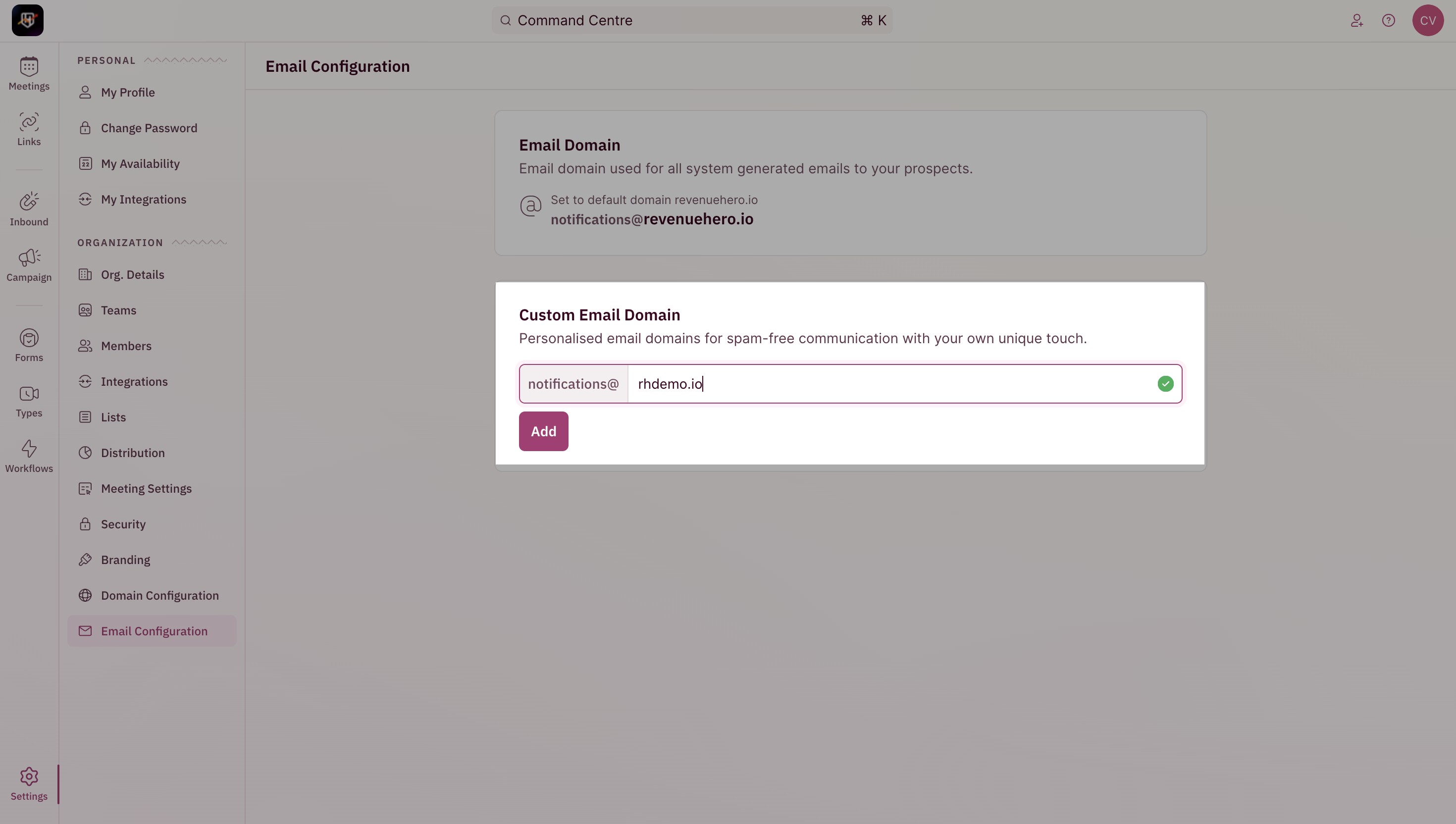
3. Enter the name of your domain and click on "**Setup Now**".
<Frame>
  <img src="https://mintcdn.com/revenuehero/KyUwaY3HenFwv4nb/images/email_domain_3.png?fit=max&auto=format&n=KyUwaY3HenFwv4nb&q=85&s=6954106c129f2bdad519d6746e12b925" width="2940" height="1664" data-path="images/email_domain_3.png" />
</Frame>

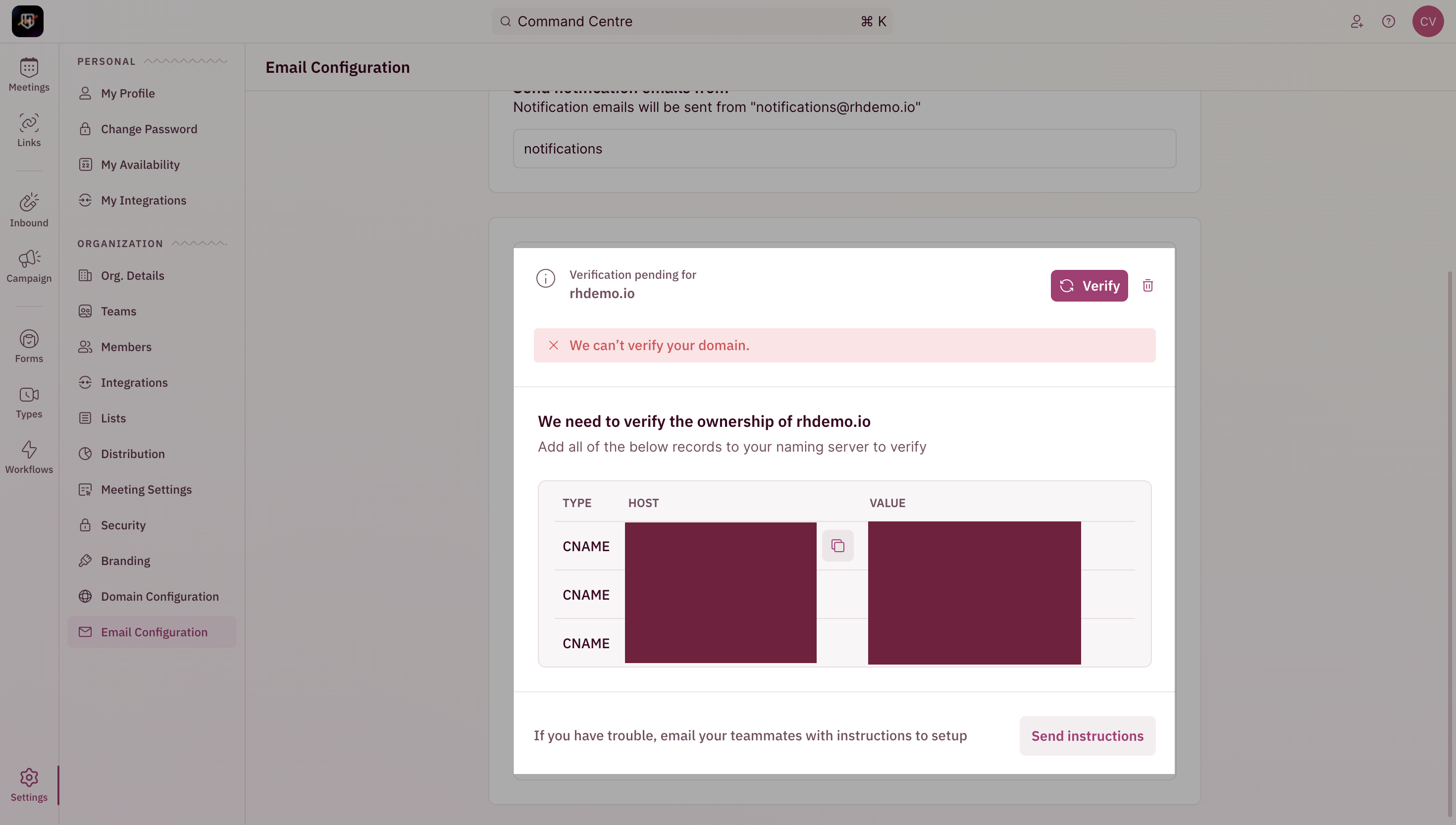
4. Add the three CNAME records in your DNS settings and click verify once done.
<Frame>
  <img src="https://mintcdn.com/revenuehero/KyUwaY3HenFwv4nb/images/email_domain_4.png?fit=max&auto=format&n=KyUwaY3HenFwv4nb&q=85&s=a2e629e56d0f38fc176d0c683b48990d" width="2940" height="1666" data-path="images/email_domain_4.png" />
</Frame>

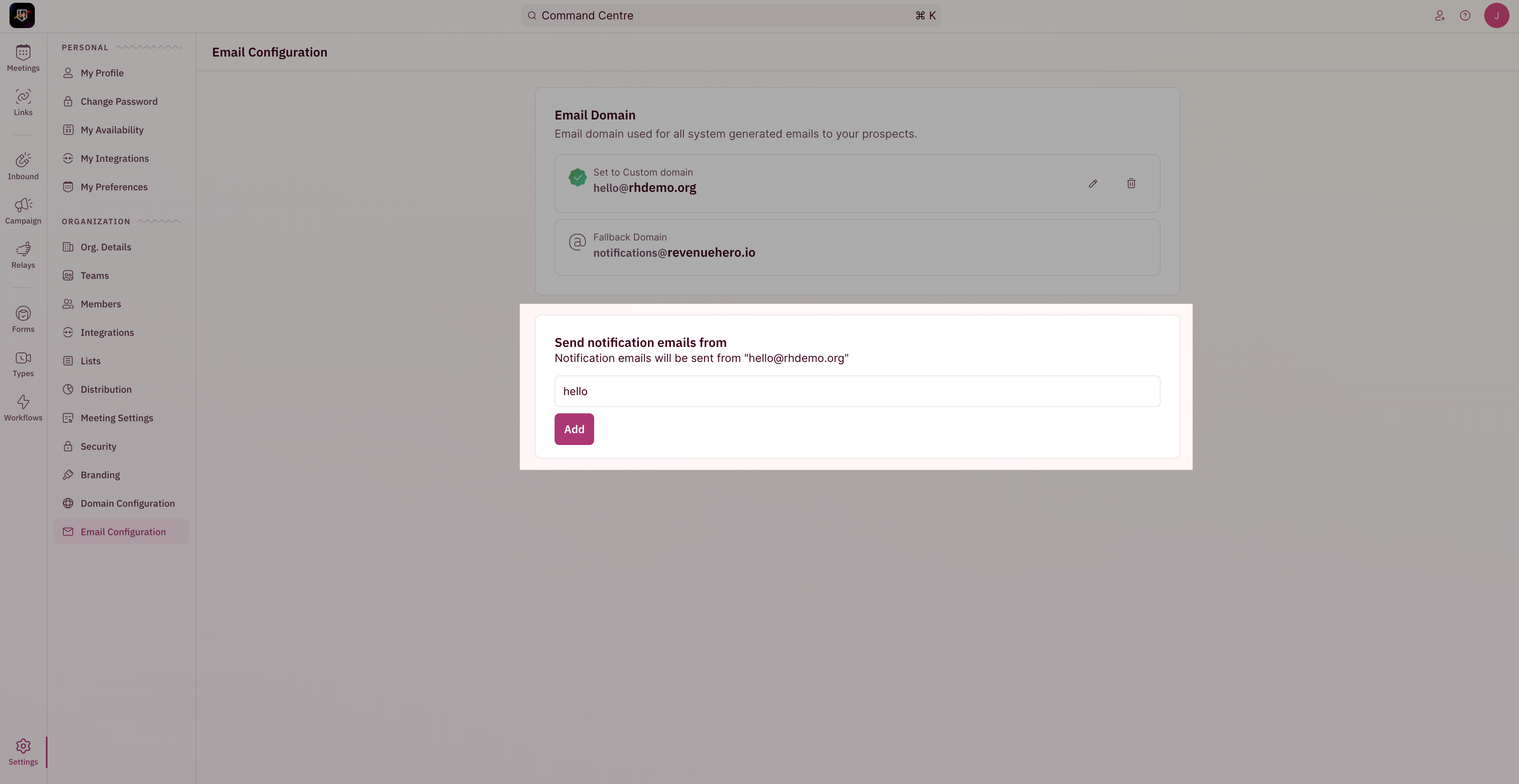
5. Once verified, you would be able to customize the phrase/string before the @
<Frame>
  <img src="https://mintcdn.com/revenuehero/KyUwaY3HenFwv4nb/images/email_domain_5.png?fit=max&auto=format&n=KyUwaY3HenFwv4nb&q=85&s=1c7c40a709d1190c14852e6b99f1d3ff" width="3840" height="1982" data-path="images/email_domain_5.png" />
</Frame>

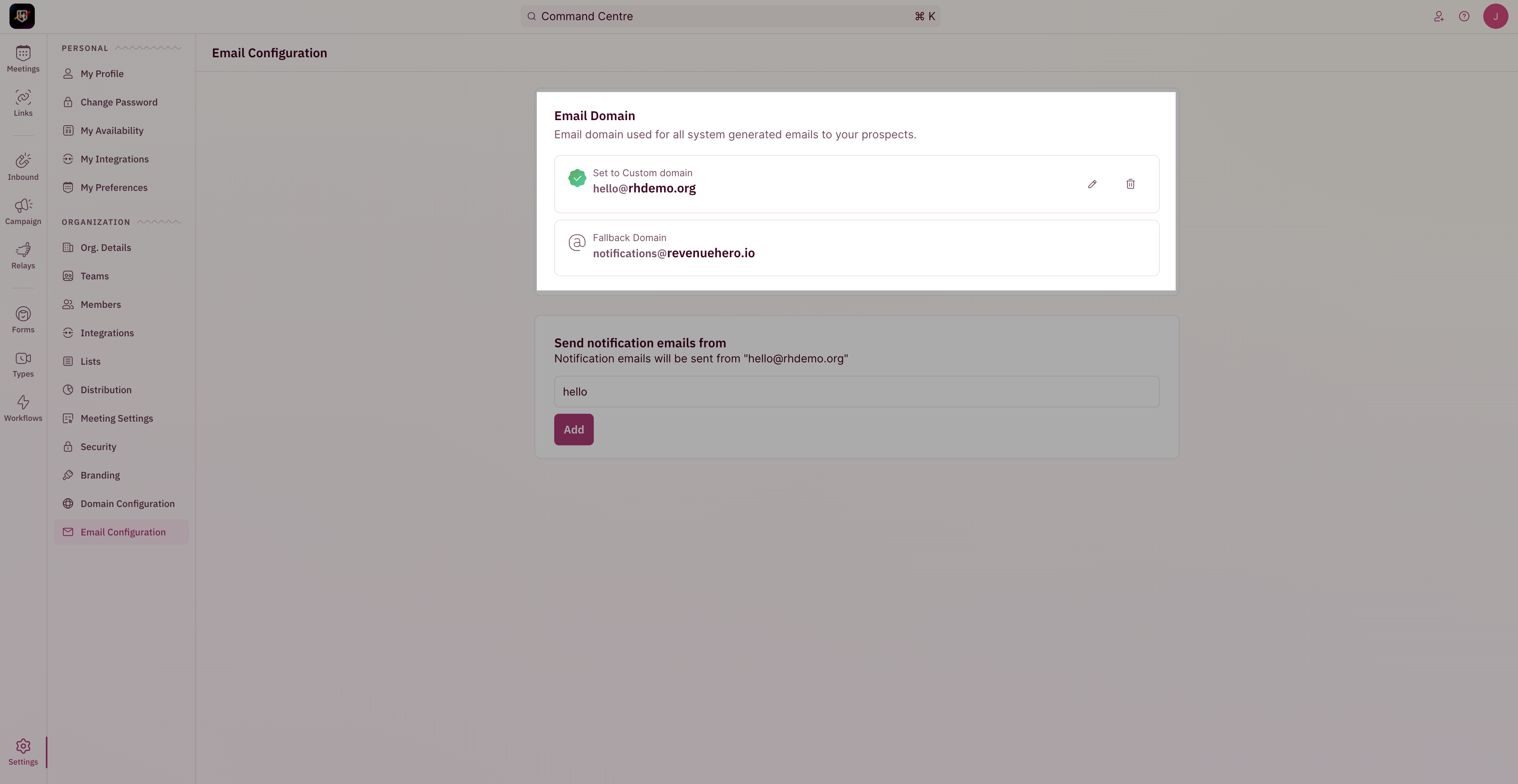
6. You're all set! <br />
   In case your domain is down/inaccessable, the fallback domain will be used.
<Frame>
  <img src="https://mintcdn.com/revenuehero/KyUwaY3HenFwv4nb/images/email_domain_6.png?fit=max&auto=format&n=KyUwaY3HenFwv4nb&q=85&s=5cbd36e5afd204fbcf9d39add2bbdfc0" width="3840" height="1984" data-path="images/email_domain_6.png" />
</Frame>