> ## Documentation Index
> Fetch the complete documentation index at: https://help.revenuehero.io/llms.txt
> Use this file to discover all available pages before exploring further.
# How to manage your RevenueHero security settings?
By modifying security settings, you can manage who gets to login or create an account and restrict the methods by which they can sign in.
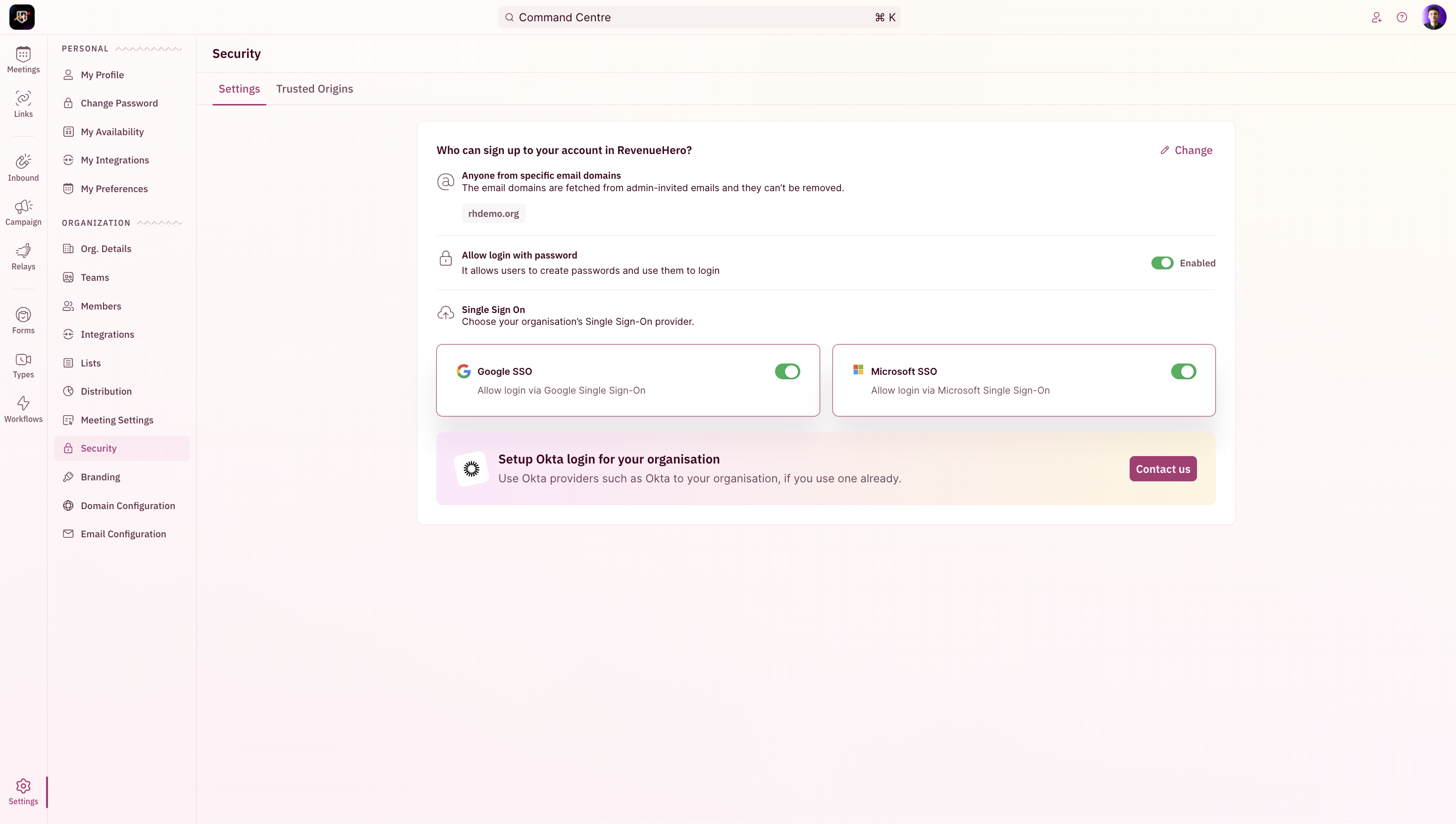 The first step here is to determine who can sign up to your account in RevenueHero. The two options to choose from are:
1. **Only admin invited users** - invite specific email addresses as users/admins.
2. (Default option)**Anyone with specific email domain** - which allows anyone from your org i.e the same email domain can sign up as an user.
The first step here is to determine who can sign up to your account in RevenueHero. The two options to choose from are:
1. **Only admin invited users** - invite specific email addresses as users/admins.
2. (Default option)**Anyone with specific email domain** - which allows anyone from your org i.e the same email domain can sign up as an user.
 ## Passwords and SSO
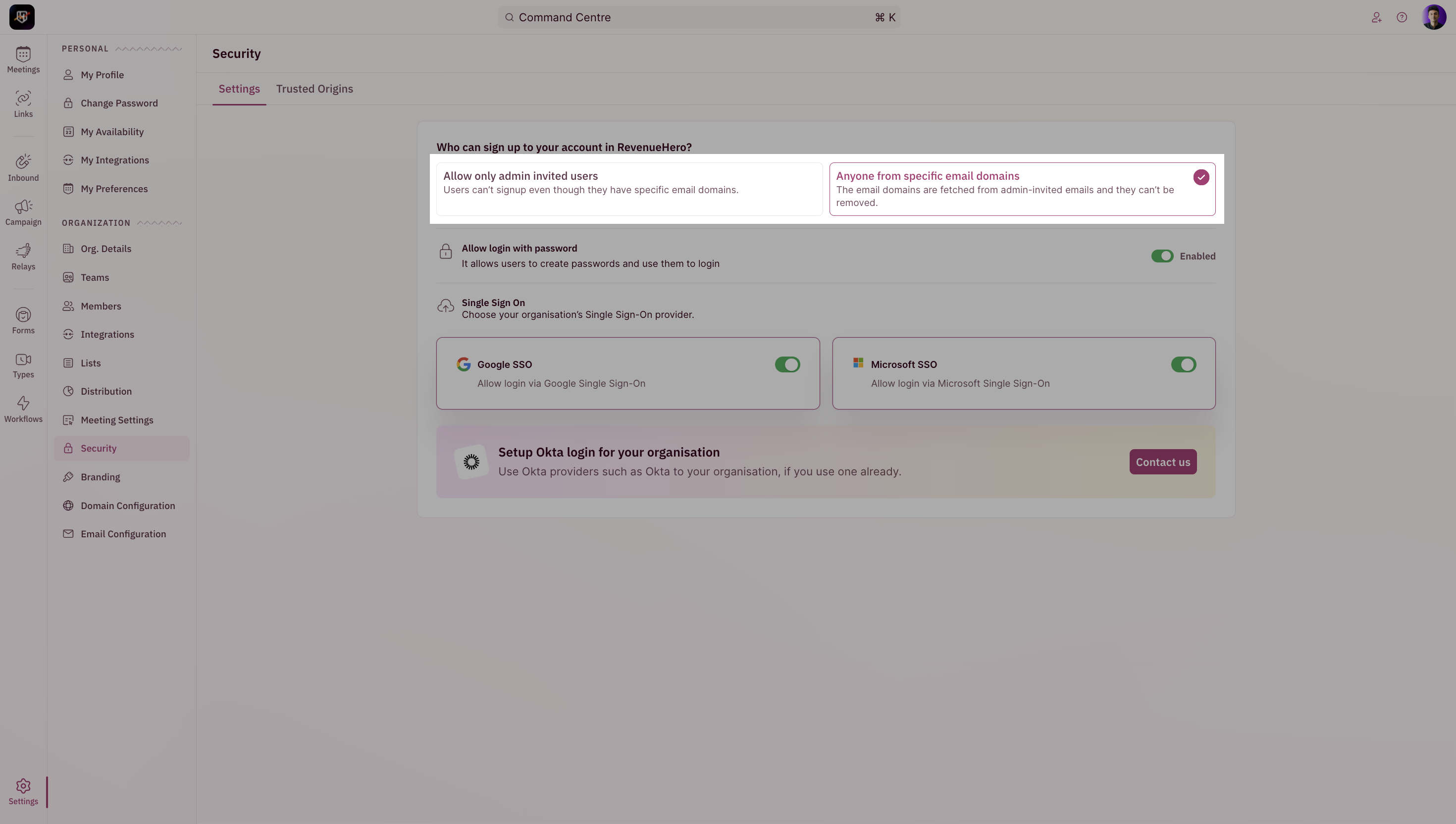
You can also enable/prevent users from creating their own passwords and using them to log-in to RevenueHero.
## Passwords and SSO
You can also enable/prevent users from creating their own passwords and using them to log-in to RevenueHero.
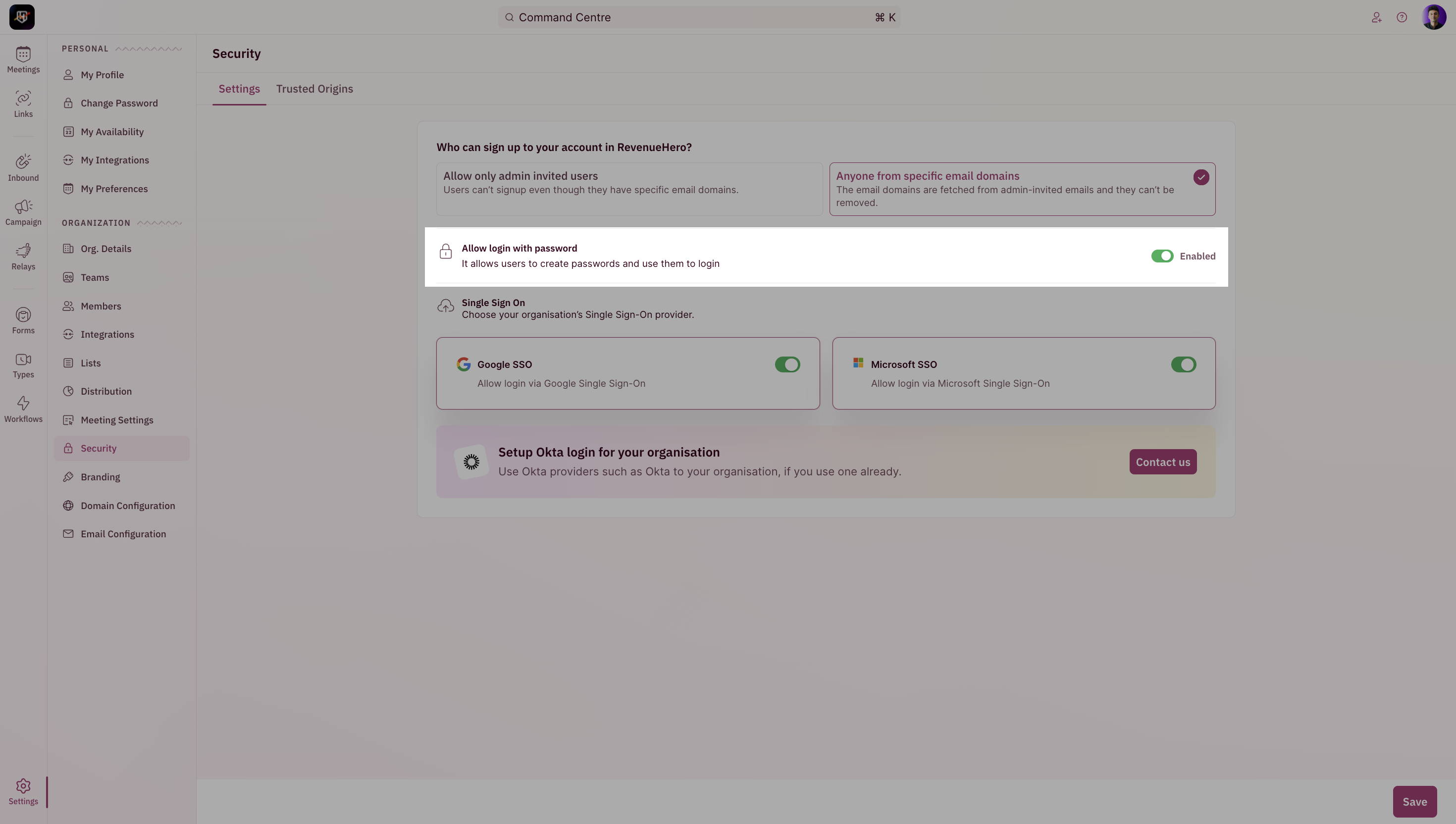 By toggling between MS365 and Gsuite, you can enable/prevent your users from logging in via SSO.
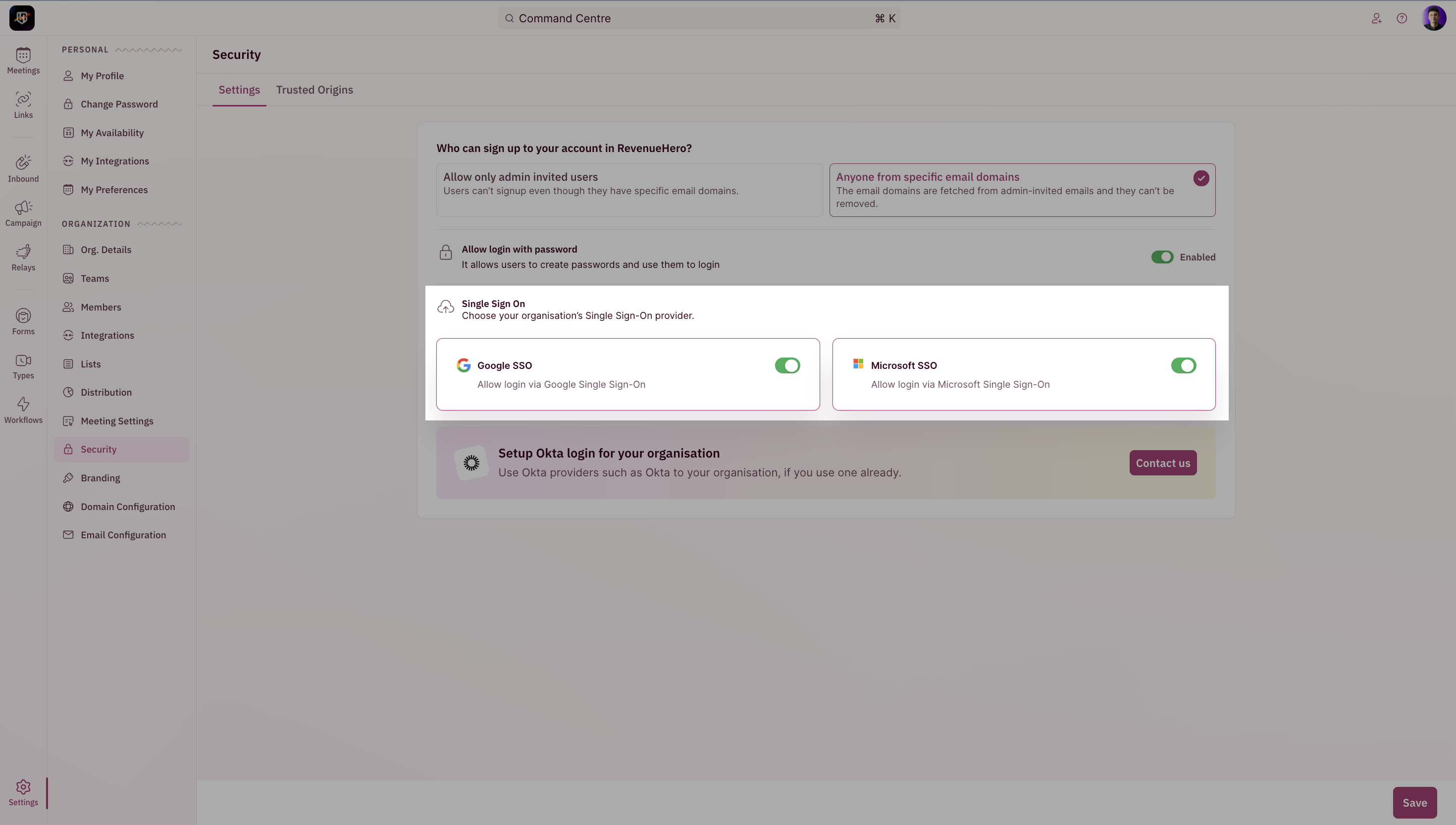 You can also set up [Okta](/integrations/okta/custom-integration) as an SSO option by clicking on the **Contact Us** button.
## Trusted Origins
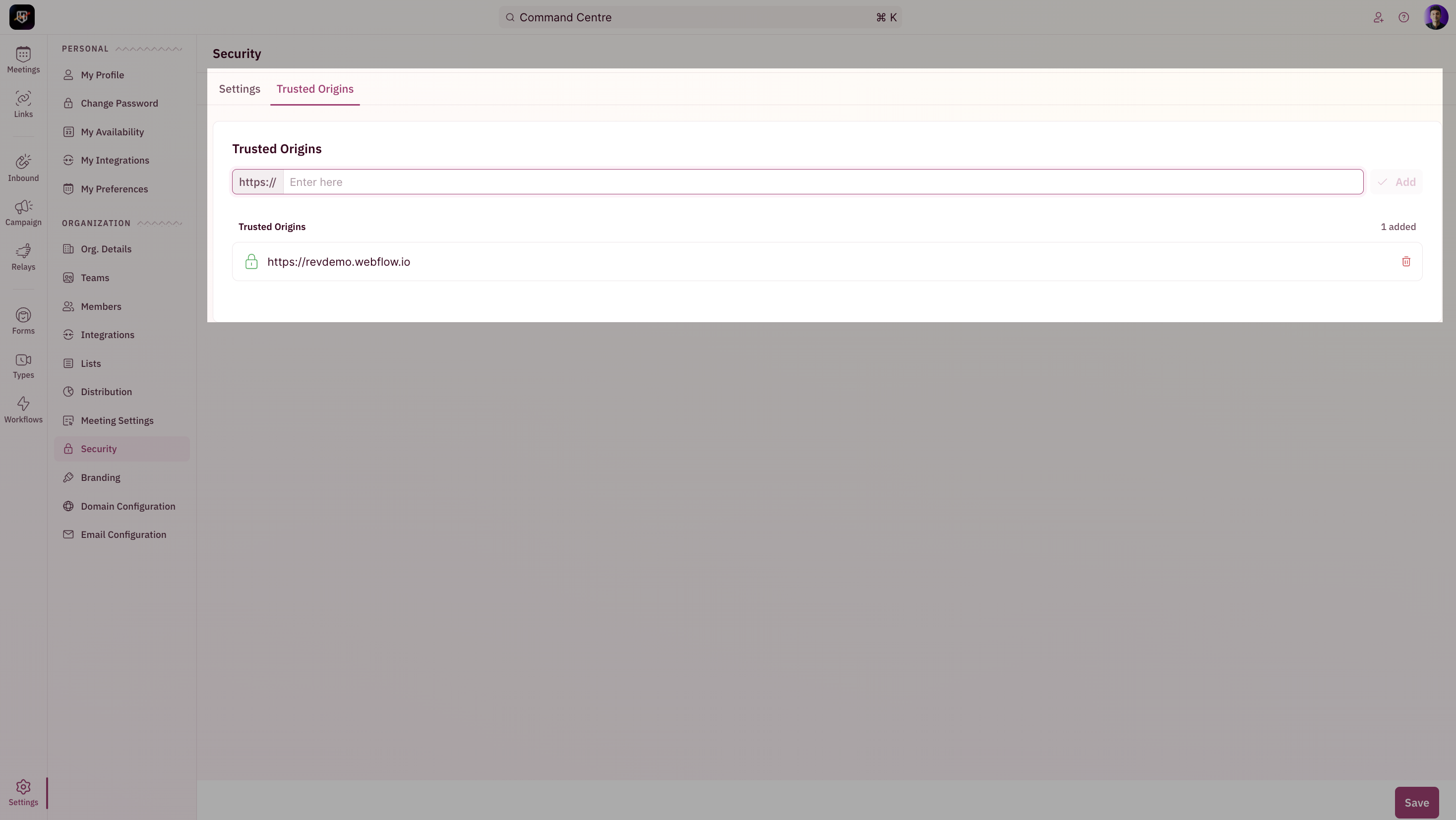
By default, RevenueHero will allow meetings to be booked from any origin/domain that the scheduler is installed on. By adding specific domains, you can curate a list of allowed origins.
You can also set up [Okta](/integrations/okta/custom-integration) as an SSO option by clicking on the **Contact Us** button.
## Trusted Origins
By default, RevenueHero will allow meetings to be booked from any origin/domain that the scheduler is installed on. By adding specific domains, you can curate a list of allowed origins.