> ## Documentation Index
> Fetch the complete documentation index at: https://help.revenuehero.io/llms.txt
> Use this file to discover all available pages before exploring further.
# Send SMS reminders via Twilio
> Learn how to set up a workflow to send SMS reminders through the RevenueHero - Twilio integration.
Ensure that you've completed the [integration with Twilio](/integrations/twilio).
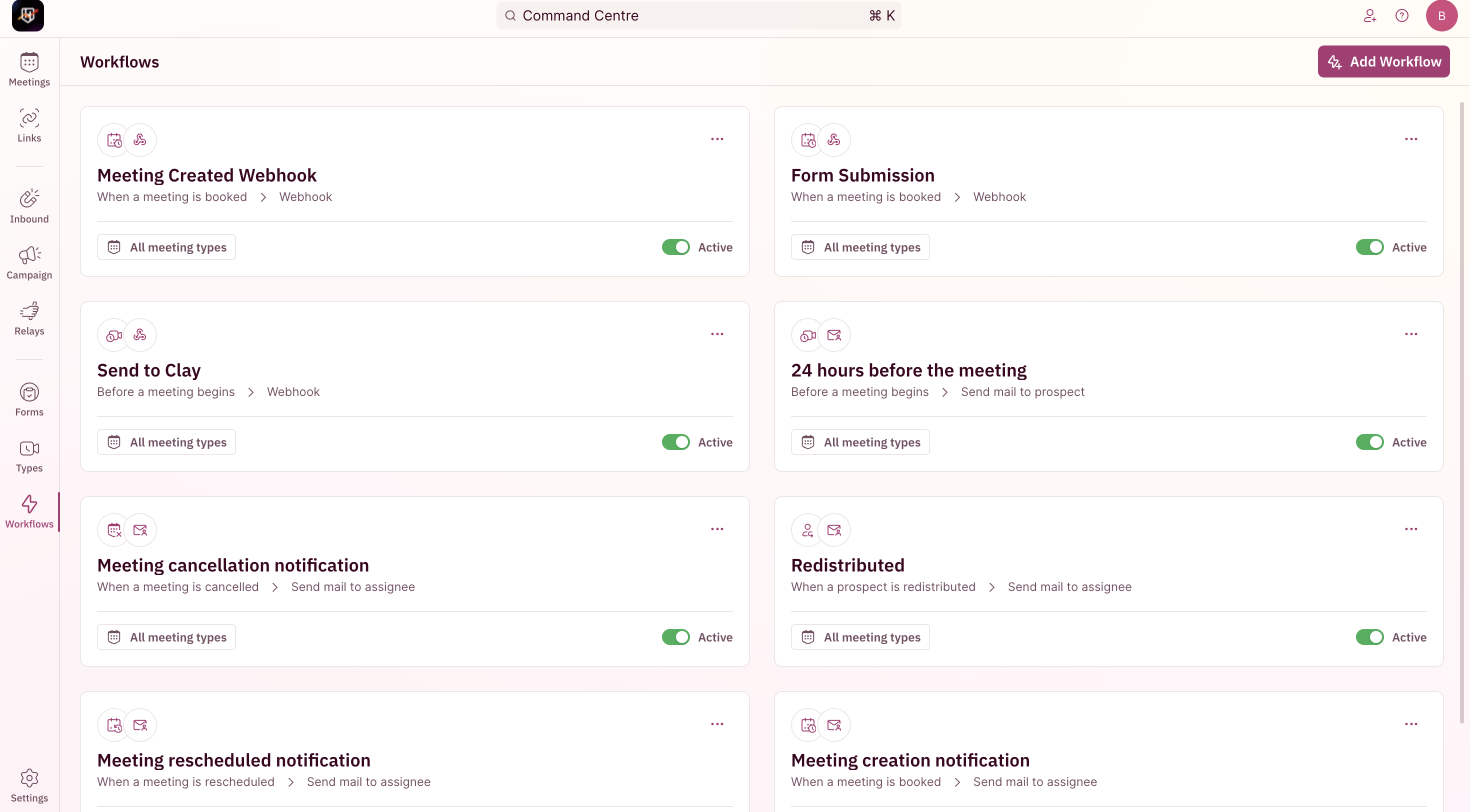
1. Go to workflows in RevenuHero.
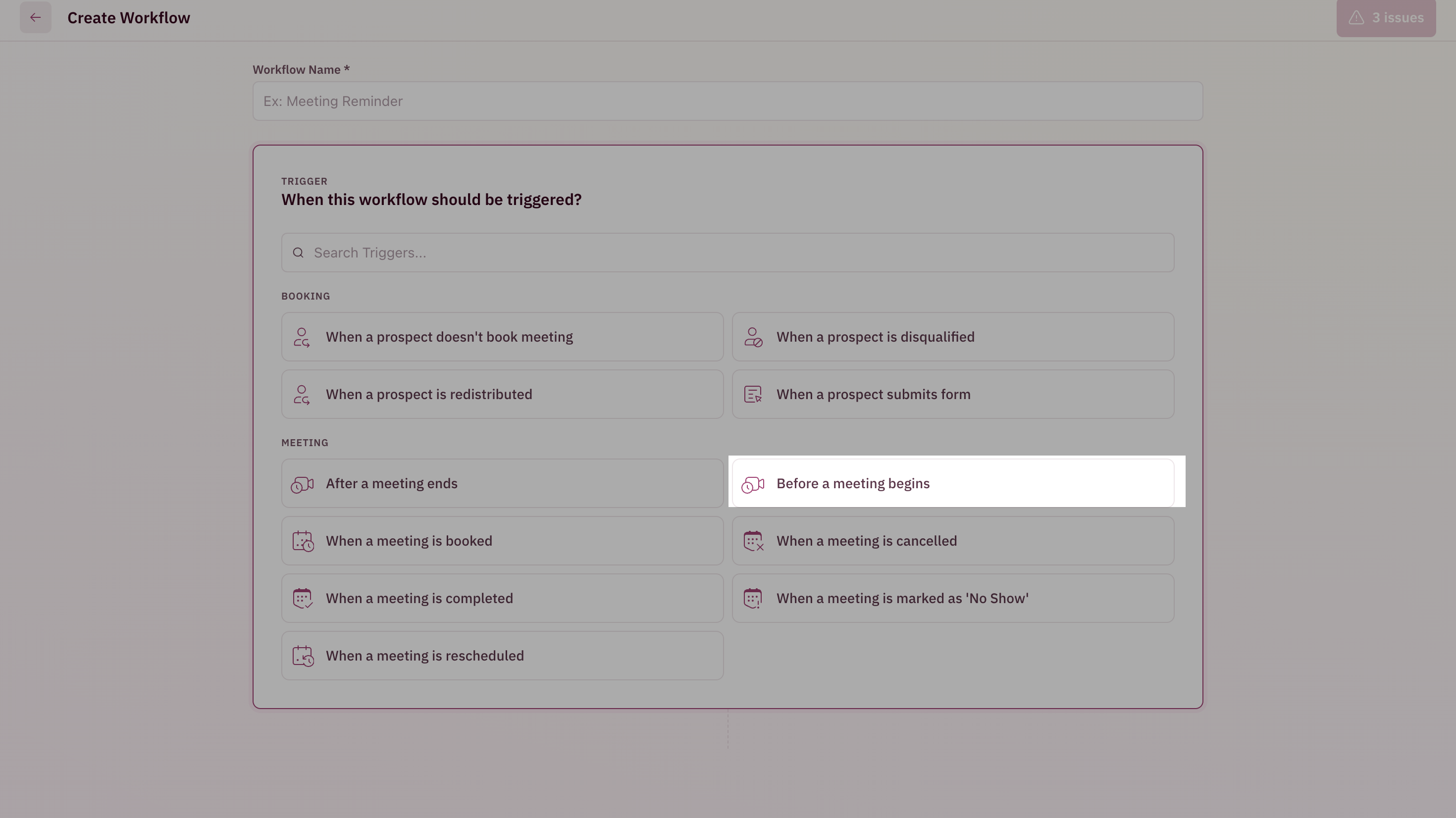
 2. Use Before a meeting begins as the trigger.
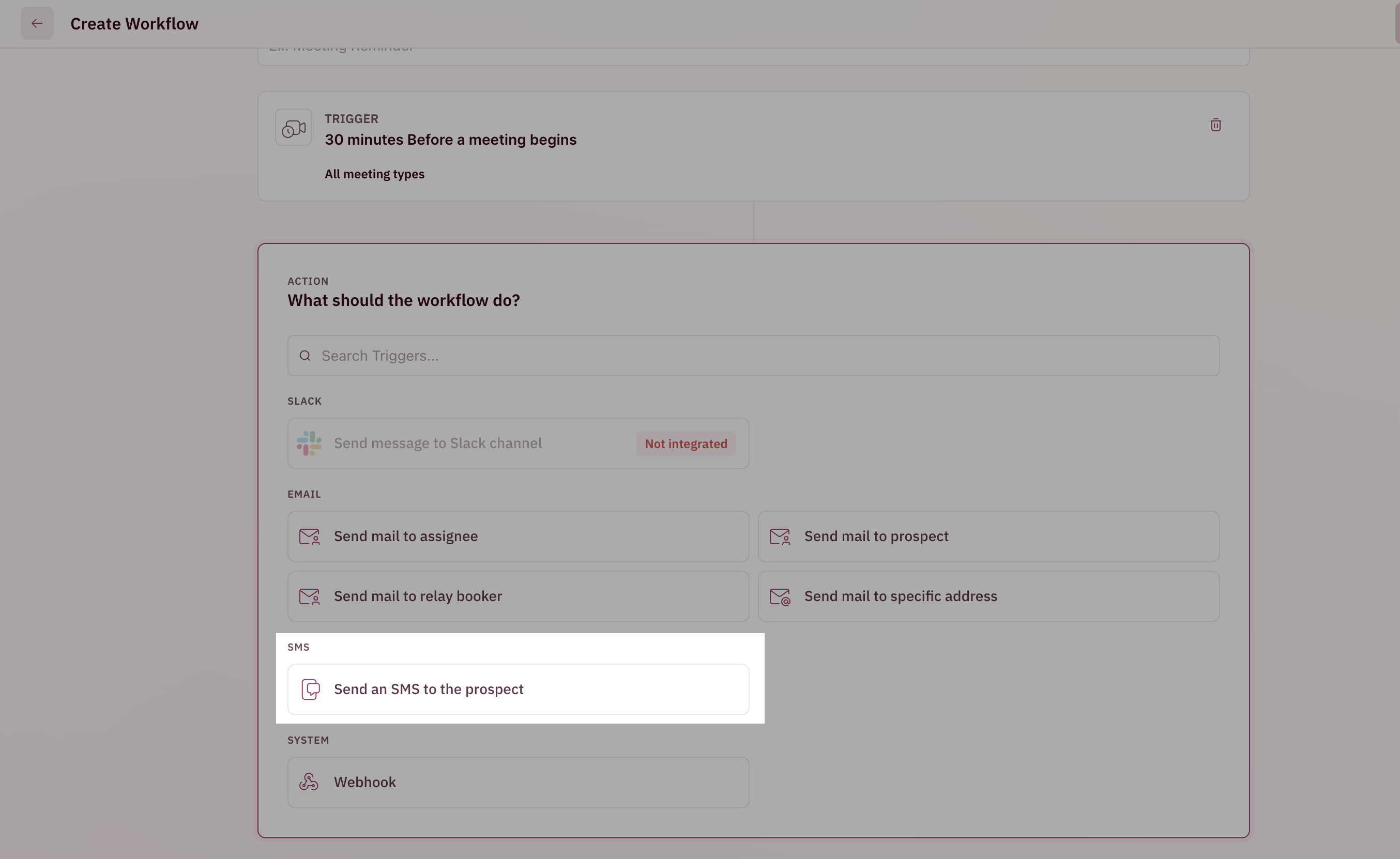
 3. Select Send an SMS to the Prospect.
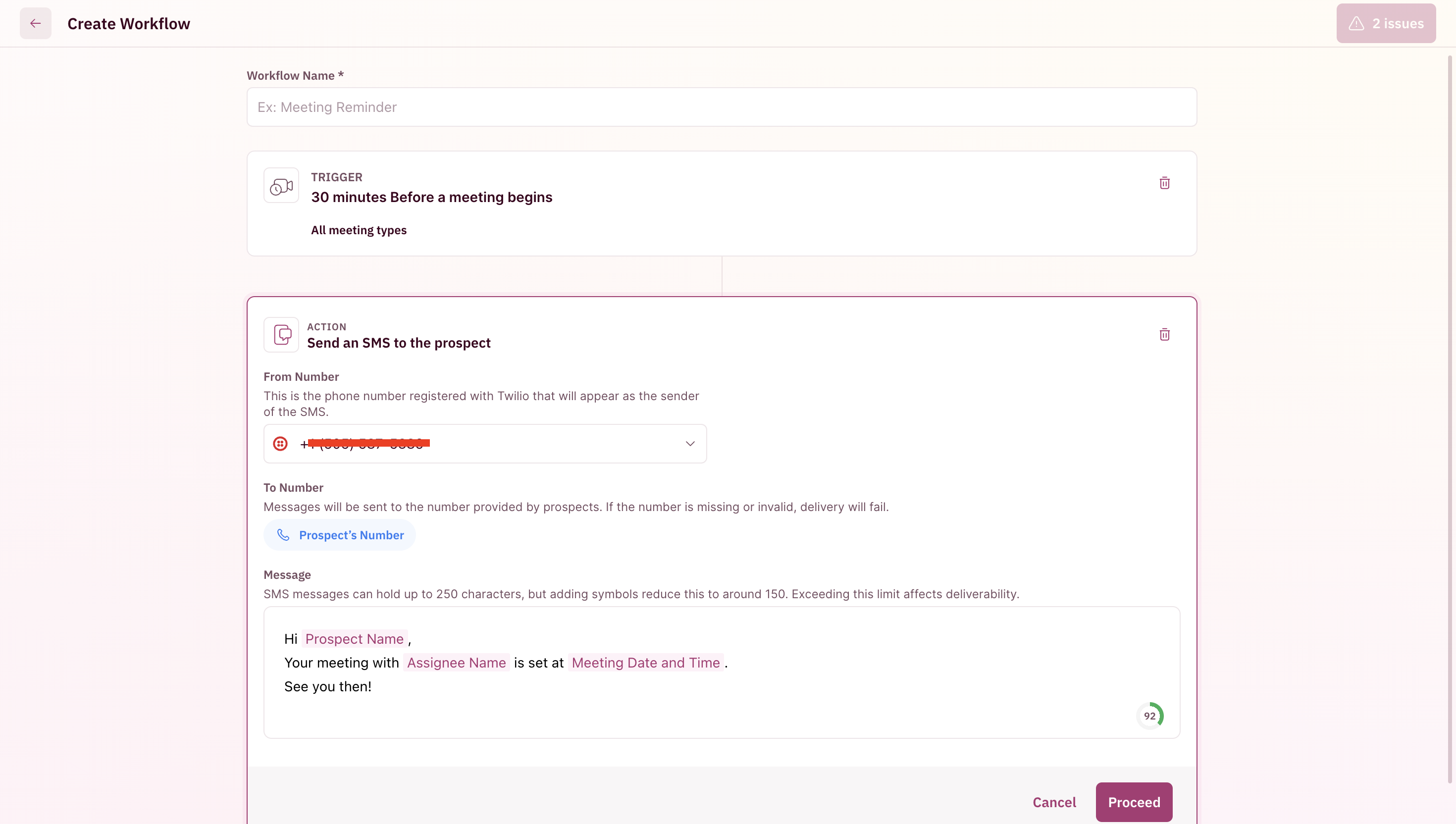
 4. Choose the Twilio number to send reminders from and customise the SMS content in the provided section.
 5. Save the workflow.