

BEFORE YOU BEGIN
- The MCP server works with inbound routers only. Campaign and Relay flows are not supported yet.
- You need a dedicated inbound router created for MCP use. Your token is issued against it.
- Someone at RevenueHero has to generate your bearer token. You cannot create one yourself today.
How the MCP server works
The server exposes three tools. Your AI agent decides which to call and when, so you do not write any request-handling logic yourself.
The order matters, and
init_session is not the first thing that happens. Your agent talks to the prospect first and collects what it needs to schedule, at minimum an email address and the time zone they want to book in. Only once it has those does it call init_session. Everything after that reuses the session ID that comes back.
Calling init_session writes a session into your router’s routing log, which is where you go to confirm a booking flow ran the way you expected.
Email is the only value the tool strictly requires, though in practice the agent also needs a time zone before it can return usable slots. Anything else it collects, company name, headcount, industry, gets passed through as key-value pairs and lands in the same router rules your web forms use.
Step 1: Get your bearer token
Your token is scoped to one inbound router. That router is what decides which reps are eligible and which matching and distribution rules apply.- Create a new inbound router for MCP use. Give it a name that makes its purpose obvious, for example AI agent bookings.
- Configure its matching and distribution rules the way you want the agent to route. You can keep editing this router after the token is issued.
- Send the router ID to your RevenueHero contact and ask for an MCP bearer token.
Step 2: Choose a transport
The server supports two transports. Use Streamable HTTP unless your client cannot.- Streamable HTTP (recommended)
- SSE (deprecated)
Supported by most clients, including ElevenLabs, Talkdesk and n8n.
Connect ElevenLabs
ElevenLabs has no native RevenueHero connector. You add RevenueHero as an MCP server instead.Step 1: Add the server
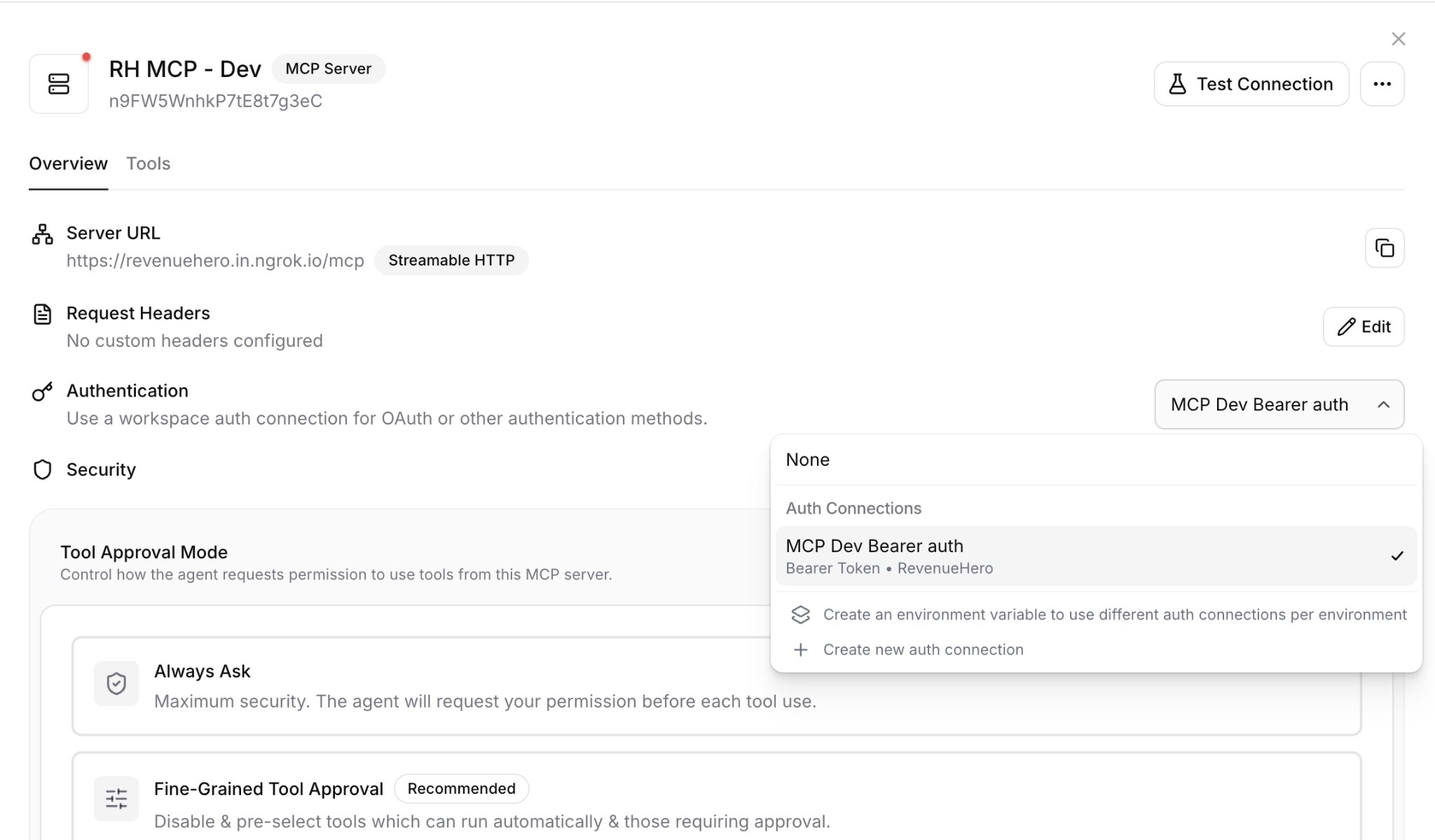
- In your ElevenLabs workspace, go to Tools → MCP and click Add Server.
- Give it a name and description, for example RevenueHero.
- Set Server configuration to Streamable HTTP.
- Enter
https://api.revenuehero.io/mcpas the Server URL.
Step 2: Create the bearer token connection
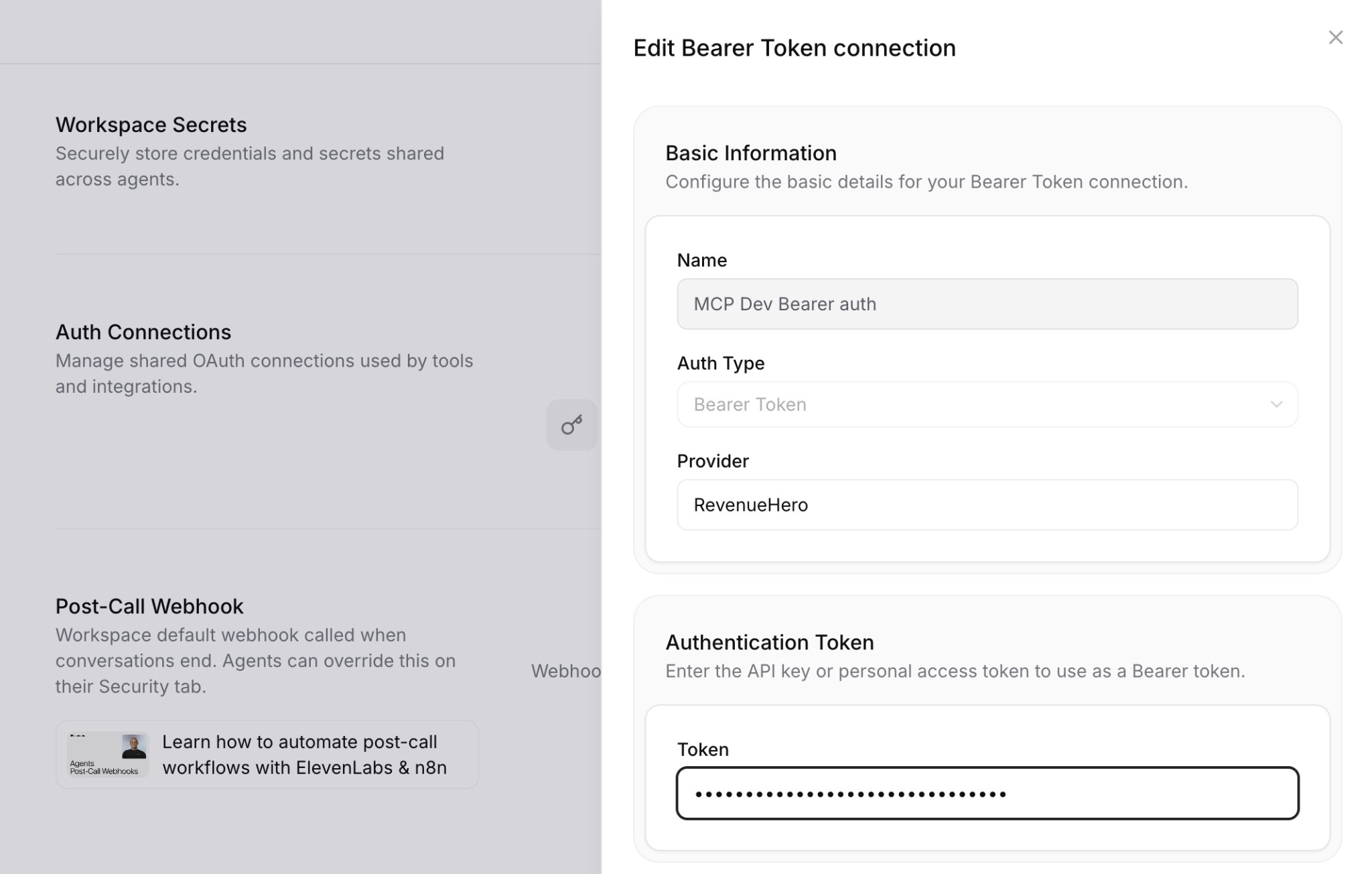
- In Workspace settings → Auth Connections, create a new authentication connection.
- Set Auth Type to Bearer Token.
- Give it a name you will recognise, set Provider to RevenueHero, and paste your router token into the Token field.
- Back on the server, select that connection under Authentication.
Step 3: Enable the tools
Open the server’s Tools tab and turn on run without approval forinit_session, time_slots and book_meeting. All three have to be enabled, or the agent cannot call them during a live conversation.
Step 4: Add the system prompt and publish
Add the prompt from Writing the agent prompt to your agent’s system prompt, then publish the agent and run a preview conversation to confirm it returns real slots.Connect n8n
n8n uses its default MCP Client node, attached to an AI Agent as a tool. Both transports work.Step 1: Build the flow
Use a Webhook trigger, an AI Agent node, and an MCP Client node attached to the agent under Tool. Add a chat model and a memory node so the agent can reuse values it already collected across turns.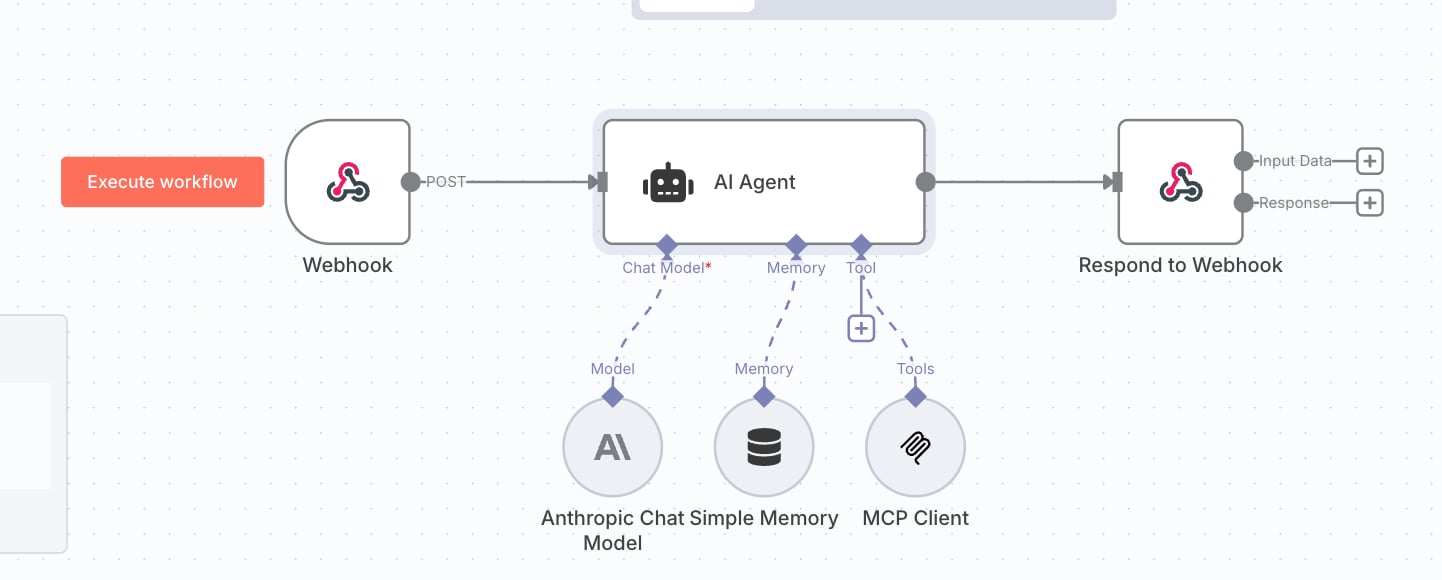
Step 2: Configure the AI Agent node
Set Source for Prompt (User Message) to Define below, then set the prompt to an expression that pulls from the incoming request: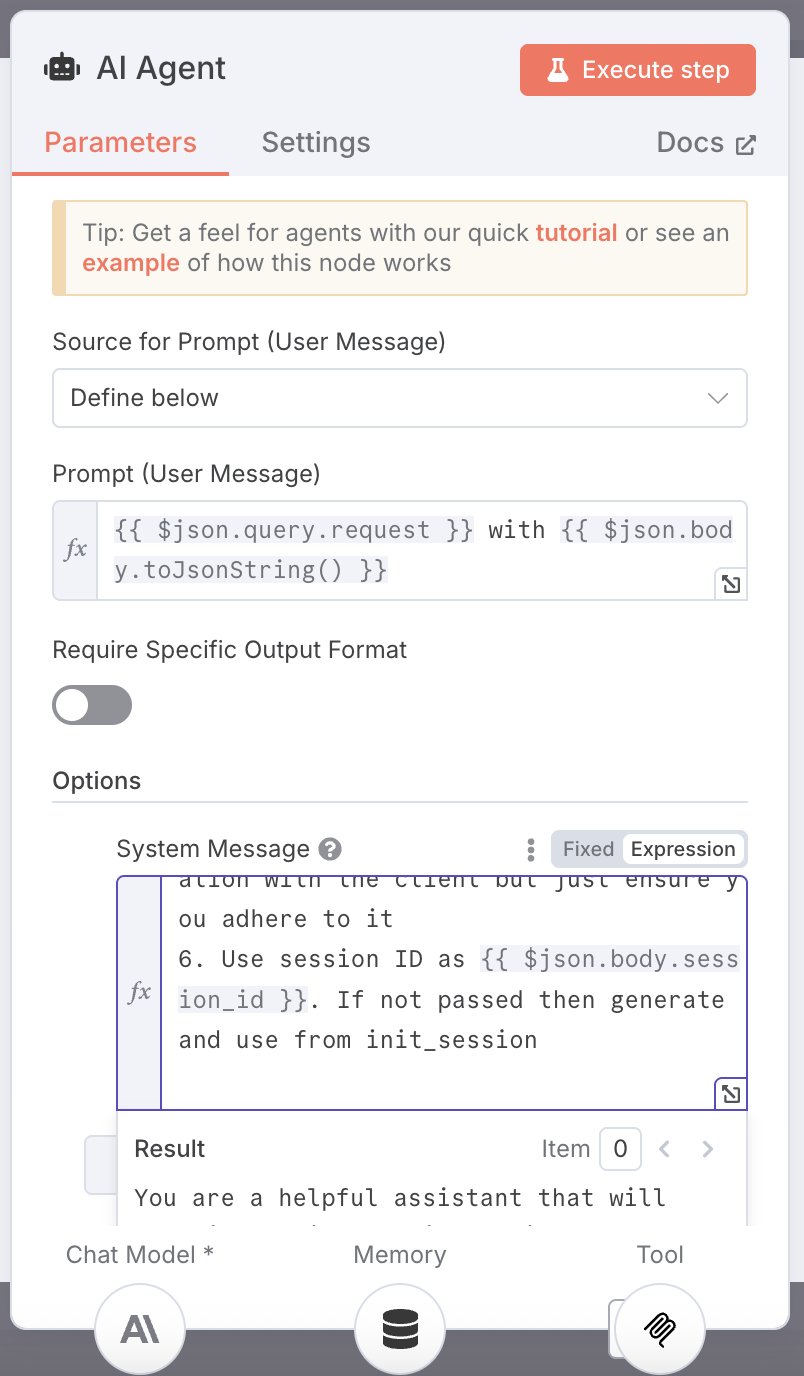
Step 3: Configure the MCP Client node
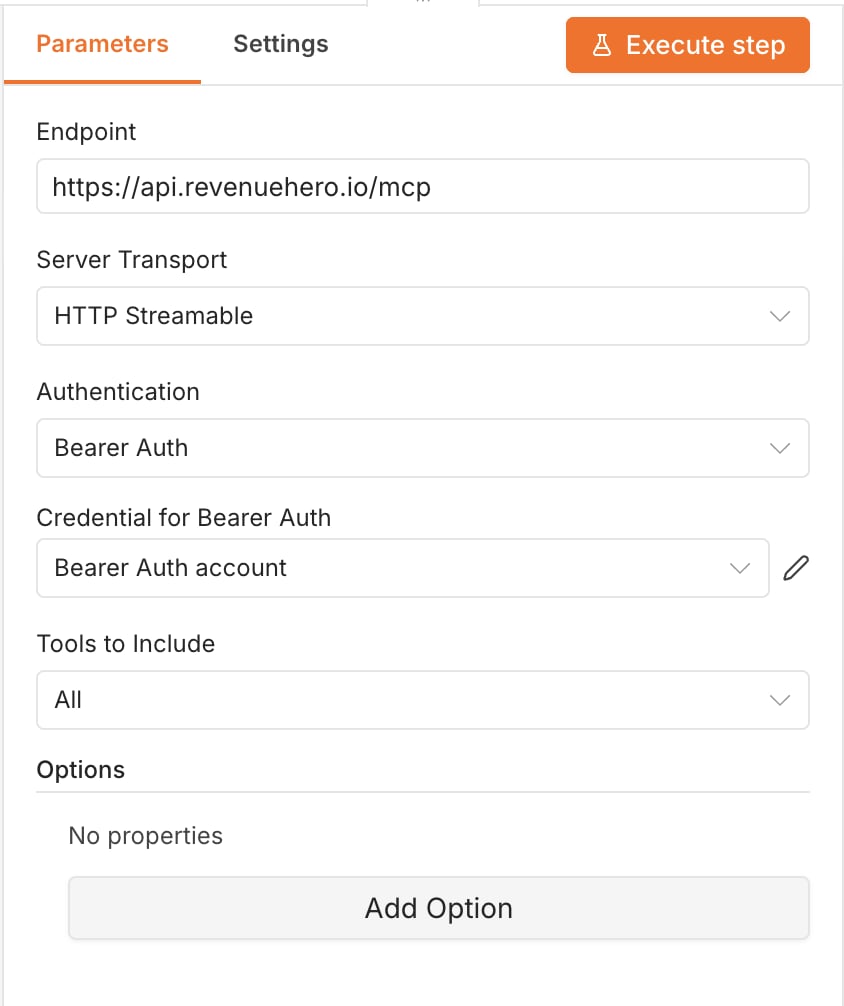
Step 4: Return the response and activate
Set the Webhook trigger’s HTTP Method to POST and its Respond setting to Using ‘Respond to Webhook’ Node. On the Respond to Webhook node, set Respond With to All Incoming Items.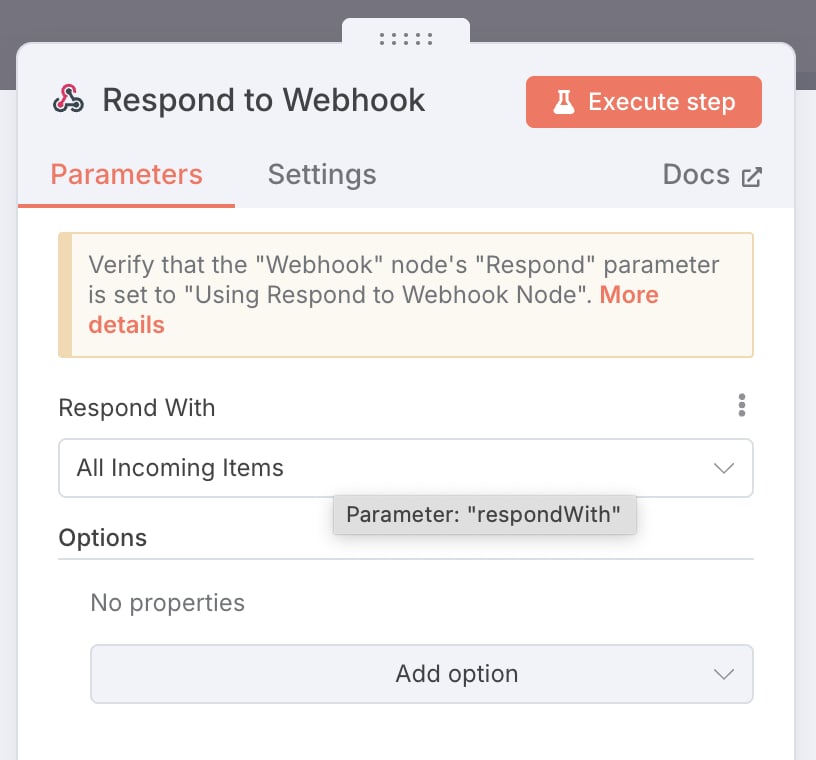
Writing the agent prompt
The prompt does more work here than the configuration does. The agent has to call the tools in the right order and hold on to the session ID, and neither happens reliably without being told. Start from this and adapt it:How routing works with MCP
The router your token points at applies the same rules it would for a web form. Matching rules, distribution rules, ownership lookups and round robin all apply. Your distribution mode changes what the agent can offer:
For multiple regions or segments, you have two options. Either create a second router and request a second token, or keep one router and split with distribution rules, prompting the agent to ask which country or segment the prospect is in and letting the rule route on that answer. One router with rules is usually easier to maintain.
Limits and known issues
- Inbound routers only. Campaign and Relay flows are not supported yet.
- One token, one router. There is no multi-router lookup, so an agent cannot query across routers.
- Session management is on you. Nothing stops an agent creating duplicate sessions for the same conversation. Run a few tests and check the router’s routing log to confirm one conversation produces one session.
- Agents can over-collect. Left unprompted, an agent will ask for details the tools never use. Rule 5 in the starter prompt is what keeps it on track.
- The starter prompt covers the happy path. Anything beyond a straightforward book-a-meeting flow needs more prompt engineering on your side.
Create an inbound router
Set up the dedicated router your MCP token points at.
Distribution rules
Control which reps the agent can offer, and how slots are shared.
Matching rules
Route prospects to the right team from the values your agent collects.
Integrations
Connect your CRM so bookings write back automatically.