
Documentation Index

Fetch the complete documentation index at: https://help.revenuehero.io/llms.txt

Use this file to discover all available pages before exploring further.

Your team runs different types of meetings every day. Intro calls, product demos, pricing discussions. But when those meetings land in HubSpot without a meeting type, they all look the same. The Meeting Type field shows “None,” and HubSpot has no way to tell whether that meeting was a first touch or a deep-dive demo. By linking your RevenueHero meeting types to their HubSpot counterparts, every booked meeting gets categorized correctly inside HubSpot. That means accurate tracking, reliable workflow triggers, and dashboards you can actually trust.

Why this matters

Once meeting types sync correctly between RevenueHero and HubSpot, you unlock three key capabilities:
  • Workflow automation — Trigger actions in HubSpot based on the type of meeting booked. Automatically create a deal after a demo, send a follow-up email after a pricing discussion, or notify your onboarding team after an implementation call.
  • Accurate reporting — Build dashboards that show demos booked per rep, total intro calls this month, or conversion rates from intro call to demo. Without meeting type data, these reports are impossible.
  • Sales process visibility — Sales and CS teams can quickly see the purpose of each meeting in a contact’s timeline without opening every activity to check.

What happens without the sync
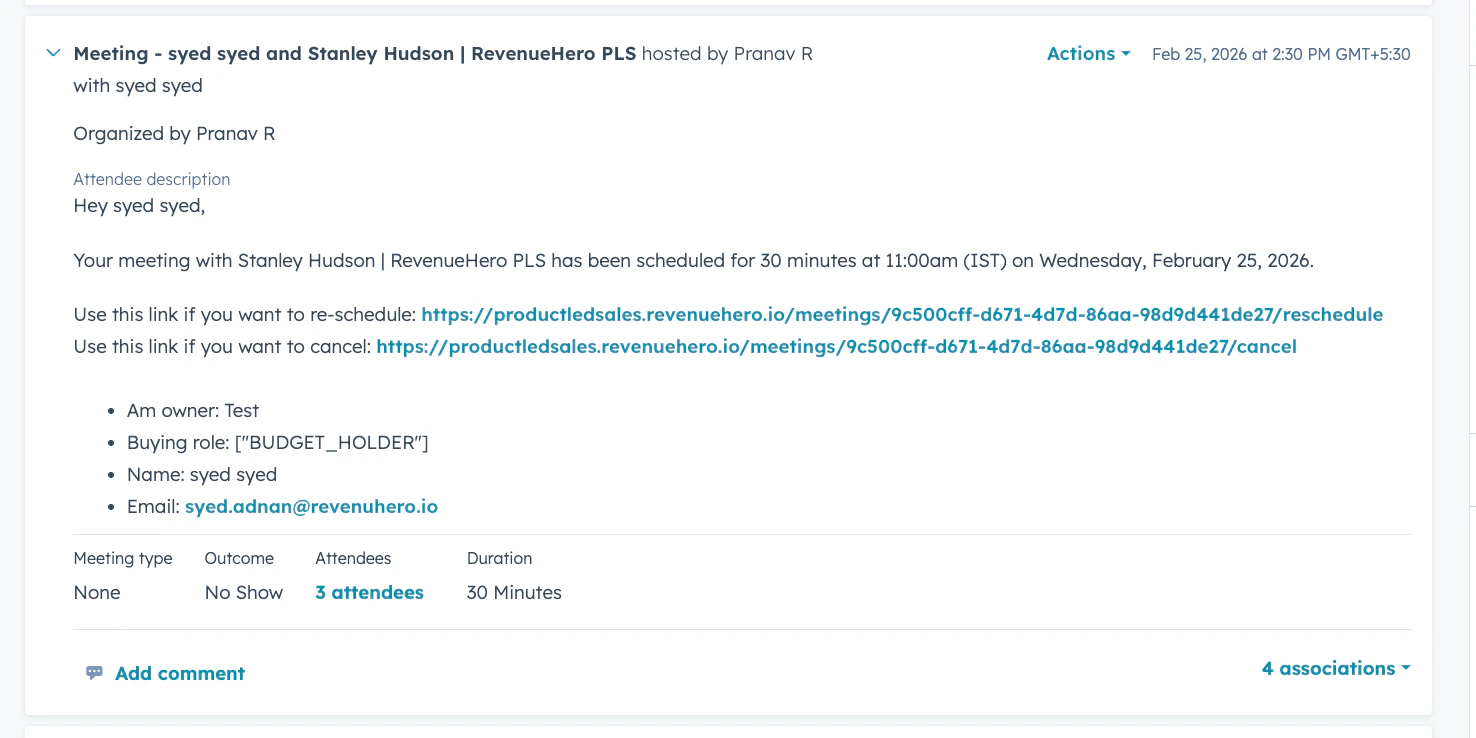
ScenarioMeeting Type in HubSpot
Meeting types not linkedShows as “None” - no categorization, no automation
Meeting types linked correctlyAuto-populates with the correct type (e.g., Intro Call, Product Demo)
Meeting logged in HubSpot