

How a matching rule works
When a submission reaches a router that has a matching rule, RevenueHero:- Takes an identifier from the submission: the prospect’s email, their email domain, or a form field you’ve mapped.
- Searches the CRM object you chose (a Contact, Lead, Account, Deal / Opportunity, or custom object) for a record that matches that identifier.
- If it finds a record, reads that record’s owner field and assigns the meeting to that owner, or to the owner plus a group you define.
- If it finds nothing, passes the submission to your distribution rules.
Who matching rules are for
Matching rules only pay off when you have ownership in your CRM to match against. They are most useful when:- You sell to existing accounts and customers. Renewals, expansion, and repeat buyers reach the rep who already owns them instead of a stranger.
- You run account-based sales. Match the email domain to the account owner so every stakeholder from a target account books with the same AE, whoever fills out the form.
- Reps own named accounts or territories. The rule enforces that ownership at booking time, so a new inbound never pulls an account away from the rep who owns it.
- You work multi-threaded deals. When several people from one company book meetings, account matching keeps them all with a single AE.
- You route by the open deal, not the account. When an AE is actively working an opportunity, match on the associated deal so new inbound from that company reaches the deal owner instead of whoever owns the account record.
- You run an SDR-to-AE motion. Matched accounts route to the AE who owns them rather than round-robining to whoever is next in line.
Where matching fits in routing
A router evaluates submissions in a set order. Matching rules are the optional middle step: when you add them to a router, they run before distribution. Leave them off, and the router moves straight from disqualification to distribution.
What you can match on
Each rule matches an incoming submission against one kind of CRM record and assigns the meeting to that record’s owner. RevenueHero gives you two ready-made rules you can add to a router, assign to the existing contact owner and assign to the existing company owner, or you can build your own. Adding at least one is what turns on the CRM ownership check.- Contact - match the prospect’s email to an existing contact and book with the contact owner.
- Lead - match the prospect’s email to an existing lead and book with the lead owner.
- Account - match the prospect’s email domain to an existing account and book with the account owner. Anyone from
@acme.coreaches the same rep. This is the one to use for account-based selling. - Associated account - find the account through its related contacts, then book with the account owner.
- Deals or opportunities - match the prospect’s company to its associated deals and book with the deal owner, the rep actively working the opportunity, rather than the static account owner. If the company has more than one open deal, RevenueHero uses the most recently created one.
- Custom object - match a custom CRM object and book with its owner.
Who gets the meeting
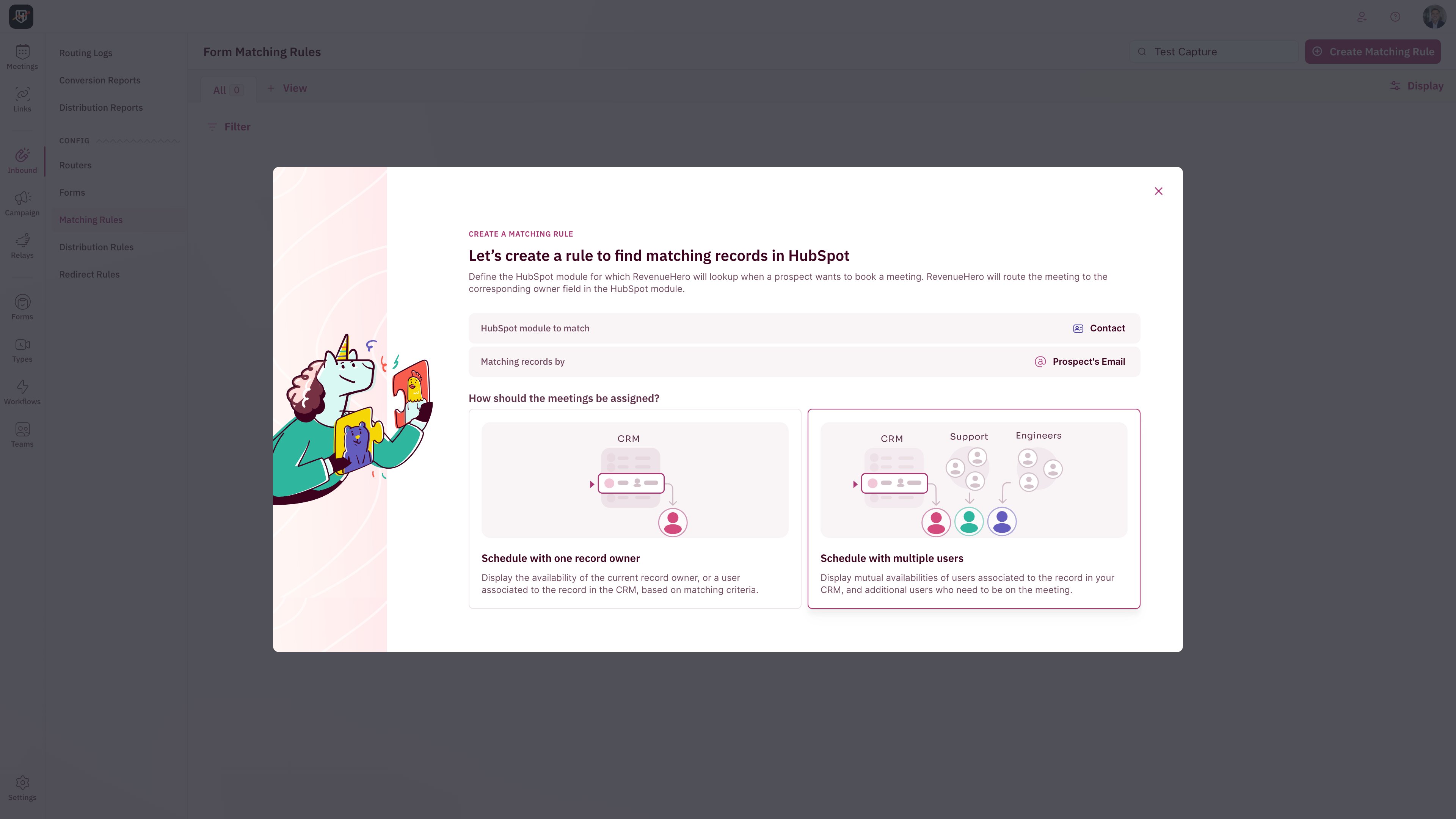
- The existing owner — the meeting goes to the single owner on the matched record. This is the default, and it keeps one point of contact.
- The owner plus a group — the existing owner is the primary host and teammates join as participants, for a collective meeting.
- A specific person — override matching to always send matched records to a chosen user or team.
Best practices
Match on the right owner field
Match on the right owner field
Decide deliberately whether a rule checks the company/account owner, the contact owner, or both. If your SDRs own contacts and your AEs own accounts, a rule that checks contact owner will hand the meeting to the SDR, not the AE. If you want AEs to keep their accounts, match on company/account ownership.
Order rules from most specific to most general
Order rules from most specific to most general
The first rule that matches wins, so put the ownership you most want honored at the top and drag to reorder. A common setup is account owner first, then contact owner as a backstop.
Always keep a distribution rule as the safety net
Always keep a distribution rule as the safety net
Anything your matching rules don’t catch flows into distribution. Make sure your router has at least one distribution rule so a new prospect is never left without a rep.
Weigh continuity against availability
Weigh continuity against availability
Routing to a single existing owner protects the relationship, but it limits booking to that one person’s calendar. If speed to book matters more than continuity for a segment, lean on distribution so prospects see a wider set of open slots.
Use account matching for ABM
Use account matching for ABM
Match the email domain to the account owner so every stakeholder from a target account books with the same AE, no matter who fills out the form.
Guard against empty or invalid owners
Guard against empty or invalid owners
A match only books cleanly when the matched record has a valid, active owner. Add conditions so the rule fires only when the owner is a present RevenueHero user, and, if meetings should always reach a seller, when the owner belongs to a specific team such as Sales. This keeps a blank owner or an admin from becoming a dead end.
How to create a Matching Rule
Step-by-step setup for a new rule
Distribution Rules
Round robin for new businesses when there are no matches.
Create an Inbound Router
Where matching and distribution rules come together to create your routing engine.
Routing Logs
Audit trail for each router’s outcome.