

BEFORE YOU BEGIN
- Connect your CRM to RevenueHero
- Have a distribution rule you can edit, or create a new one
How owner updates work
A distribution rule assigns each qualifying meeting to a rep. When you turn on owner updates, RevenueHero writes that rep’s name into an owner field on the matching CRM records. You control this per record type:- Lead and Contact records update the person-level owner.
- Account records update the owner at the account level. This is the newest option, and it works with Salesforce and Attio only.
Owner ID. Any owner-type field on the object is selectable, so you can write to a custom field like Customer Success Manager or Alliance Manager instead of the default owner.
Update owner fields on a distribution rule
Step 1: Open the owner-update panel
Open your distribution rule in Inbound Router → Distribution Rules and go to the Assign Meetings step. Find the Do you want to update owner field in <CRM>? panel next to the round robin list.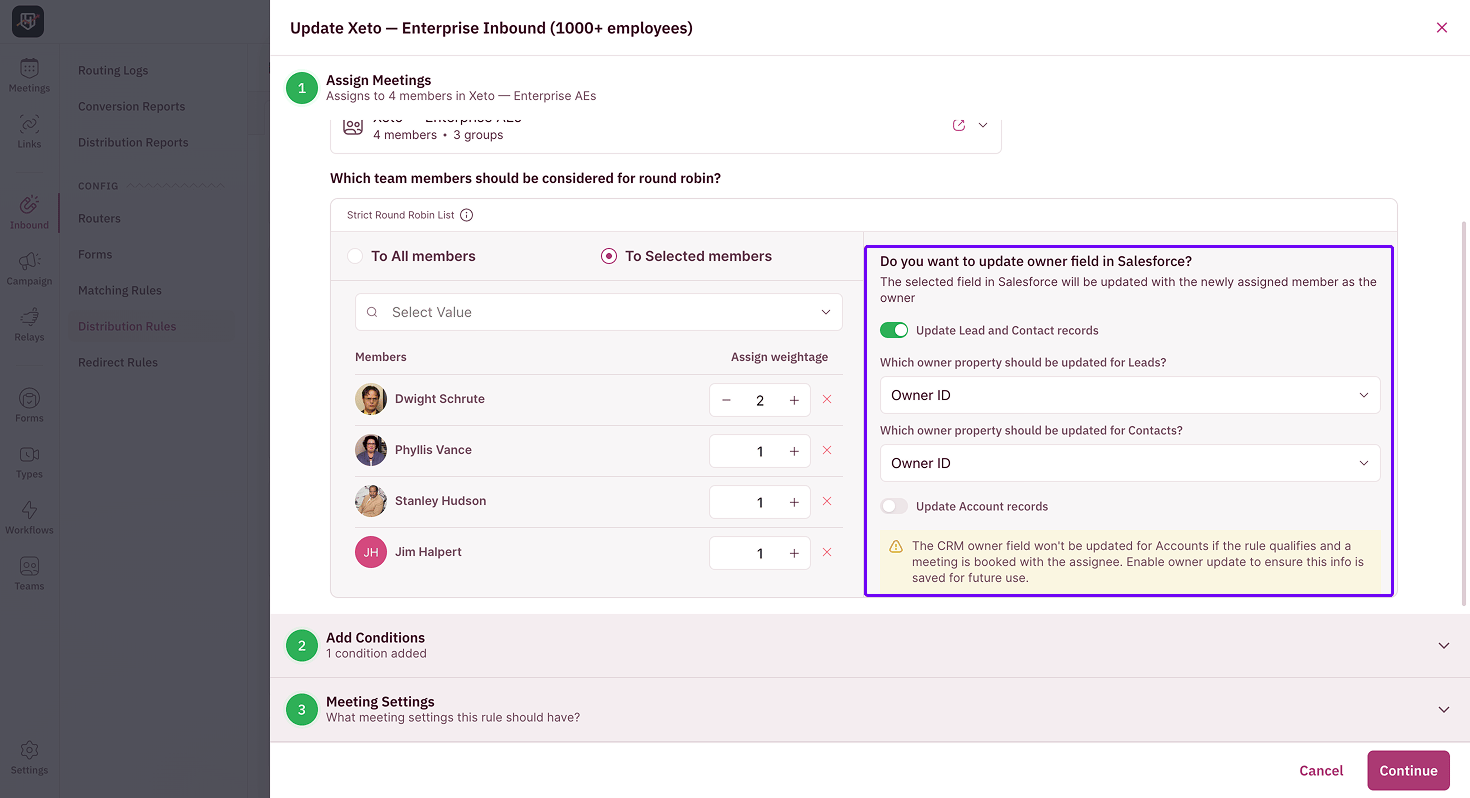
Step 2: Turn on the records you want to update
Toggle on Update Lead and Contact records, Update Account records, or both. Update Account records sets the assigned rep as the owner on the account tied to the booking, not just on the lead or contact. Turn on all of them to keep every owner field in sync.Step 3: Choose which field to update
Under each Which owner property should be updated for…? dropdown, select the field that should hold the rep’s name. The list shows every owner-type field on that object, so you can write to a custom field instead of the standard owner if your team tracks ownership somewhere specific.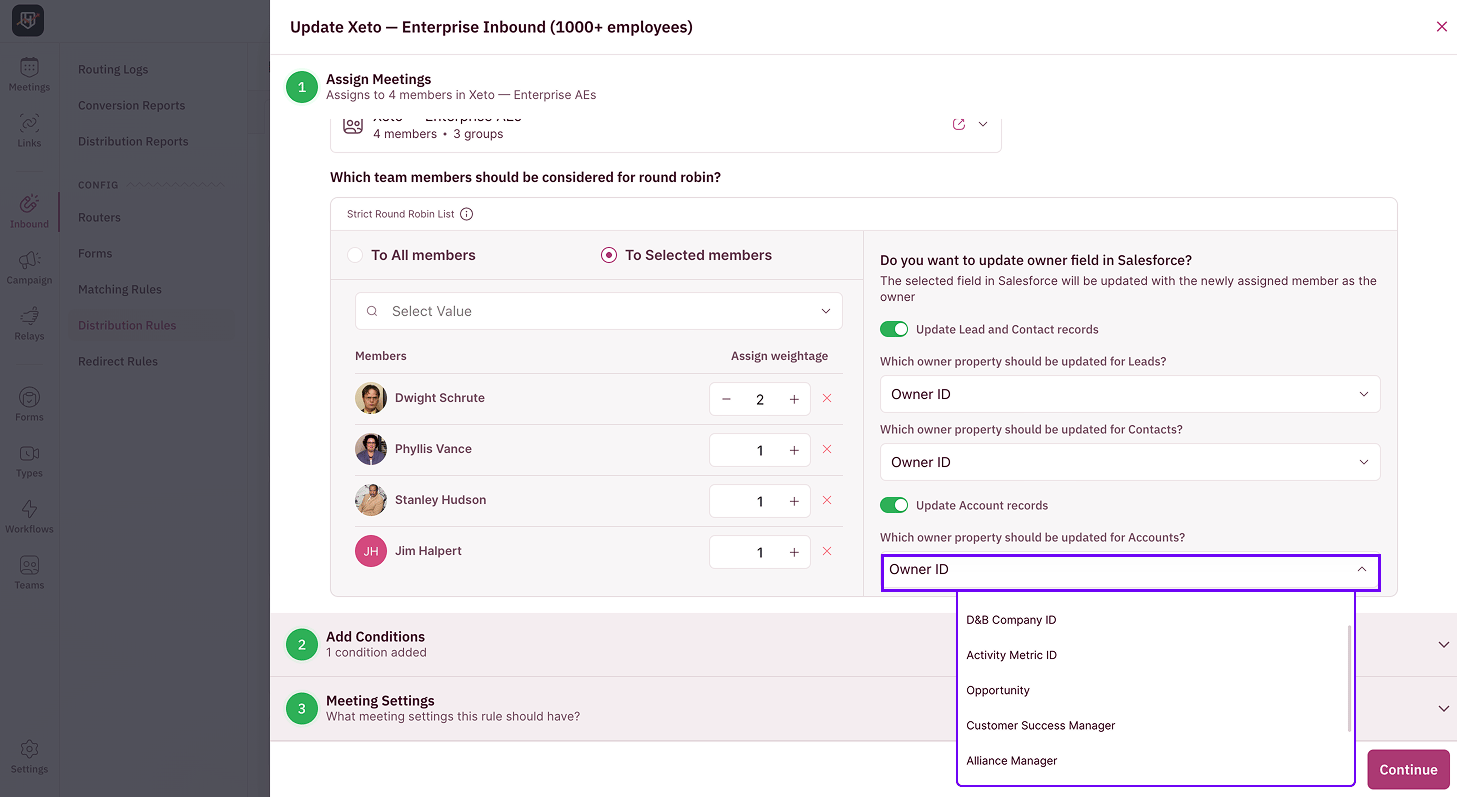
- Single round robin: you set the owner fields once for the whole rule as shown in the image above.
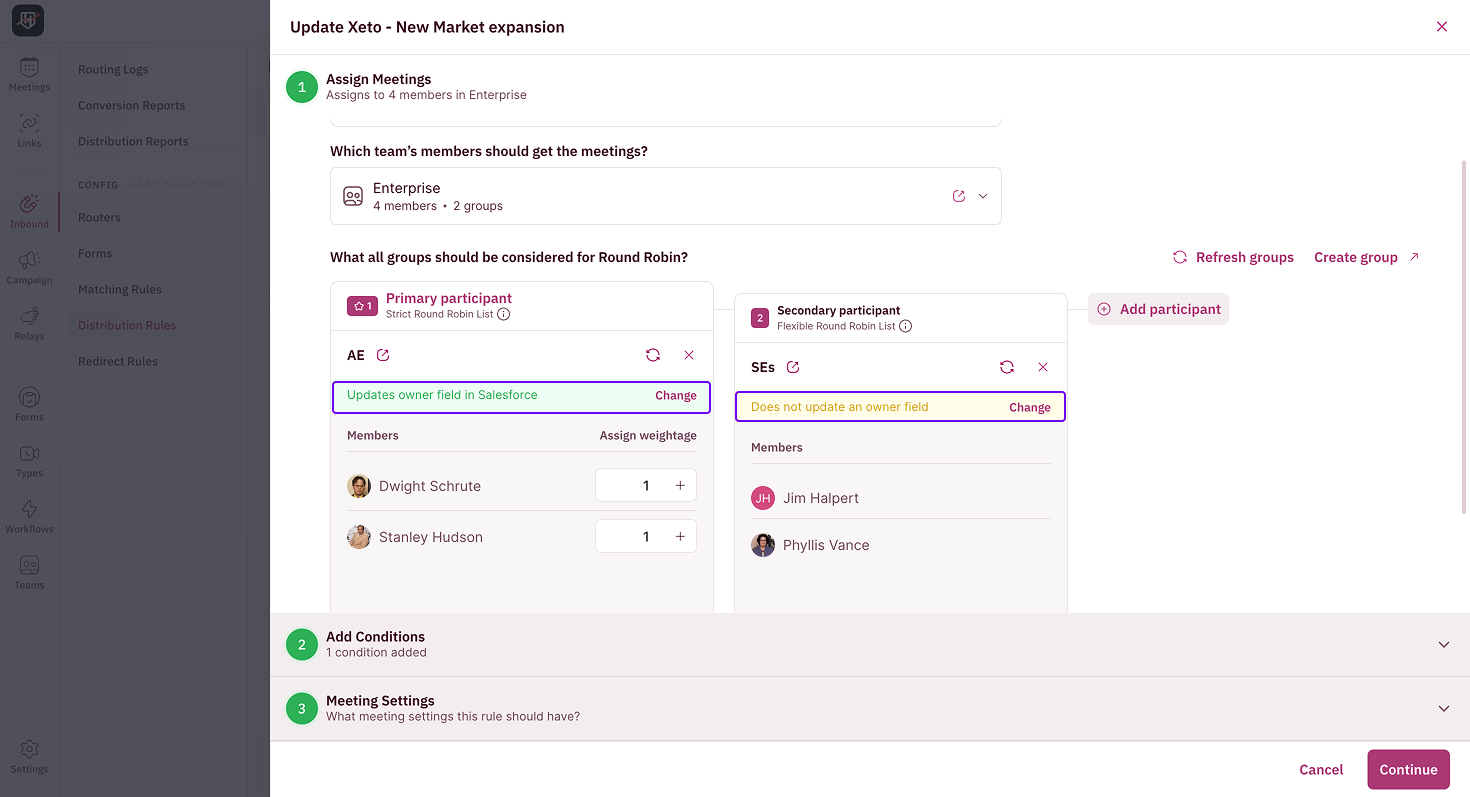
- Group round robin: you set them per included group. Each group’s card shows Updates owner field in Salesforce or Does not update an owner field depending on whether or not owner update is setup. Click Change to open that group’s dialog and choose the records and fields to update in the CRM.
Step 4: Save the rule
Click Continue on the owner-field dialog, finish the rest of the rule, and save. The next time a meeting matches this rule, the assigned rep is written to the owner fields you chose.Which records get updated
What happens if you leave it off
Your distribution rule now keeps the CRM owner in step with the rep who takes the meeting. 🎉🎉🎉
Create a Distribution Rule
Route meetings to new owners via round robin.
Create a Matching Rule
Route meetings to the existing CRM owner for a lead or contact.
Salesforce fields synced
See what prospect and meeting data RevenueHero keeps up to date.
Group Round Robin
Route meetings across multiple groups of reps.